Data conversion mode
(6)Back tacking(Start/end back tacking)
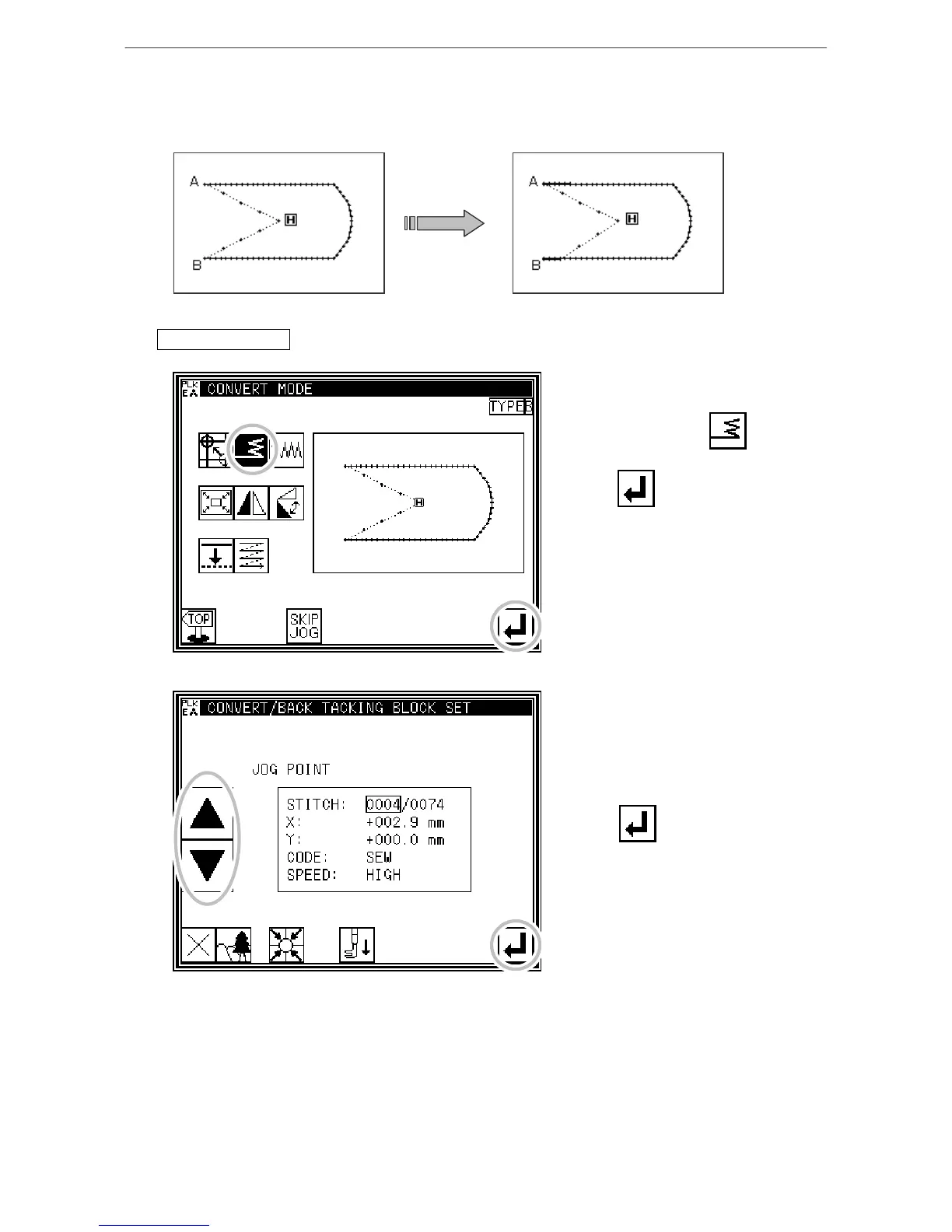
[Example] In the following type of stitching data, the start/end back tacking at the start of
stitching (point A) and end of stitching (point B) is converted (added).
(The bold line indicates the back tacking)
Operation details
1. Selecting back tacking
* Enter the conversion mode.
* Press Back tacking .
* Press .
2. Setting the block for converting back tacking
*Using jogging, move to the block
where back tacking is to be
converted. (In this case, move to a
point between point A and point B.)
* Press .
[13]-5



 To Next Page
 Loading...





