Methods of creating stitching data
(6) Point input
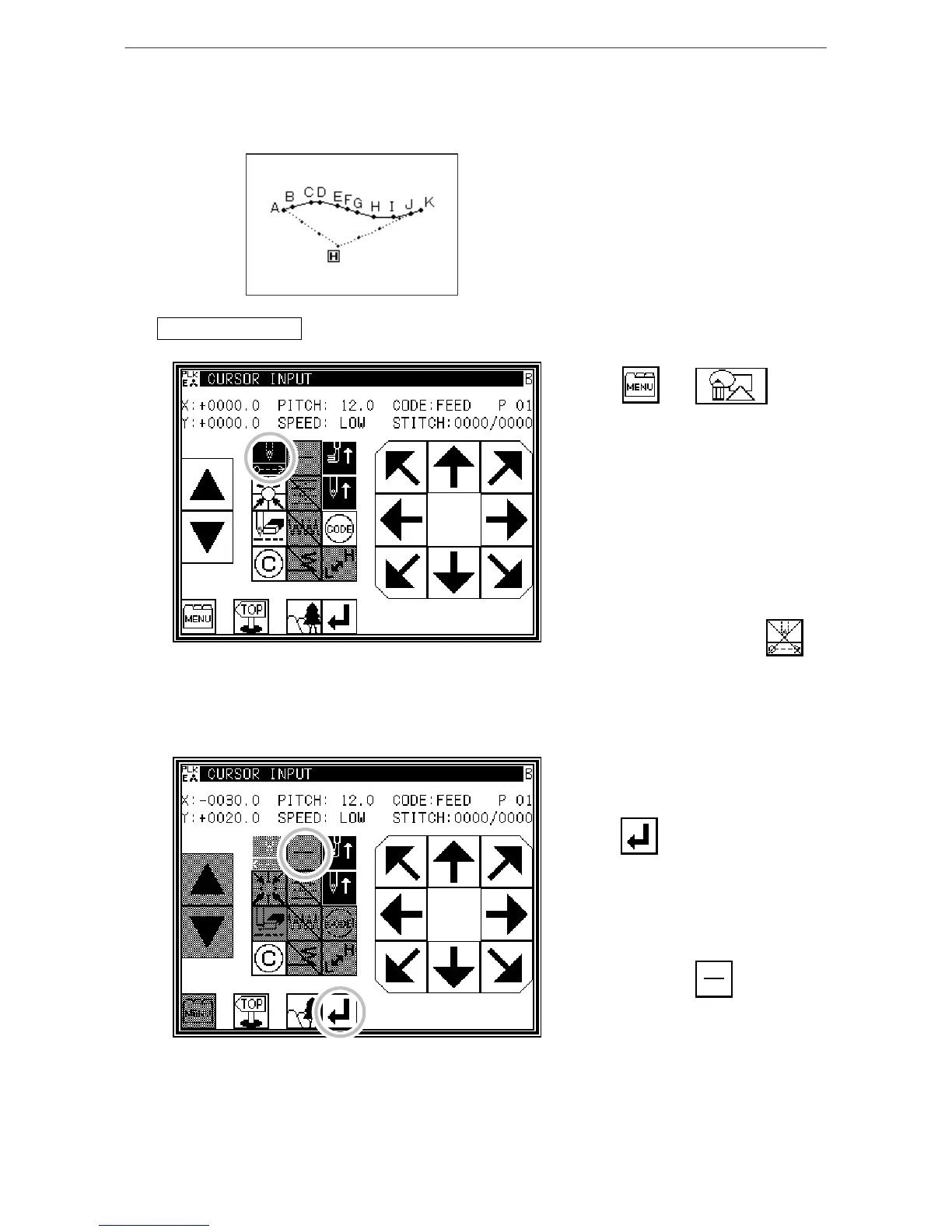
[Example] The following type of pattern data will be created.
Operation details
1. Inputting feed data to A point
* Press and on
the Standard screen. After making the
various settings on the Data Setting
Input screen, the Arrow Input screen
will open.
[Memo] With point input, the stitch
length setting on the Data
Setting Input screen will be
ignored.
* Check that the code is set to FEED.
If different code is set, press
and set the code to FEED.
* Press the arrow keys and move to the
A point.
(Feed data to A point.)
2. Setting feed data to A point
* The movement amount can be
confirmed.
* Press to set the data.
(Feed data to A point.)
* To change the stitching type to
"POINT INPUT", press the input
method setting key.
(In this case, the key.)



 To Next Page
 Loading...





