Data conversion mode
(9) Scaling
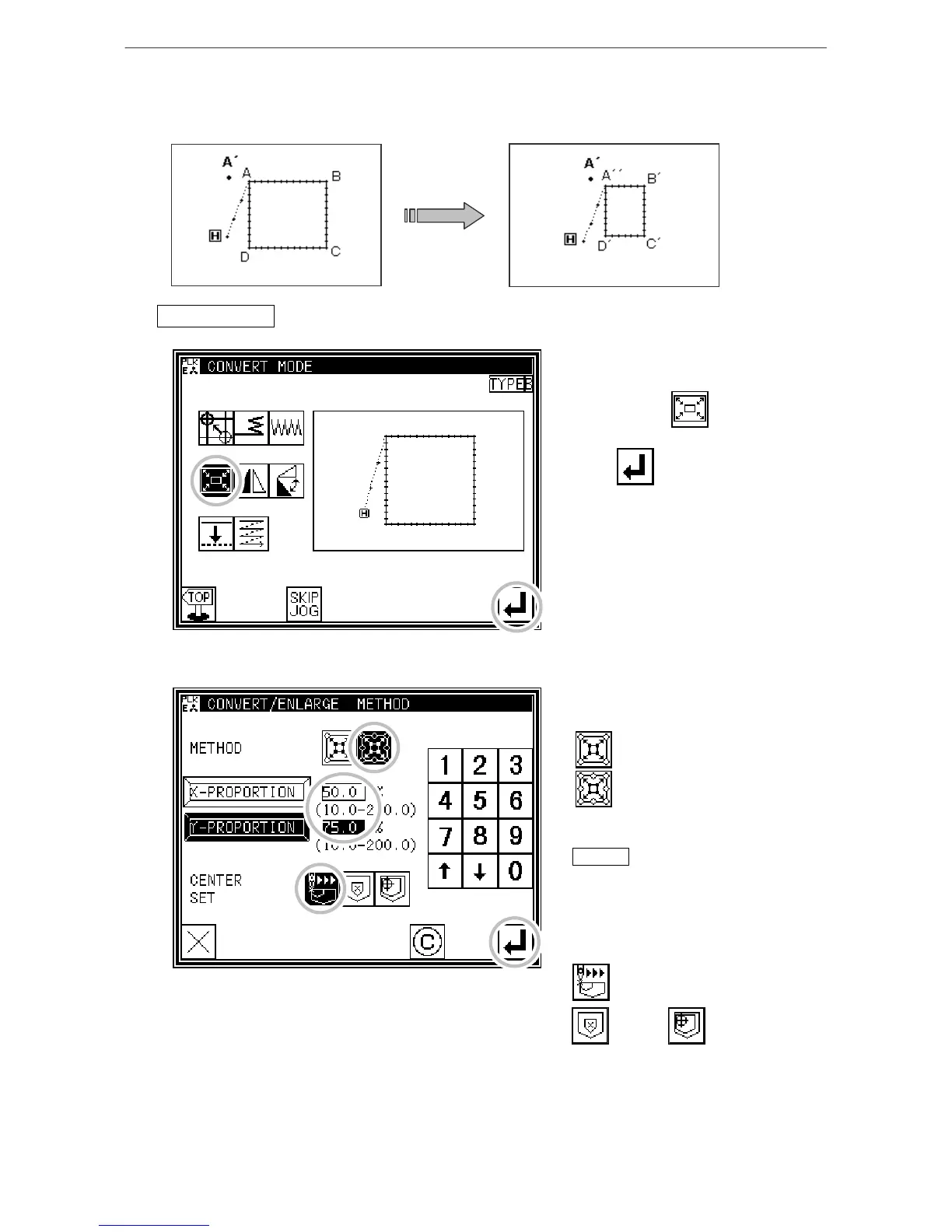
[Example] The data will be reduced (X: 50%, 75%) with a fixed stitch length centering on the A' point in
the following type of stitching data.
Operationdetails
1. Selecting scaling
* Enter the conversion mode.
* Press Scaling .
* Press .
2. Setting the scaling method, etc.
* Method
No. of Stitches Fixed
Fixed Stitch Length
(Press Fixed Stitch Length for this
example.)
Memo For the BA data, the "fixed
stitch length" will not be displayed.
* Set the X, Y enlargement rate
(reduction rate) with the numeric
keypad or up/down arrow keys.
* Center designation
Jog Center Designation
Pattern Home position
Center center
(Press Jog Center Designation for this example.)
[13]-12



 To Next Page
 Loading...





