Data conversion mode
(8)Zigzag stitching
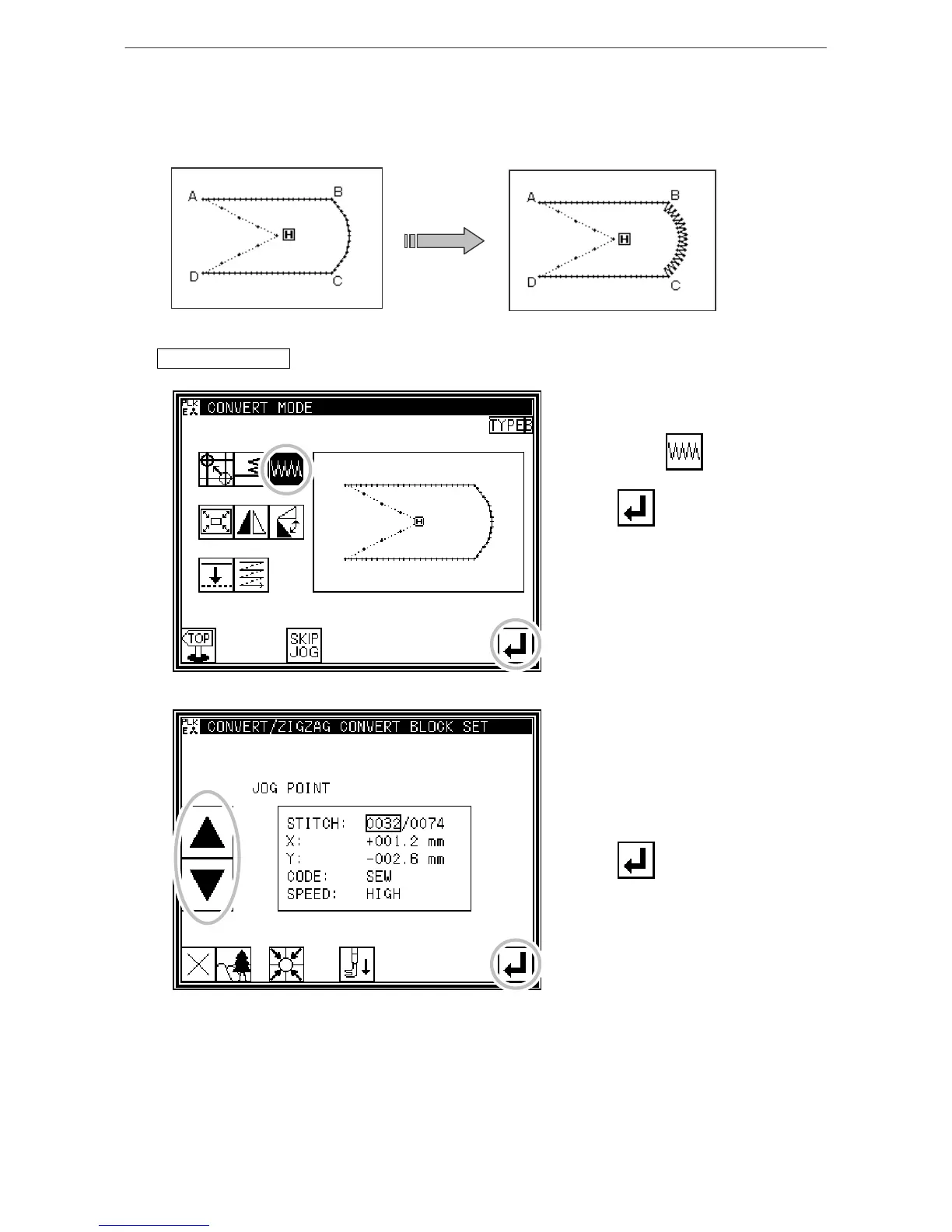
[Example] In the following type of stitching data, the arc section between point B and point C
is converted (added) to zigzag stitching. (Point A to point B: linear, point B to point
C: arc, point C to point D: linear)
Operation details
1. Selecting zigzag stitching
* Enter the conversion mode.
* Press zigzag .
* Press .
2. Setting the block for converting zigzag
*Using jogging, move to the block to
be converted to zigzag stitching. (In
this case, move to the arc section
(point between point B and point
C).)
* Press .



 To Next Page
 Loading...





