Modification mode
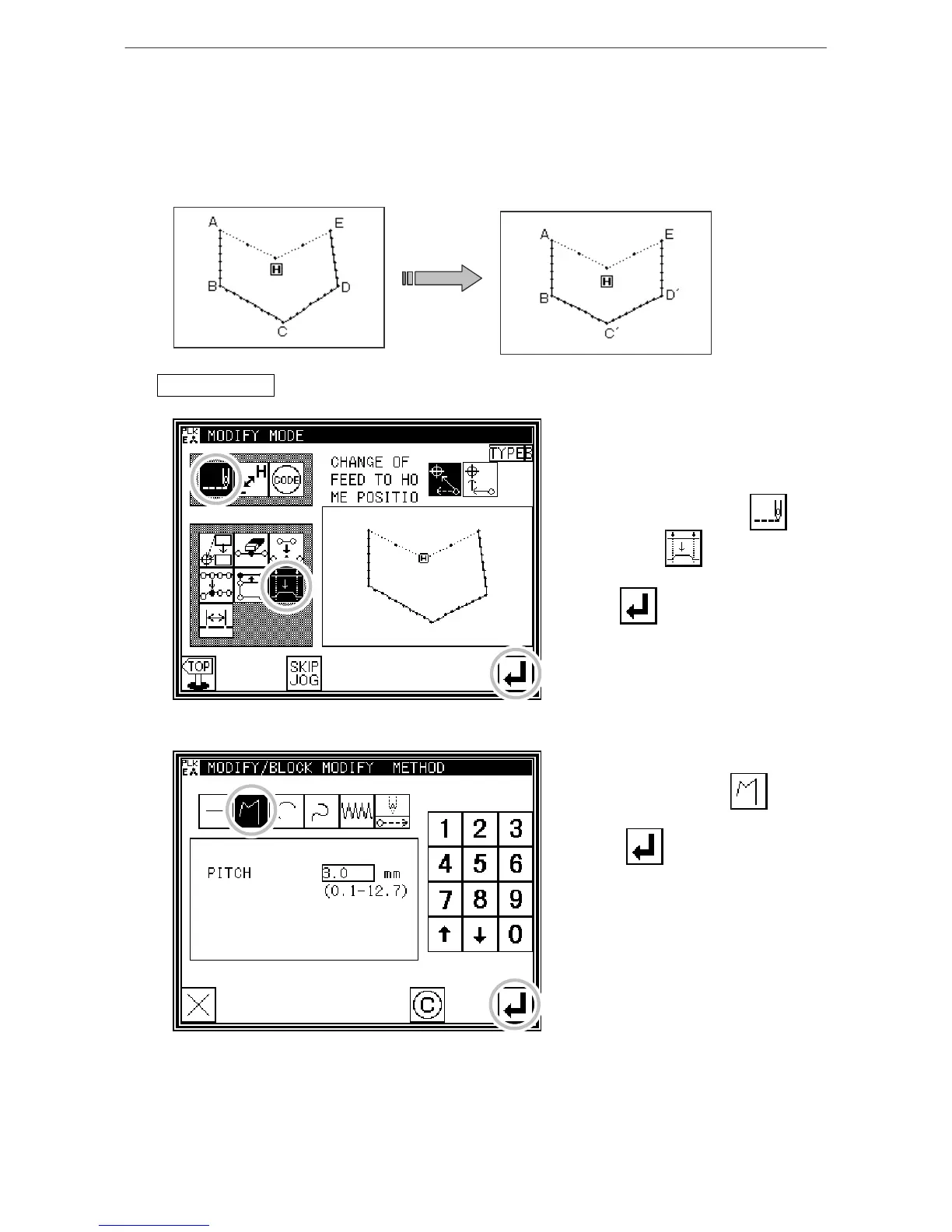
(16) Modifying a block 2 (Broken line, arc, curve input)
Methods for designating the modification position with the jog keys. (This is handy when
using the modification origin data as a reference.)
[Example] The C point and D point in the following type of data are each modified to the C' point and D'
point.
Operationdetails
1. Selecting block modification
* Enter the modification mode. (Refer to
the methods for entering the
modification mode.)
* Press Stitch Data Change and
Block Modify .
* Press to open the next screen.
2. Selecting the input type
* In this case,
press Broken Line .
* Press to set the data.
[12]-29



 To Next Page
 Loading...





