Modification mode
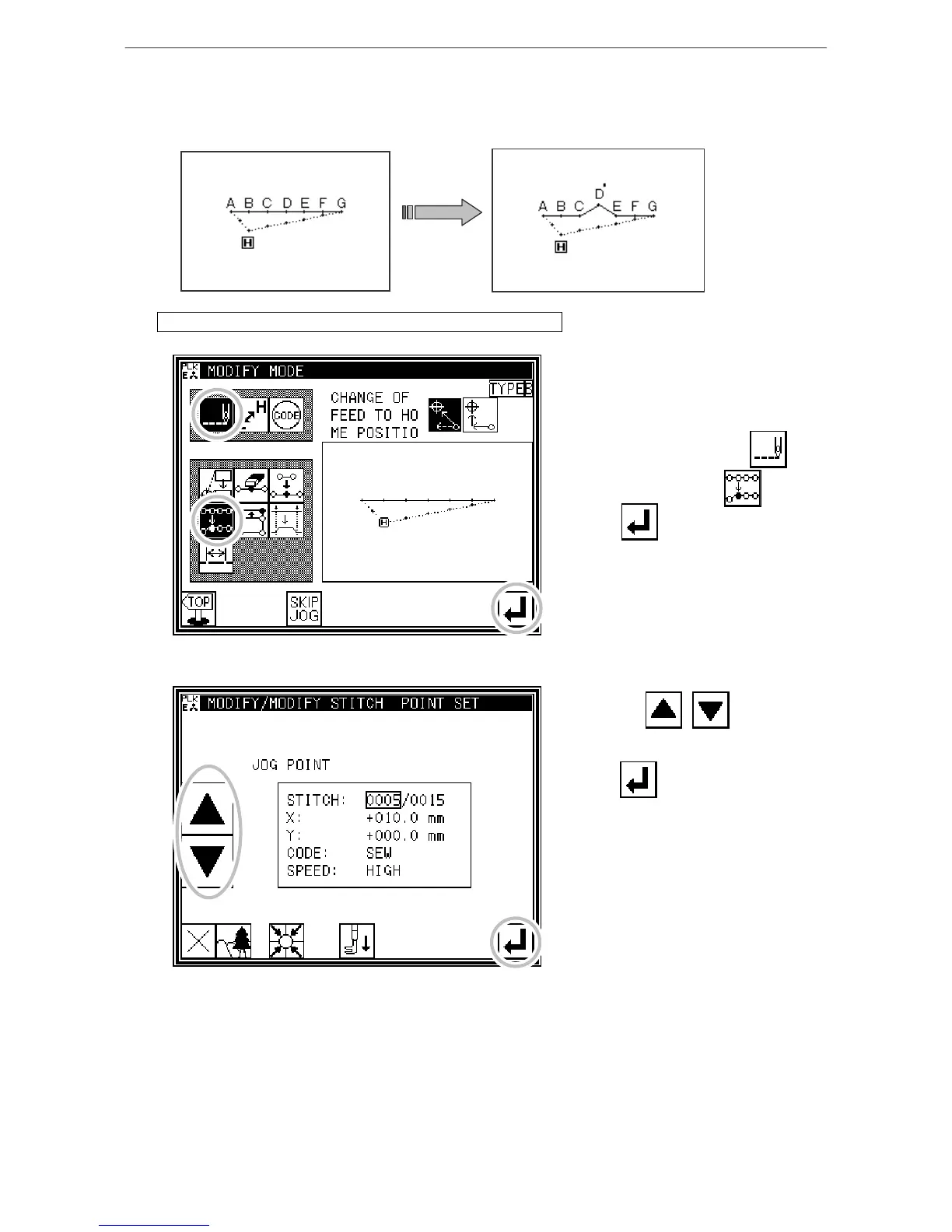
(11) Modifying the stitch position (Position of subsequent data fixed)
[Example] The D point in the following type of stitching data will be moved.
(The E, F and G points will not be changed)
Operation details (Position of subsequent data fixed)
1. Selecting stitch position modification
* Enter the modification mode. (Refer to
the methods for entering the
modification mode.)
* Press Stitch Data Change and
Stitch Position Modify .
* Press to open the next screen.
2. Determining the modification position
* Using Jog , , determine
the position to be modified.(D point)
* Press when the position has
been set.



 To Next Page
 Loading...





