Data conversion mode
(11) Rotation
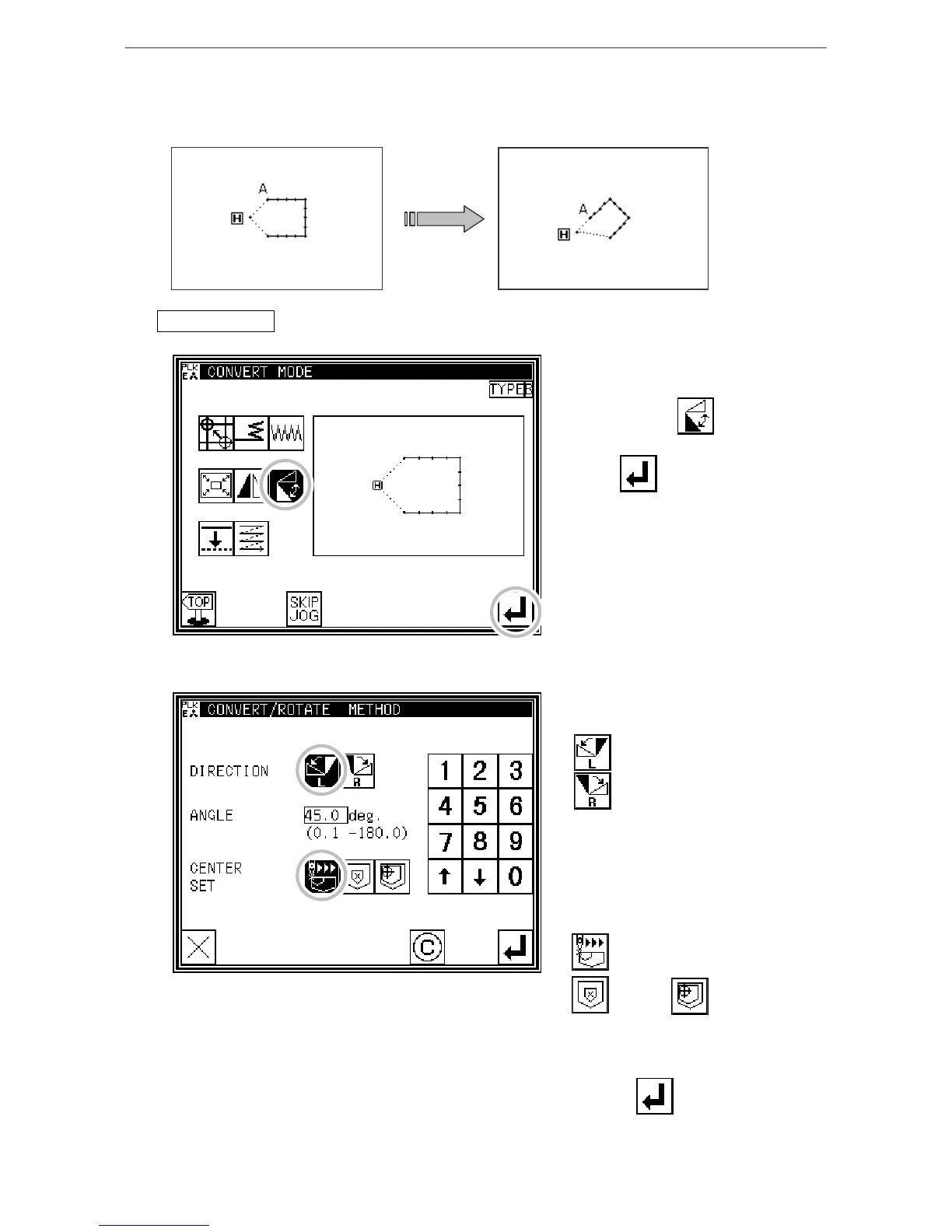
[Example] The pattern will be rotated by 45° centering on the A point in the following type of
stitching data.
Operationdetails
1. Selecting rotation
* Enter the conversion mode.
* Press Rotation .
* Press .
2. Setting the rotation method, etc.
* Direction
Left Rotation
Right Rotation
(Press "Left Rotation" for this example.)
* Angle
Input the angle from the numeric
keypad. (Input 45$ for this example.)
* Center Designation
Jog Center Designation
Pattern Home position
CenterCenter
(Press "Jog Center Designation" for
this example.)
* Press .
[13]-17



 To Next Page
 Loading...





