Data conversion mode
(5) Home position correction
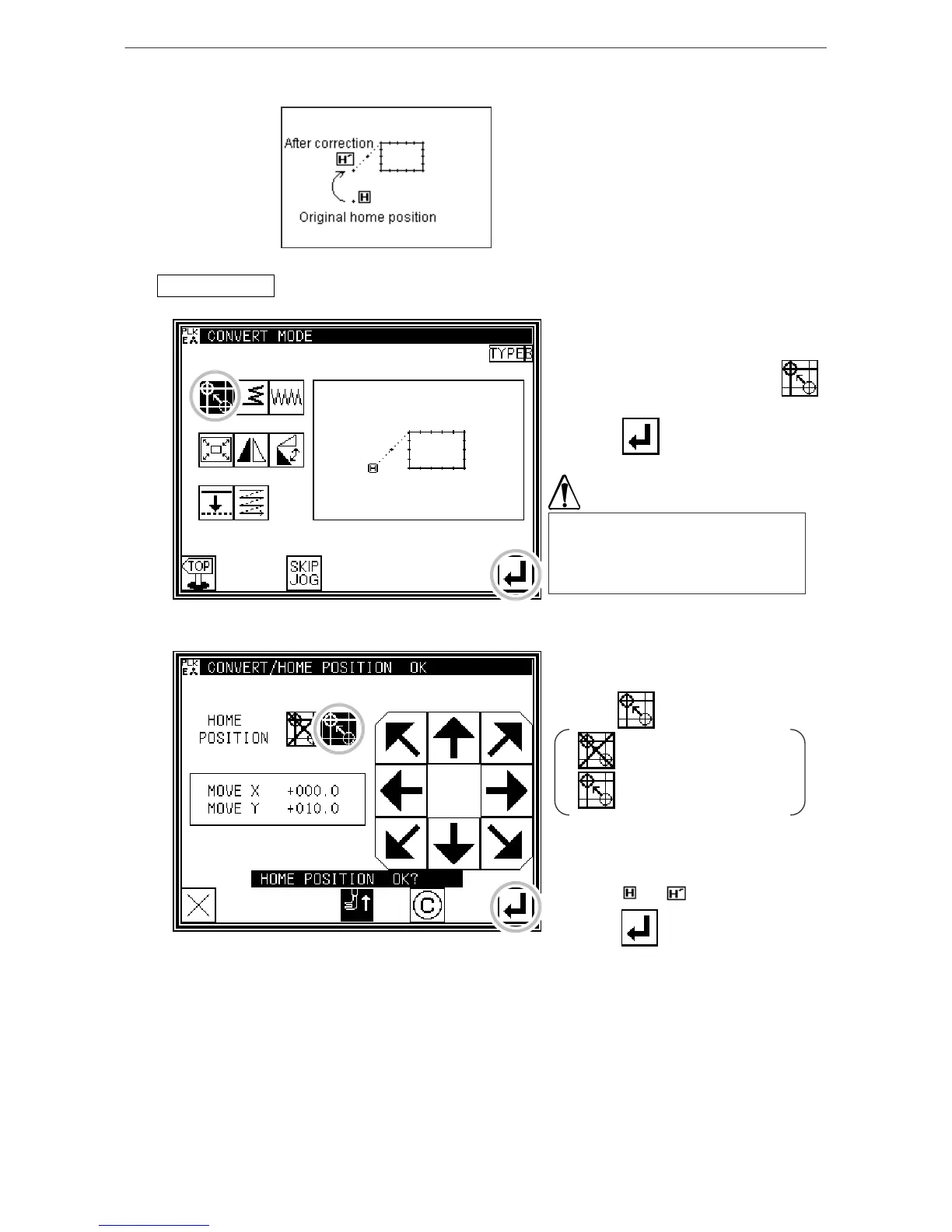
[Example] The mechanical home position can be moved in 0.1mm increments.
[Memo] The movement amount must be within
12.7mm.
Operationdetails
1. Selecting home position correction
* Enter the conversion mode.
* Press Home position Correction .
* Press .
Note that when Enter is pressed, the
work holder will move to the home
position correction position which is
already input.
2. Determining the home position correction position
* Press Home position Correction
Valid .
: Home position Correction
invalid
: Home position Correction
valid
* Using the arrow keys, move to and set
the correction position.
( from to )
* Press .
[13]-3



 To Next Page
 Loading...





