Data conversion mode
(12) Offset
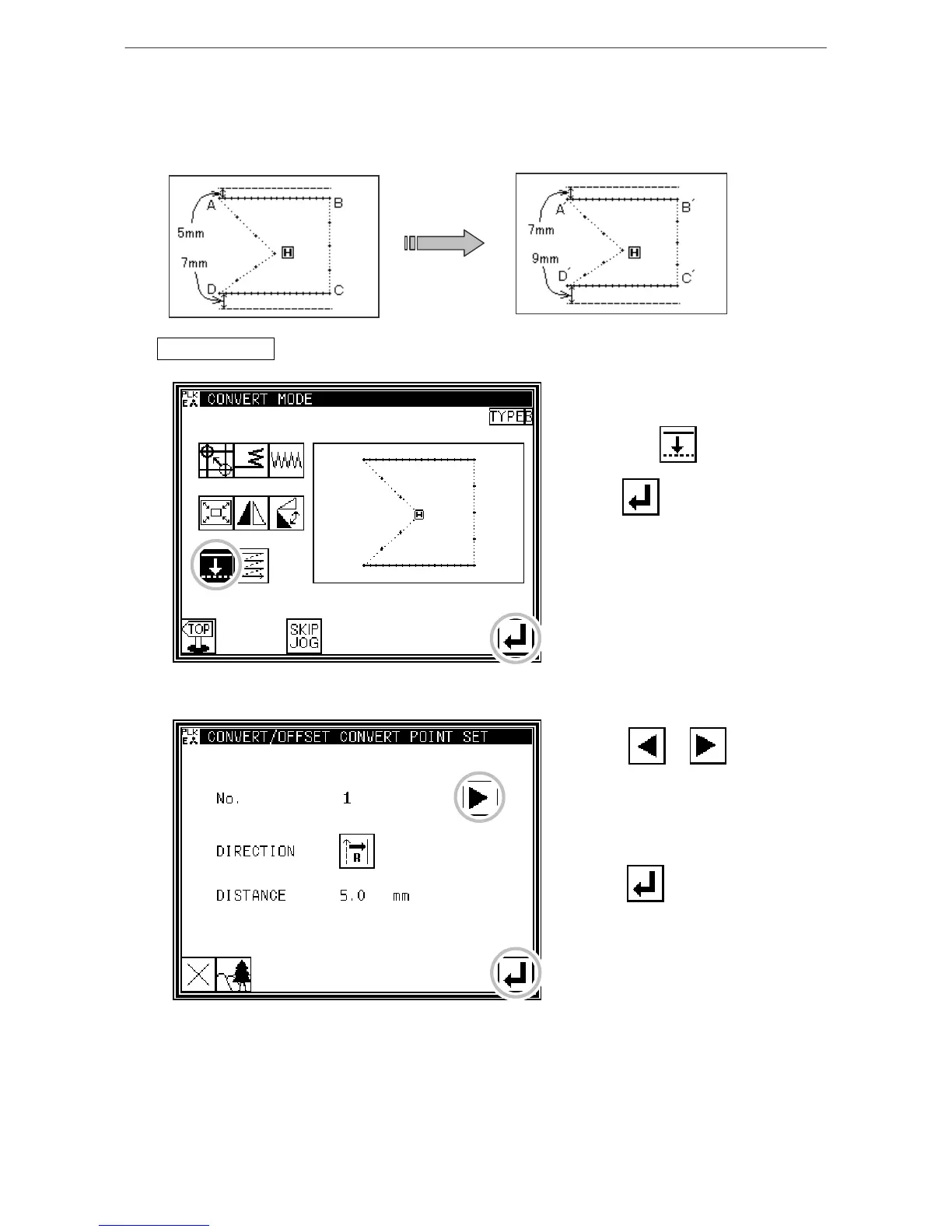
[Example]The offset distance for the offset stitches A-B and C-D in the following type of stitching
data will be changed and converted into A'-B' and C'-D'. (The offset amount will be A-B: 5mm, C-D:
7mm, A'-B': 7mm, and C'-D': 9mm respectively.)
Operationdetails
1. Selecting offset
* Enter the conversion mode.
* Press Offset .
* Press .
2. Selecting and confirming the changed offset
* Press or to select
the offset to be changed.
(The offset numbers No. 1, 2, 3...
are assigned in the created order.)
(In this case, select the first offset
data.)
* Press after select the data.
[13]-20



 To Next Page
 Loading...





