Modification mode
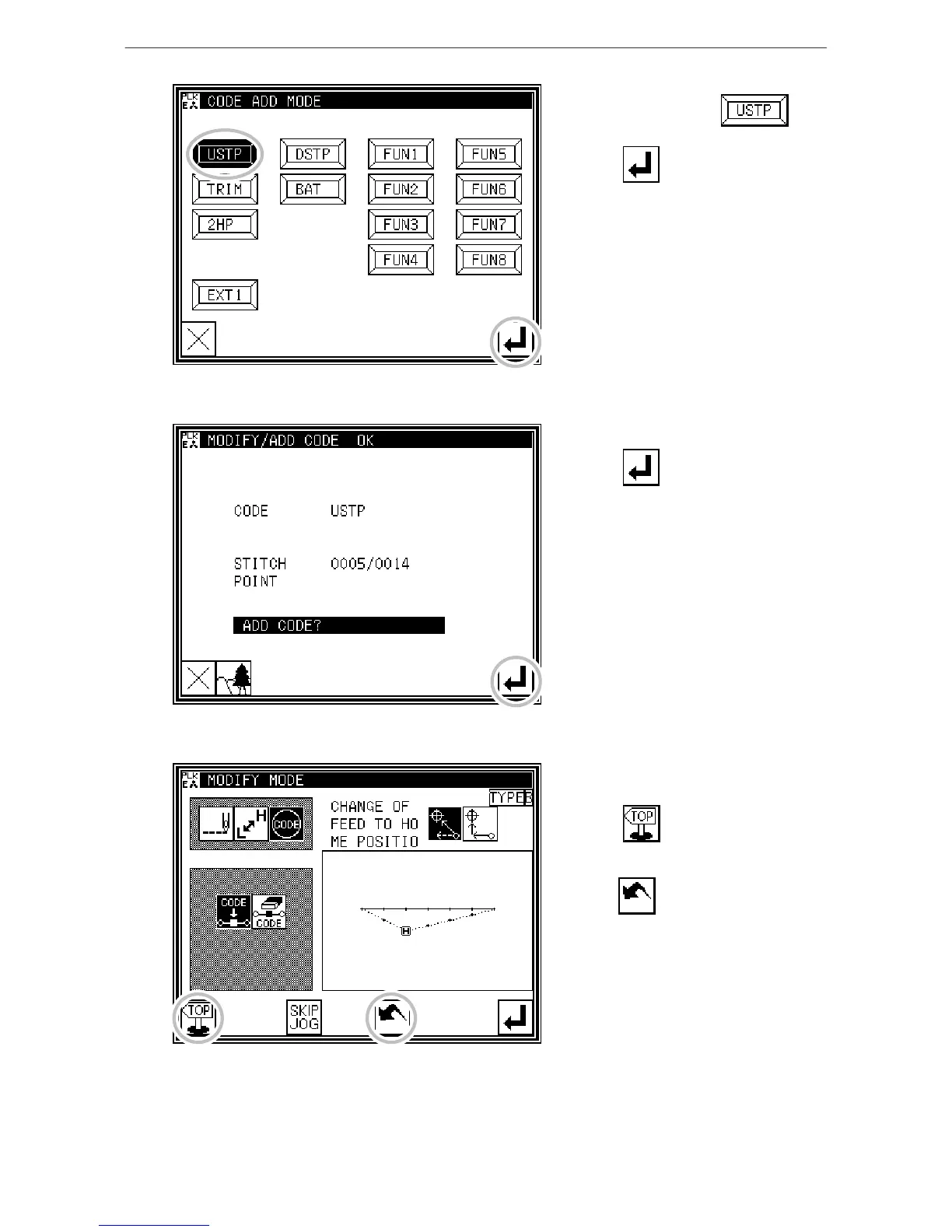
3. Setting the code to add
* Press Needle UP Halt .
* Press .
4. Confirming execution
* Press .
(The code data will be added.)
5. Confirming the modifications
* Quit the modification mode.
Press to return to the Standard
screen.
(When is pressed,
the modifications executed last will be
undone.)



 To Next Page
 Loading...





