Modification mode
[12]-12
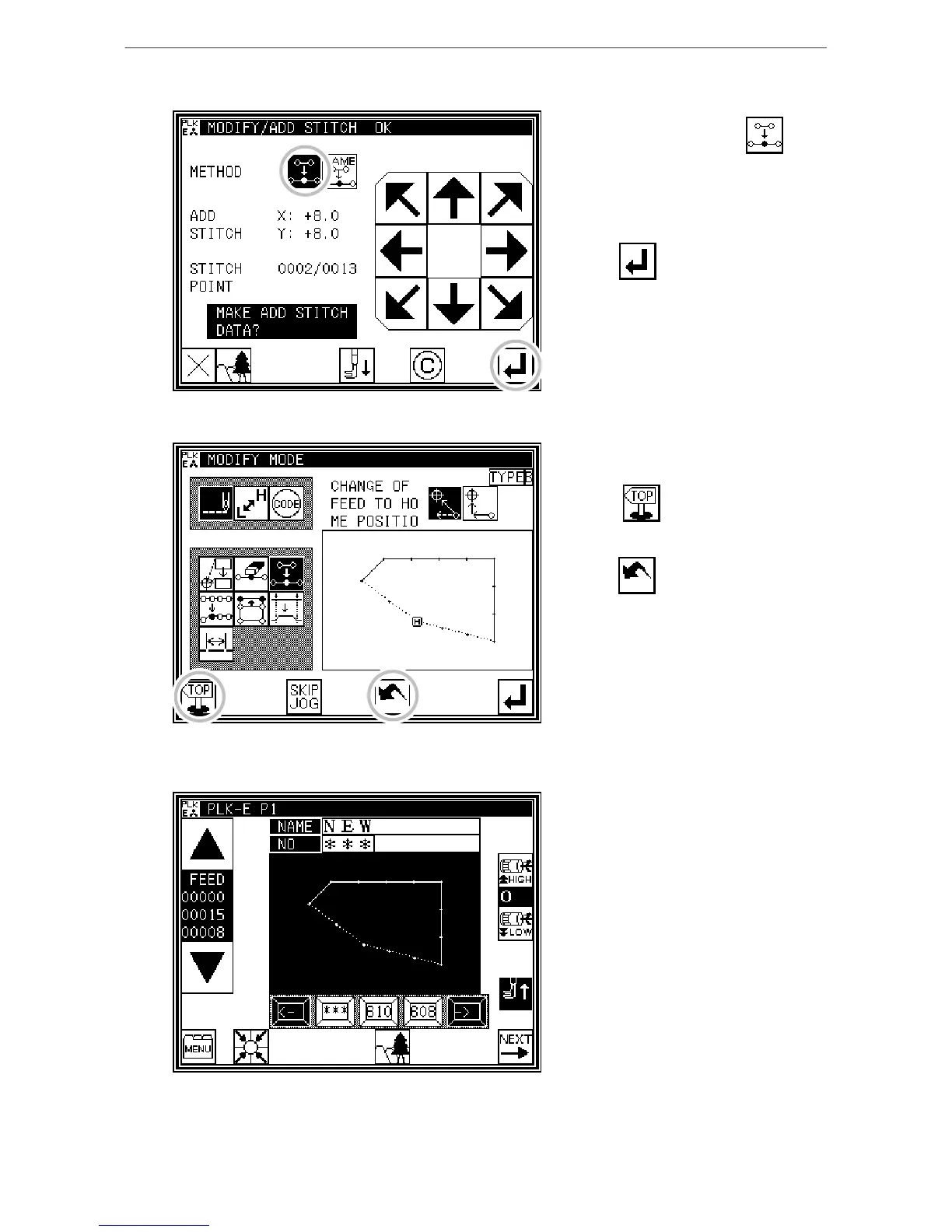
3. Setting the addition method
* Press One Stitch Addition , and
then use the arrow keys to move and
input the stitch position to be added.
(A' point)
* Press .
(One stitch will be added.)
4. Confirming after stitch addition
* Quit the modification mode.
Press to return to the Standard
screen.
(When is pressed,
the modifications executed last will be
undone.)
5. Confirming with the Standard screen
* One stitch has been added.



 To Next Page
 Loading...





