MSENSE
®
DGA 9 7045899/02 EN – 11.2020 Page 105
Remarks: When the device is disassembled, the system monitoring is switched in the same way as in
the event of a fault. The function of relay output 1 (KL401 # 1) can be inverted. This is set with a coding
bridge on the measuring and controller card. (please see 5.3.1).
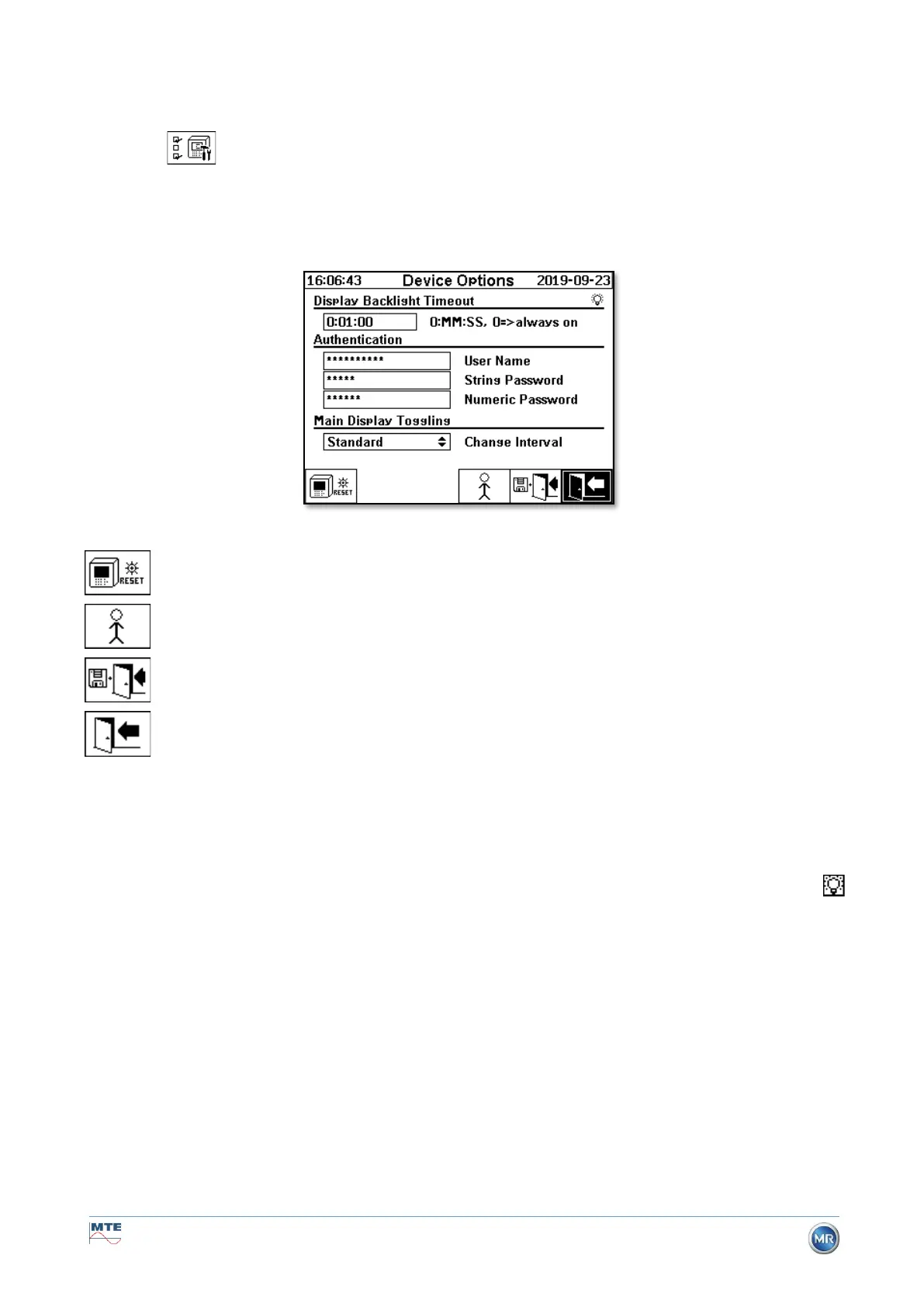
6.10.4.3 Device options
In this menu the display lighting time, the authentication and the change of the main screen display
(main menu) can be set:
The following sub-menus can be selected in the “Device options” menu:
Display lighting time
The delayed switch off of the display lighting, following active operation, can be entered in seconds or
in hours - minutes - seconds. To enter the colon, please use the "dot" key. After confirming the entry
using the Enter key, the input value is displayed in the format [Hours]: [Minutes]: [Seconds].
Remark: With the setting 0:00:00 the display lighting remains permanently switched on. When the
symbol is selected and the Enter key is pressed, the display light turns off manually.
Remark: The display lighting is also switched on when communicating with the MSENSE® DGA 9
device via the serial interface RS232 (for service purposes only).
Authentication
Some settings and operations of the MSENSE® DGA 9 are protected by way of a user name and
password:
• User name (standard user name: Admin)
• Modem login (for service purposes only)
• Password sign (standard password sign: MRDGA)
• Modem login (for service purposes only)
• Password digits (standard password digits: 123456)


 To Next Page