MSENSE
®
DGA 9 7045899/02 EN – 11.2020 Page 90
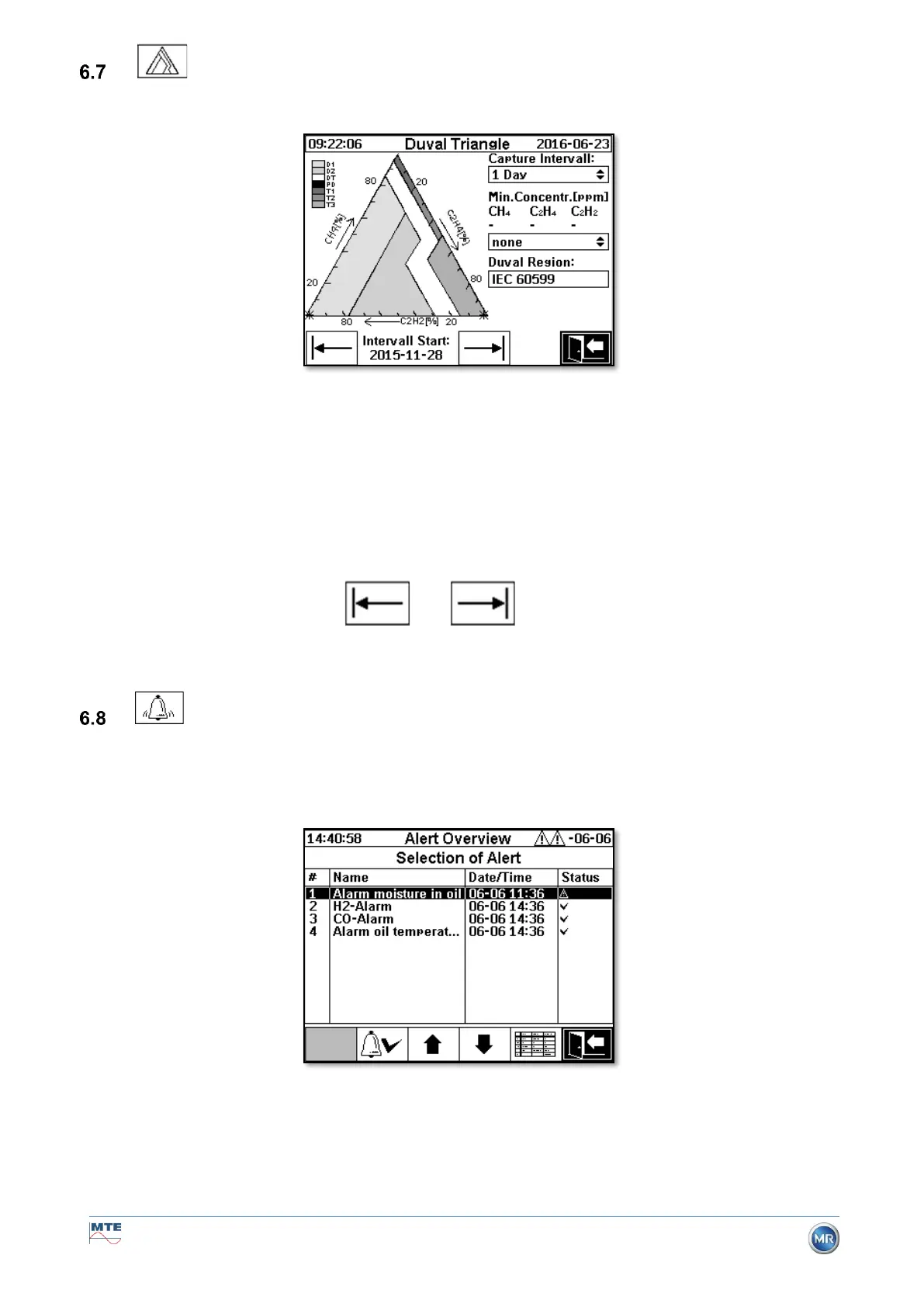
Duval triangle
• Capture interval: Time span of the data displayed in the Duval triangle
• Min Concentration (ppm): Blanking threshold for data to be displayed.
Possible setting:
➢ none: No threshold
➢ low: 1-1-1
➢ high: 10-10-10
• Duval region: Duval region defined for IEC 60599, can not be changed.
• Interval start: Start date from capture interval,
is selected with arrow keys and .
Alarm / Alarm history
In the menu “Alarm / Alarm history” all configured alarms are displayed in tabular form.
All configured alarms are displayed with the corresponding status information. The “Date / Time” col-
umn shows the time of the most recent status change.
The symbols in the “Status” column mean the following:
• ✓ Symbol - OK: There is no active alarm for this measurement variable.


 To Next Page