MSENSE
®
DGA 9 7045899/02 EN – 11.2020 Page 107
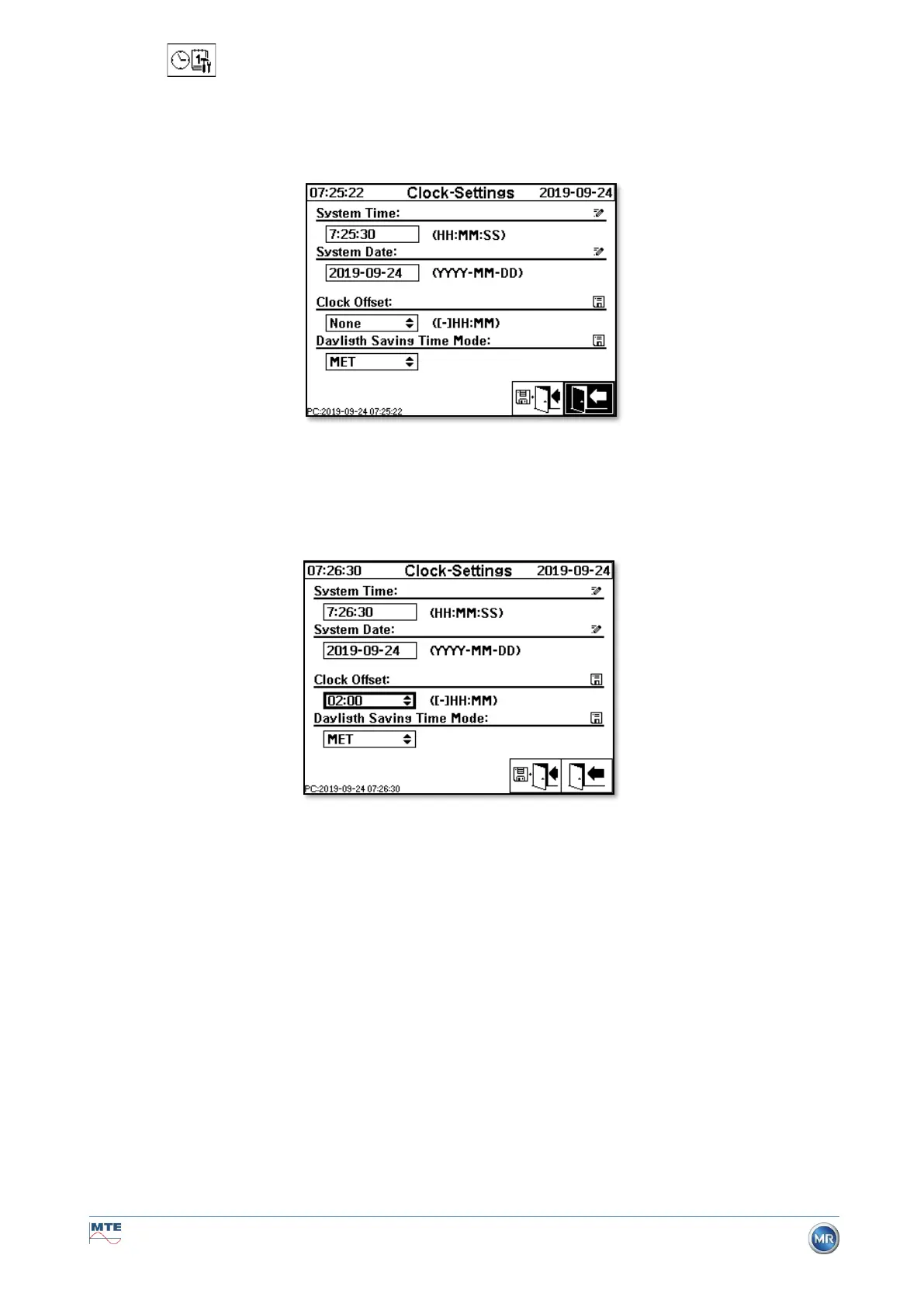
6.10.4.4 Date, time, clock settings
The MSENSE® DGA 9 has a sub-menu in which the system time, system date, time offset and daylight
saving time mode can be set.
The following input formats are to be considered for the system time and date:
System time: [Hours]:[minutes]:[seconds] (enter the colon using the “dot” key)
System date: [Year]-[Month]-[Day] (Enter the minus using the “+/-” key)
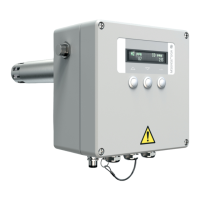
Time offset
The time offset can be used to set the time with respect to Greenwich Mean Time (GMT). The following
settings can be made with the enter key:
• None
• +01:00 to +06:00
• Users
• -06:00 to -01:00
With the User setting, the desired time shift can be entered in the right-hand field in [Hours]:[Minutes].
As a colon, the “·” key is used.
Remark: “None” means that the synchronisation is not active on GMT time. This setting is recom-
mended.


 To Next Page