MSENSE
®
DGA 9 7045899/02 EN – 11.2020 Page 95
To enter results from laboratory analyses, the date of the analysis should first be entered in the
“Sample date” field. The daily average gas concentrations of the MSENSE® DGA 9 are then deter-
mined and displayed in the “MSENSE® DGA 9 value” fields. After the results of the laboratory analy-
sis have been entered in the “Laboratory value” fields for H
2
, C2H2, C
2
H
4
, CO, CO
2
, C
2
H
6
, CH
4
and
O
2
, the key is rendered active. After pressing the key, the new correction factors are
calculated. Following a short calculation time, as indicated by the hourglass symbol, the following
message appears on the LCD display: “Determination of DGA adjustment successful.”
The new values are saved and activated by leaving the menu using the “Save and exit” key .
The new correction factors are now applied to the following measured values.
6.10.2 Settings – analogue outputs
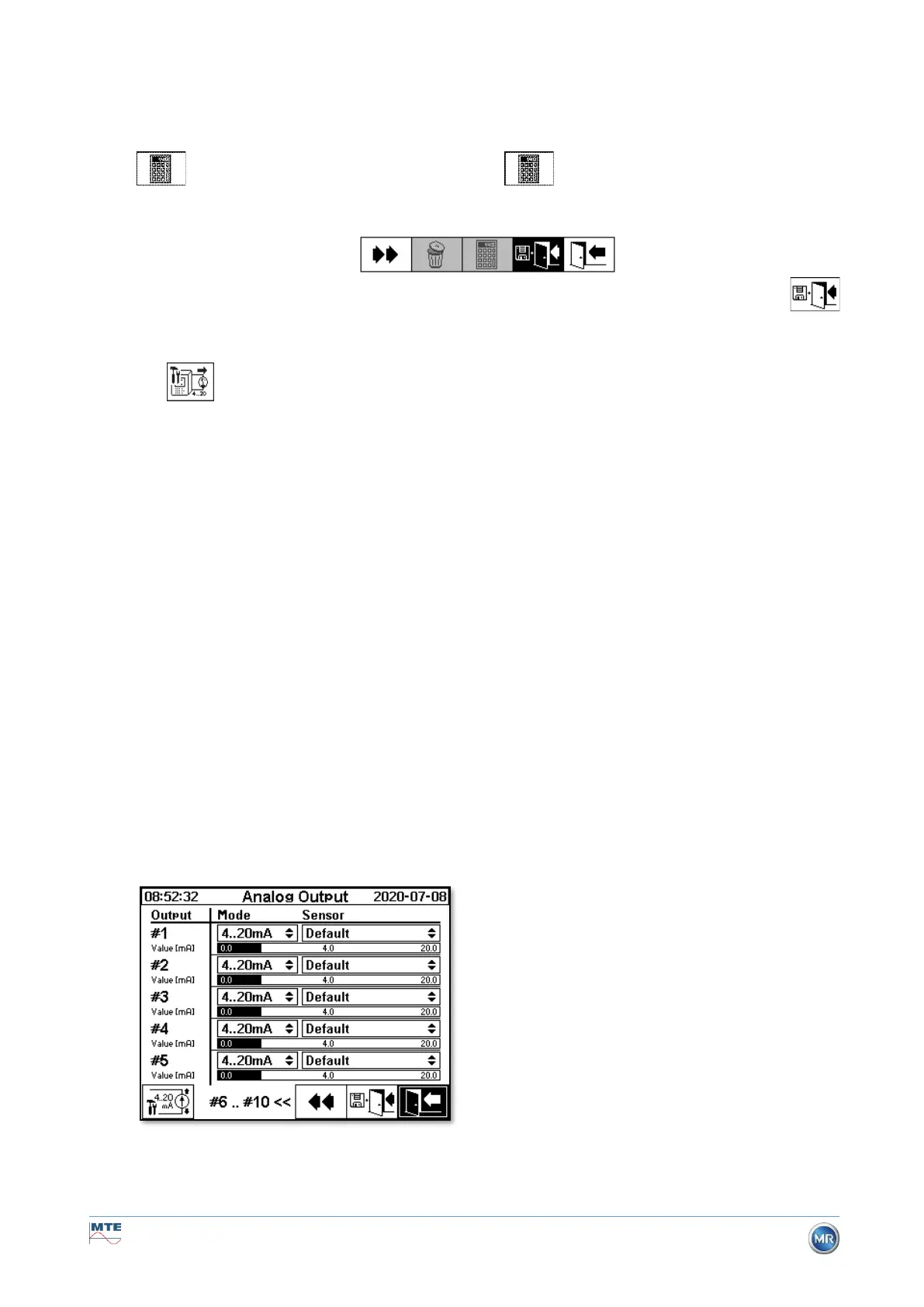
This MSENSE® DGA 9 device has 10 analogue current outputs, which can be operated with 0 ... 20
mA or 4 ... 20 mA. These can be used as outputs for the gas-in-oil concentration, oil moisture, temper-
atures and for all additional sensors.
The standard factory setting / assignment is as follows:
Output #1: Mode: 4 ... 20 mA Sensor: H
2
concentration
Output #2: Mode: 4 ... 20 mA Sensor: C
2
H
2
concentration
Output #3: Mode: 4 ... 20 mA Sensor: C
2
H
4
concentration
Output #4: Mode: 4 ... 20 mA Sensor: CO concentration
Output #5: Mode: 4 ... 20 mA Sensor: H
2
O concentration
Output #6: Mode: 4 ... 20 mA Sensor: CO
2
concentration
Output #7: Mode: 4 ... 20 mA Sensor: C
2
H
6
concentration
Output #8: Mode: 4 ... 20 mA Sensor: CH
4
concentration
Output #9: Mode: 4 ... 20 mA Sensor: O
2
concentration
Output #10: Mode: 4 ... 20 mA Sensor: TDCG concentration
In the menu, test currents can be set which override the current values. These are used for checking
the installation. When exiting the menu, the current values are then re-issued.



 To Next Page