MSENSE
®
DGA 9 7045899/02 EN – 11.2020 Page 96
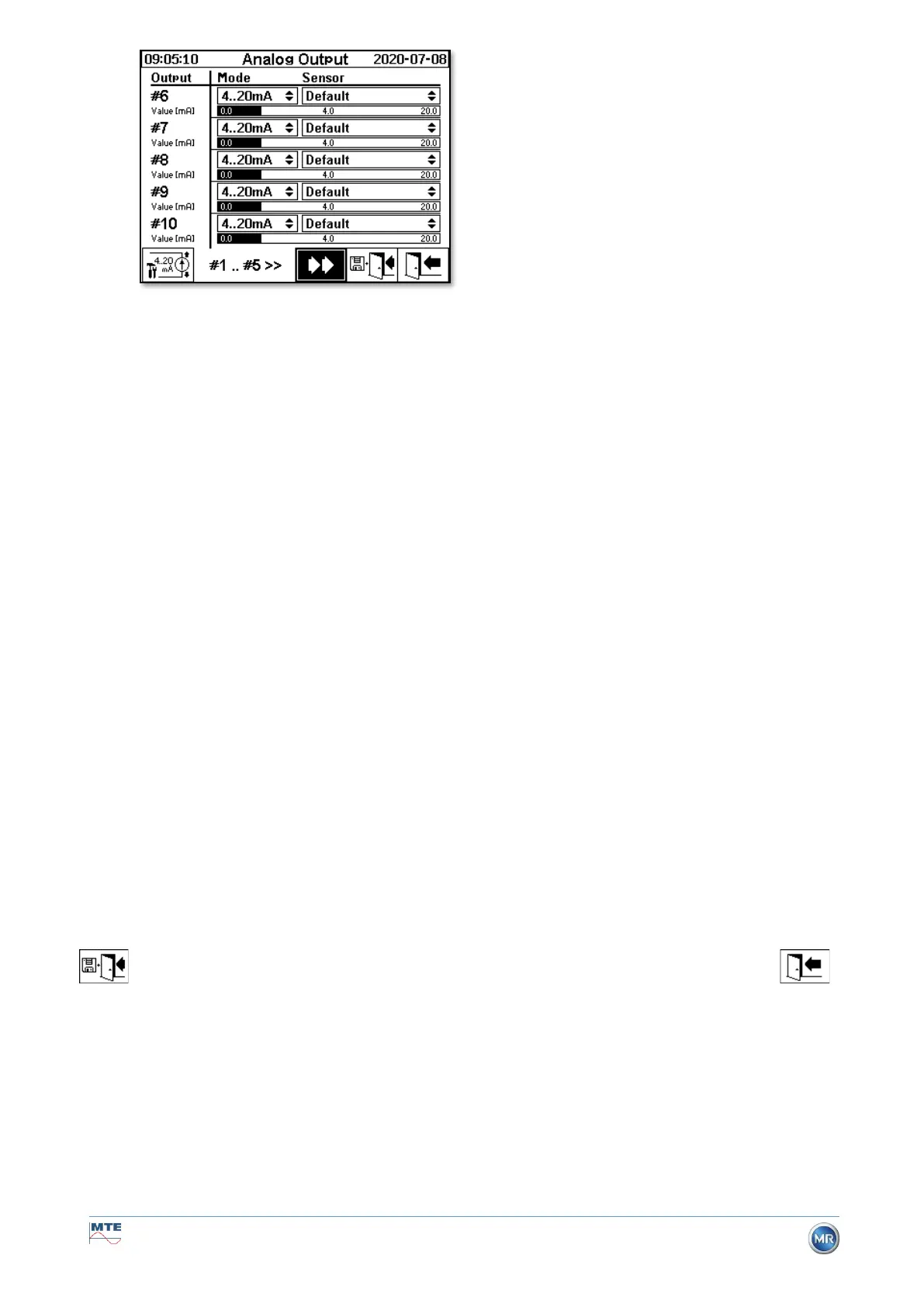
In the Sensor column, a selection of the following options can be made:
• Standard
• Gas H
2
- C
2
H
2
- C
2
H
4
- CO - CO
2
- C
2
H
6
- CH
4
– O
2
concentration
• TDCG - concentration
• Temperature T1 (ϑ1 Gas temperature measurement cell)
Temperature T2 (ϑ2 Oil temperature extraction chamber)
• Moisture in oil H
2
O - concentration
• Trend H
2
- C
2
H
2
- C
2
H
4
- CO - CO
2
- C
2
H
6
- CH
4
– O
2
Daily trend
• Trend H
2
- C
2
H
2
- C
2
H
4
- CO - CO
2
- C
2
H
6
- CH
4
– O
2
Weekly trend
• All under additional sensors (with the associated defined sizes)
The following selection can be made in the Mode column:
• Off
• 0…20 mA
• 4…20 mA
• Test
For simulation and test purposes, a current of between 0 and 20 mA can be activated at the outputs.
To do so, the selection “Test” must be made for the corresponding analogue output in the Mode col-
umn and the cursor must be in the “Sensor” column. By repeatedly pressing the Enter key, you can
switch between the following current values:
0, 1, 3, 4, 5, 10, 15, 19 and 20 mA.
Remark: When exiting the menu, the test signals are automatically switched off and the correspond-
ing configured sensor is reassigned to the output.
At the end, all entered values are saved and activated by pressing the “Save and exit menu” key
. If you do not want to save the values, simply exit the menu using the “exit menu” key .
Analogue output 6 - X302:3(+) & 4(-)
Analogue output 7 - X302:5(+) & 6(-)
Analogue output 8 - X302:7(+) & 8(-)
Analogue output 9 - X303:1(+) & 2(-)
Analogue output 10 - X303:3(+) & 4(-)



 To Next Page