MSENSE
®
DGA 9 7045899/02 EN – 11.2020 Page 86
6.5.1 Acknowledge fault
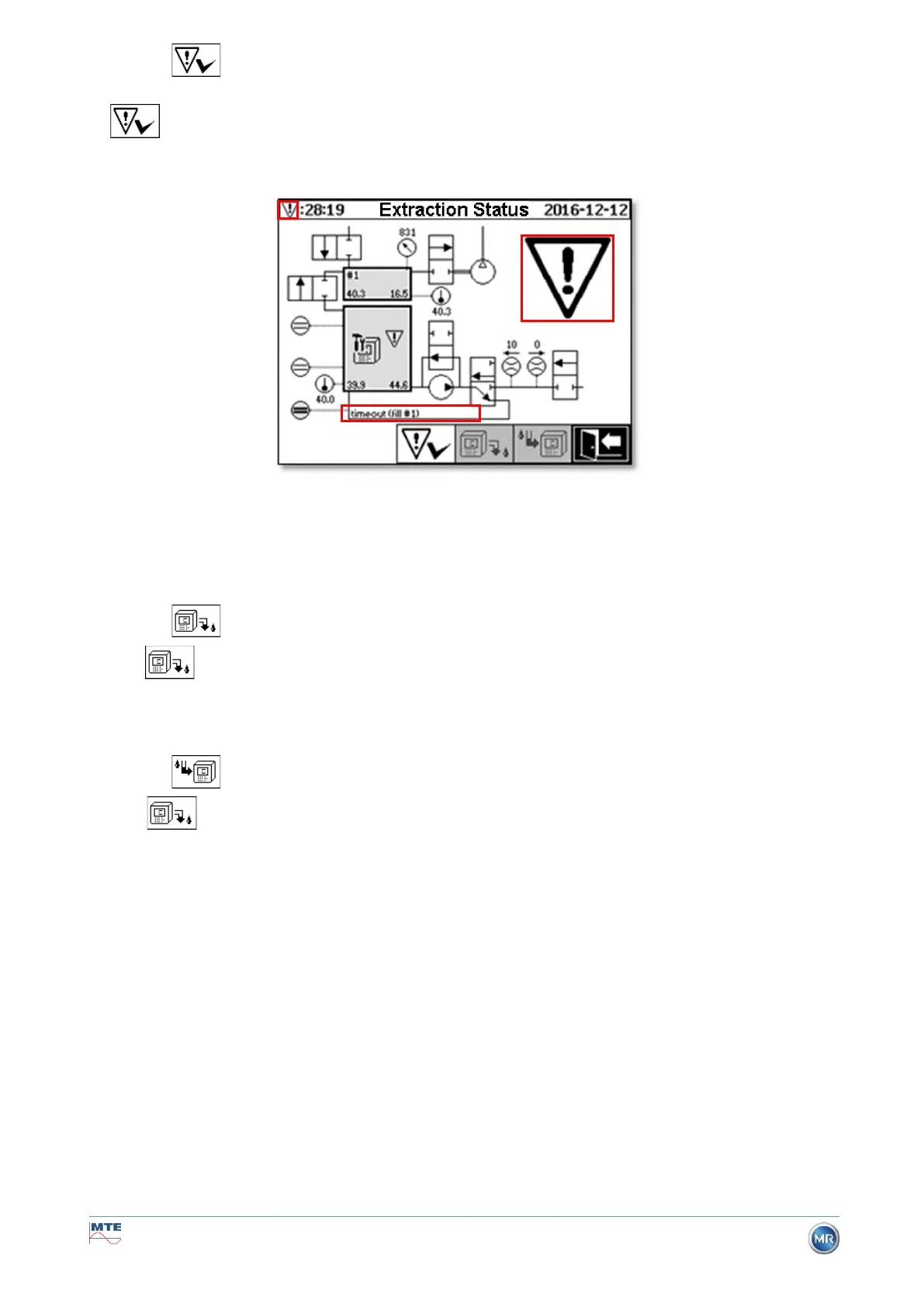
After a fault has occurred and this has once again been corrected, it can be acknowledged with the
key .
The fault is visualised with an additional information line (below the extraction chamber) and warning
symbols (header and to the right of the compressor).
Remark: The large warning symbol is also visualised in the main menu. The small warning symbol is
visualised in every menu.
Further information on individual faults can be found in the chapter “Fault – Extraction status menu”
(9.1.6.4).
6.5.2 Deactivate device (“unmount”)
The key deactivates the device (often the term “unmount” is used). Afterwards, the device can
be de-energised and disassembled.
The deactivation procedure can be found in the chapter on “Commissioning” (4.4.3).
6.5.3 Activating the device (“mount”)
The key activates the device (the term “mount” is often used). The initialisation cycle is then
started. This detects the device’s current state and establishes a defined state of the system.
The activation procedure can be found in the chapter on “Commissioning” (4.4.3).



 To Next Page