MSENSE
®
DGA 9 7045899/02 EN – 11.2020 Page 114
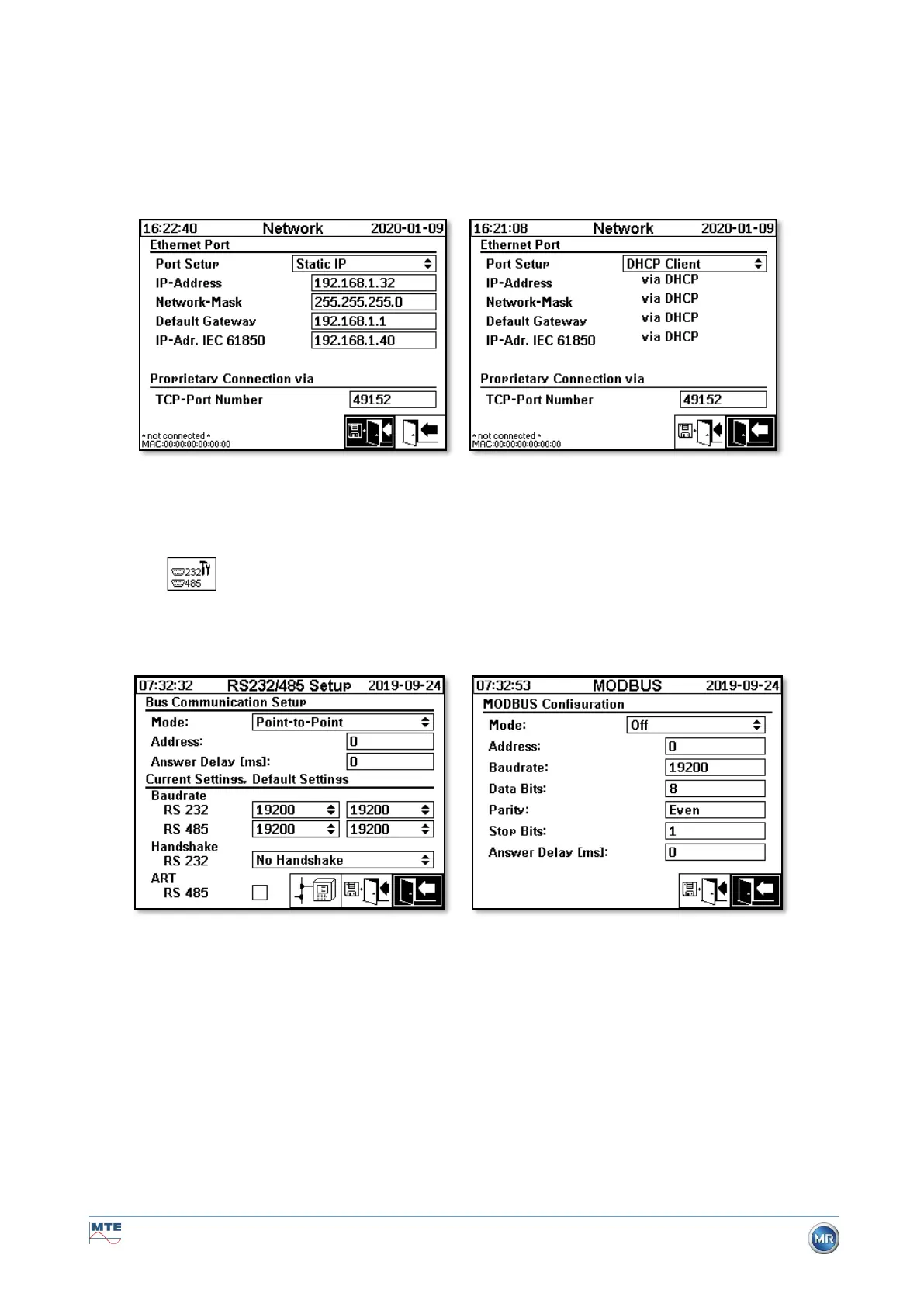
Network settings with IEC 61850-GW (int.)
The general network settings are extended by the input field (IP address IEC 61850). In the event of a
static address being entered, the IEC 61850 network address can be entered there. When DHCP Client
is selected, the address assignment is generated automatically. The selection “DHCP server” is for
testing purposes only.
Remark: The device is not designed as a DHCP Server for a genuine network.
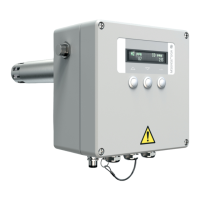
6.10.4.5.3 RS232 / RS485 settings
The settings for the serial interface are made via the following menus:
This section shows different ways of communicating with the MSENSE® DGA 9.
Point-to-point
Direct connection between PC and MSENSE® DGA 9 via RS232, RS485.
• Bus node
Connection between PC and several MSENSE® DGA 9 via RS485 bus.
• Bus bridge
Connection between PC and several MSENSE® DGA 9 via RS485 bus. On
MENSE® DGA 9 serves as gateway, i.e. it has an RS232 connection to a PC.
• MODBUS
Connection between the process control system and one or more MSENSE® DGA 9.


 To Next Page