27
Initial Setup
Chillgard 5000
US
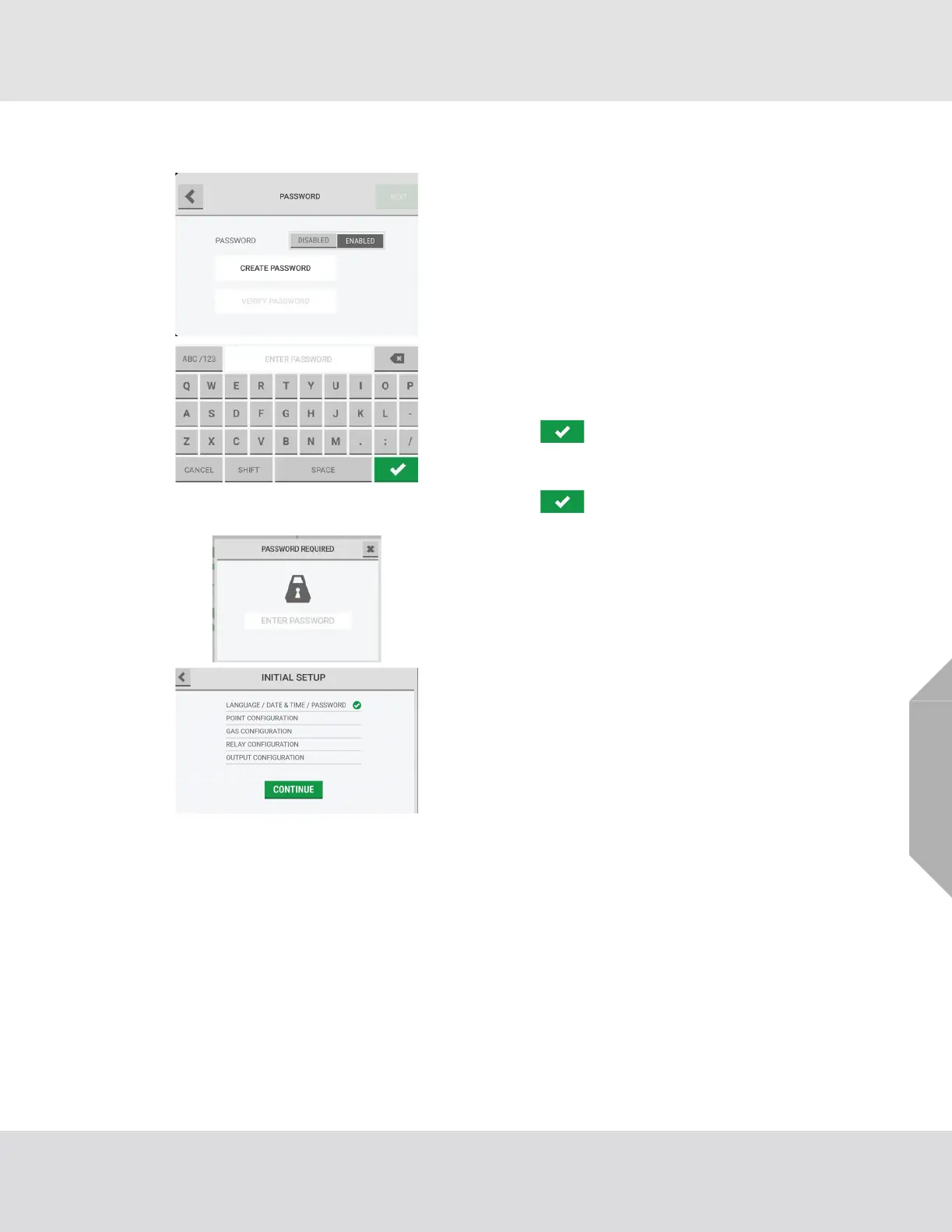
(9) On the "Password" screen, select "Disabled" or
"Enabled" to disable or enable password protection for
editable screens.
If password protection is disabled, the "Create Pass-
word" and "Verify Password" fields are inactive.
NOTE: If password protection is enabled, do the
following:
a) Select the "Create Password" field, and use the
alphanumeric keypad pop-up to enter a value.
Select to accept the value.
b) Select the "Verify Password" field, and use the
alphanumeric keypad pop-up to enter a value.
Select to accept the value.
(10) Select "Next".
If password protection is enabled, the "Password Required"
pop-up will show when any user tries to change an editable
screen.
(11) The "Initial Setup" screen shows a check mark beside
the "Language/Date & Time/Password" step to indi-
cate that it is complete. Select "Continue" to go to the
point configuration setup.



 To Next Page