Installation
GALAXY GX2
17
US
3 Installation
The GALAXY GX2 is a simple to install system that can be desktop or wall mounted. Setup re-
quires simple tools and just a few minutes of time.
Carton Contents
The GALAXY GX2 system will be shipped with the following:
- Test Stand (including gas plugs, barbs and fresh air filter)
- Power Supply (if ordered)
- Spare Parts Kit (gas tubing barbs and plugs)
- Ethernet Cable (short cable for connection between Test Stands)
- Product CD
- Quick Start Guide
- Screen Protector (installed on the display screen)
Tools Needed
- Phillips head (cross-head) screwdriver.
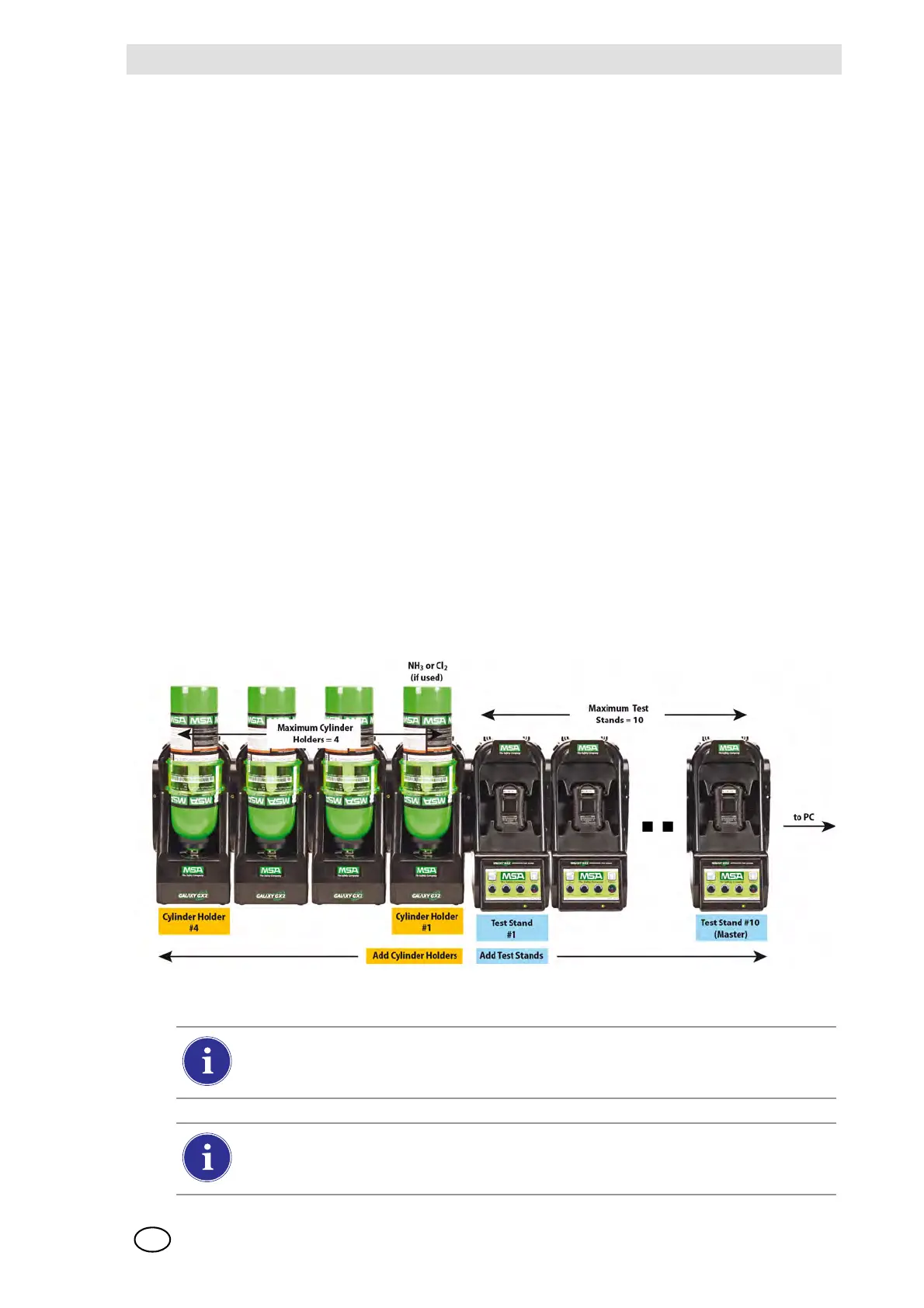
As stated in the Introduction, the GALAXY GX2 is designed for the connection of up to 10 Test
Stands and four Cylinder Holders [ Fig. 10]. Test Stands must be assembled sequentially on the
right-hand side of the first. Cylinder Holder(s) must be installed on the left-hand side of the first
Test Stand for best gas flow into all Test Stands.
Fig. 10 Test Stands and Cylinder Holders properly installed in a bank
Test gas cylinders containing Chlorine or Ammonia must be installed according to the
directions in the Special Conditions for Use with Reactive Gases section
[ chapter 2.8].
When installing the GALAXY GX2, please consider the environmental needs of your
facility. If the customer desires, the GALAXY GX2 can be used in a ventilated area to
assist in disbursing the test gas exhaust.



 To Next Page