Using the GALAXY GX2
GALAXY GX2
49
US
5 Using the GALAXY GX2
Once the GALAXY GX2 is set up and configured to accept a gas detector, the user must complete
the following steps to perform instrument tests.
5.1 Turning on the System
The system is turned on when the AC Power Module or Vehicle Power Adapter is plugged into the
unit
and a reliable power supply is provided. The GALAXY GX2 does not have an on/off button
and is designed to remain powered on.
5.2 Inserting the Instrument
The GALAXY GX2 includes one of three instrument cradles to accommodate the ALTAIR family
of gas detectors.
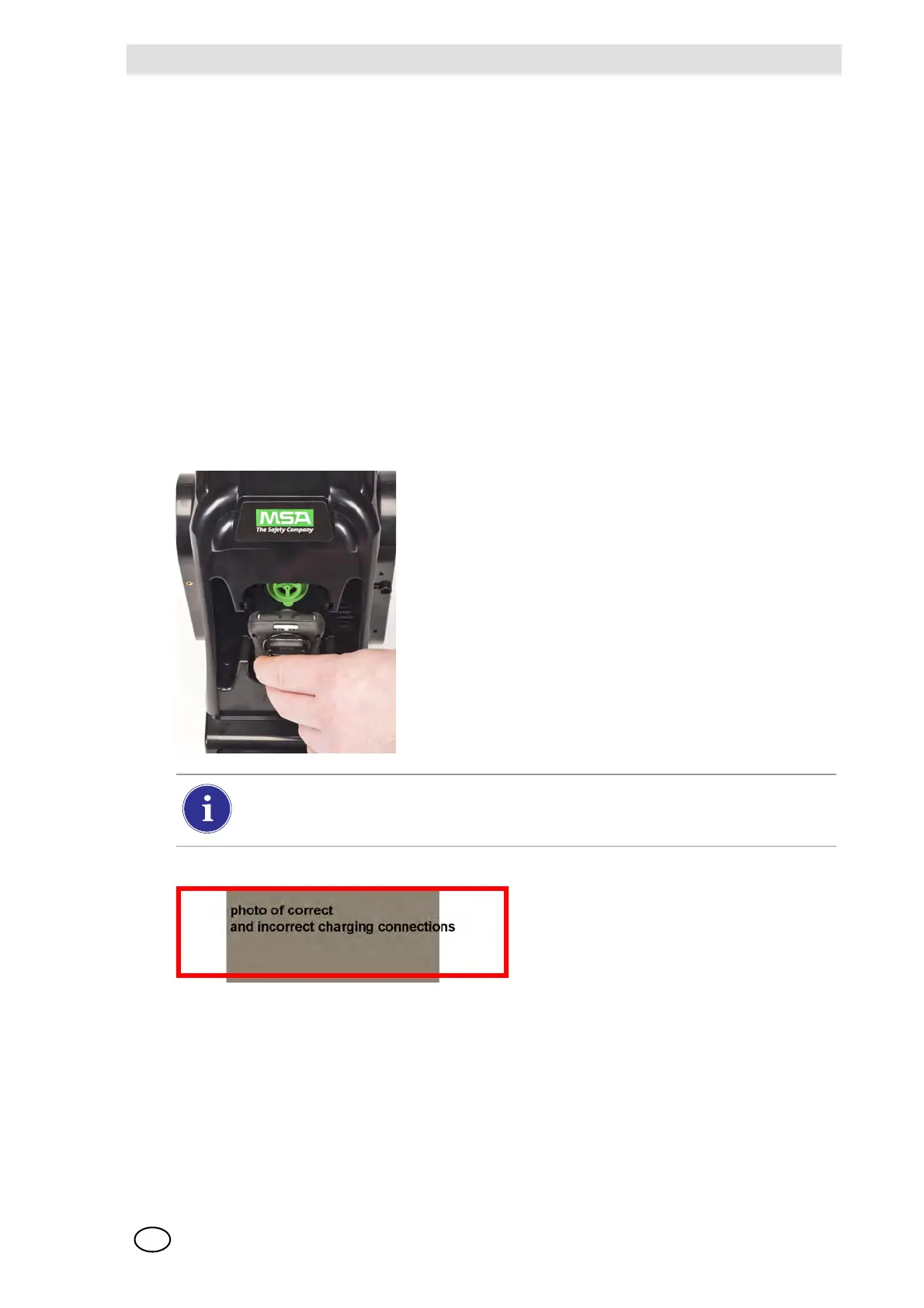
To insert all instruments, except the ALTAIR 5/5X:
(1) Insert the bottom of the instrument into the cradle and
push the top until it snaps into place.
There is a several second delay between the insertion of the instrument and start of gas
testing while communications are established. A Progress screen displays when gas
testing starts.
(2) If using the charging option on the
ALTAIR 4/4X ensure the Test Stand
charging connector at the bottom of
the cradle makes contact with the in-
strument contact.



 To Next Page