GALAXY GX2
50
Using the GALAXY GX2
MSA
US
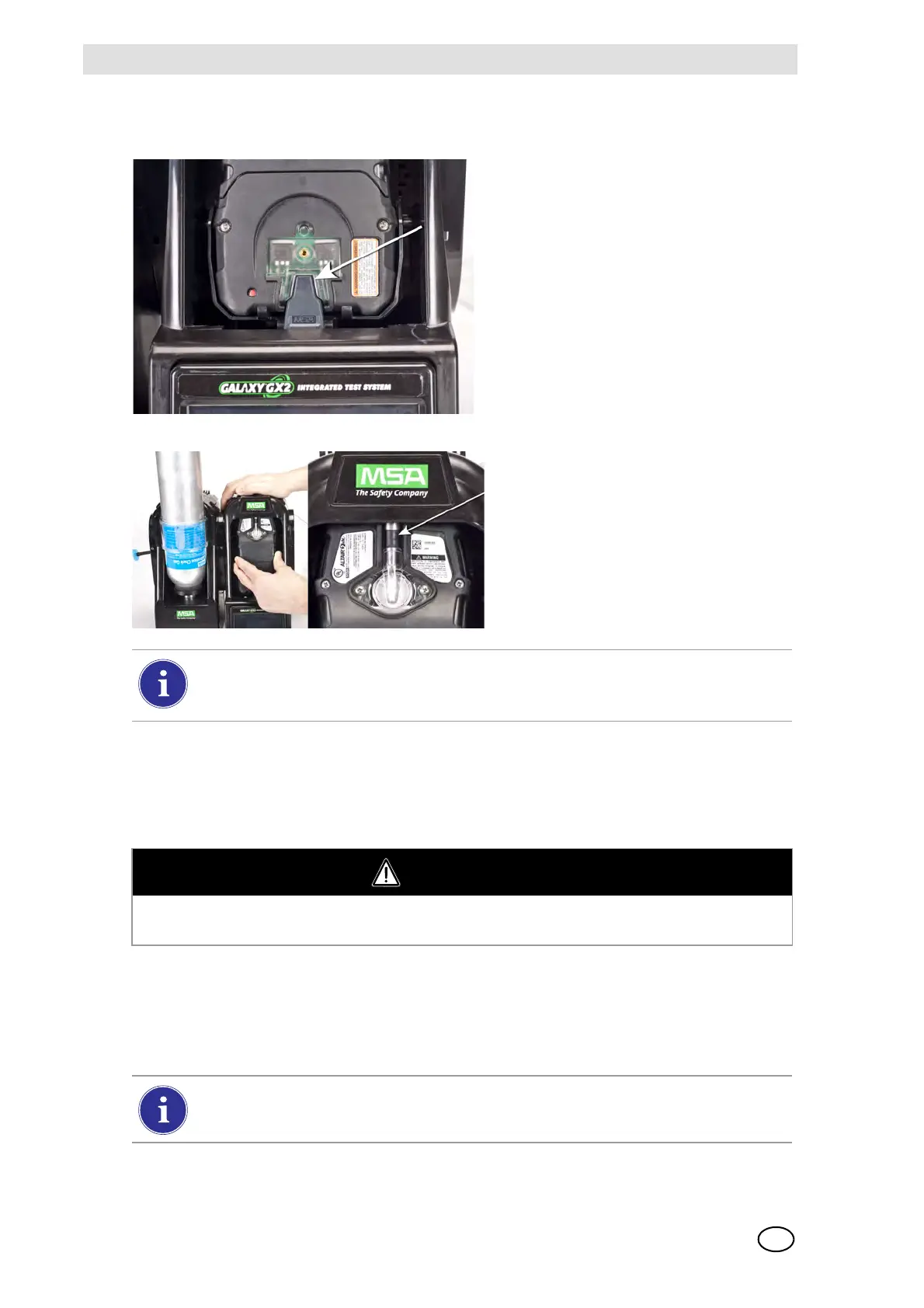
To insert the ALTAIR 5/5X:
5.3 Running a Test
Complete the following steps to run an instrument test:
(1) Turn on the gas detector and allow it to warm up per the appropriate instrument manual.
(2) Ensure the test gas cylinder tubing is properly attached to the barb fitting of the gas inlet, or
that the cylinder(s) are properly screwed into the Cylinder Holder(s) and contain gas.
(3) Verify the selected mode, indicated in the top left corner of the Home screen.
(Calibration Only, Bump Only, or Bump/Cal on Fail.)
(1) Insert the instrument into the cradle,
sliding the bottom over the charging
connector.
If your Test Stand has the optional
charging feature, ensure the
charging connector at the bottom
of the cradle makes contact with
the instrument contact.
(2) Pivot the instrument in the cradle up-
wards, into the gas inlet sleeve
(see arrow). The instrument will lock
into place, once properly positioned.
(3) Ensure the red LEDs on the instru-
ment flash when communicating with
the Test Stand.
There is a several second delay between the insertion of the instrument and start of gas
testing while communications are established. A Progress screen displays when gas
testing starts.
WARNING
Instrument must warm up per the instrument manual before attempting calibration; failing to al-
low unit to warm up can cause erroneous test results, which can cause inaccurate calibrations.
If the desired mode is not set, refer to the GALAXY GX2 Setup section [ chapter 4.5]
of this manual.



 To Next Page