GALAXY GX2
18
Installation
MSA
US
This manual provides steps for desktop and wall mounting. The following sections describe the
proper installation for various GALAXY GX2 configurations:
- Connect Units in a Bank (Test Stands and Cylinder Holders) [ chapter 3.1]
- Connect a Test Gas Source Without a Cylinder Holder (optional) [ chapter 3.2]
- Network Test Stands (optional) [ chapter 3.3]
- Removing Gas Seal for Certain ALTAIR and ALTAIR Pro Instruments [ chapter 3.4]
- Desktop Mounting [ chapter 3.5]
- Wall Mounting [ chapter 3.6]
- SD or SDHC Memory Card Option [ chapter 3.7]
3.1 Connect Units in a Bank
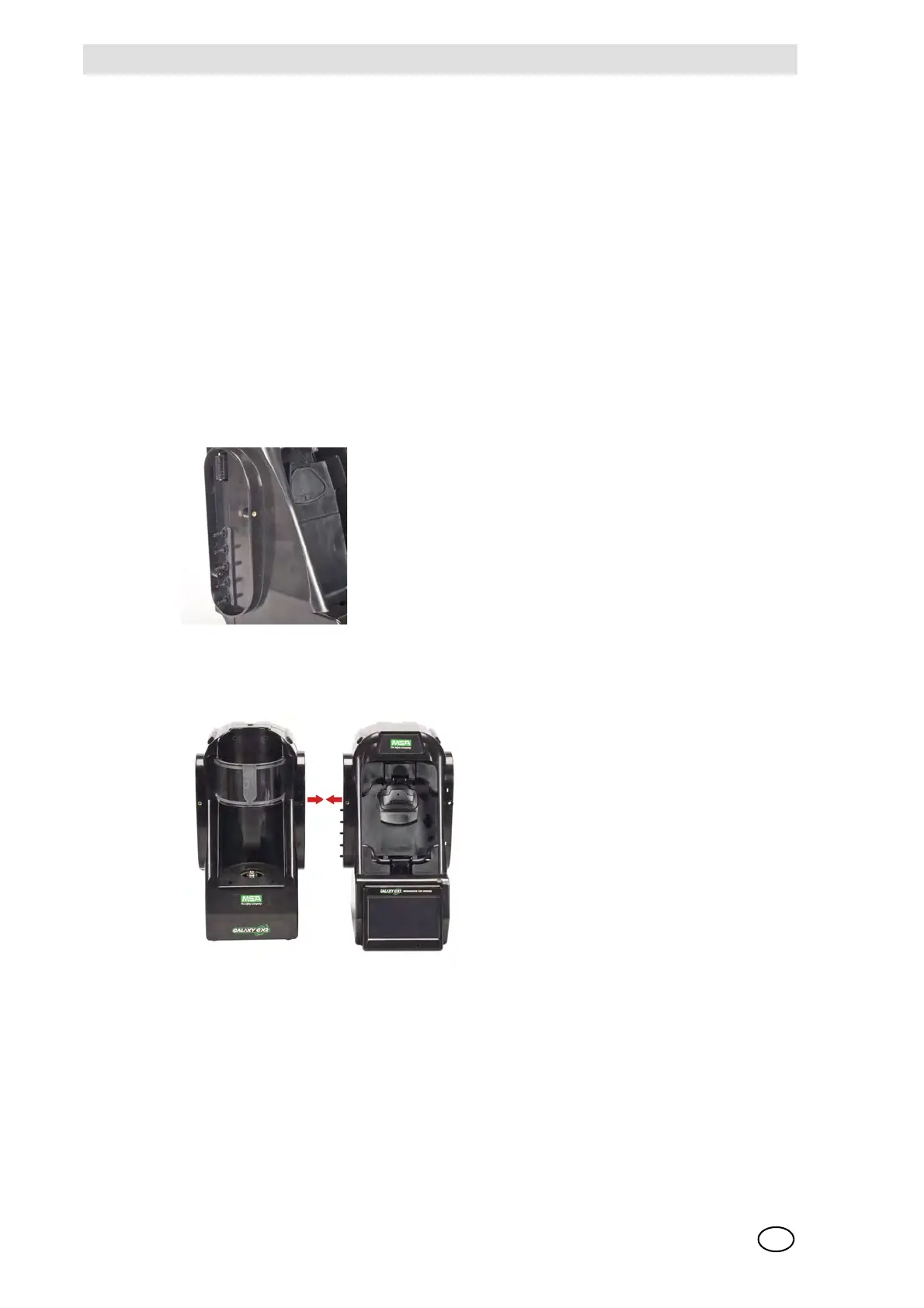
(1) On the left-hand side of the Test Stand, ensure all five barb fittings are in place and straight-
ened before connecting a Cylinder Holder or another Test Stand.
(2) Press the two units together until the barb fittings are fully inserted and the screw holes in
the flange align.
(3) Insert one of the supplied screws into the front and two screws into the back of the flange.



 To Next Page