Setting Up the GALAXY GX2
GALAXY GX2
33
US
GX2 Setup
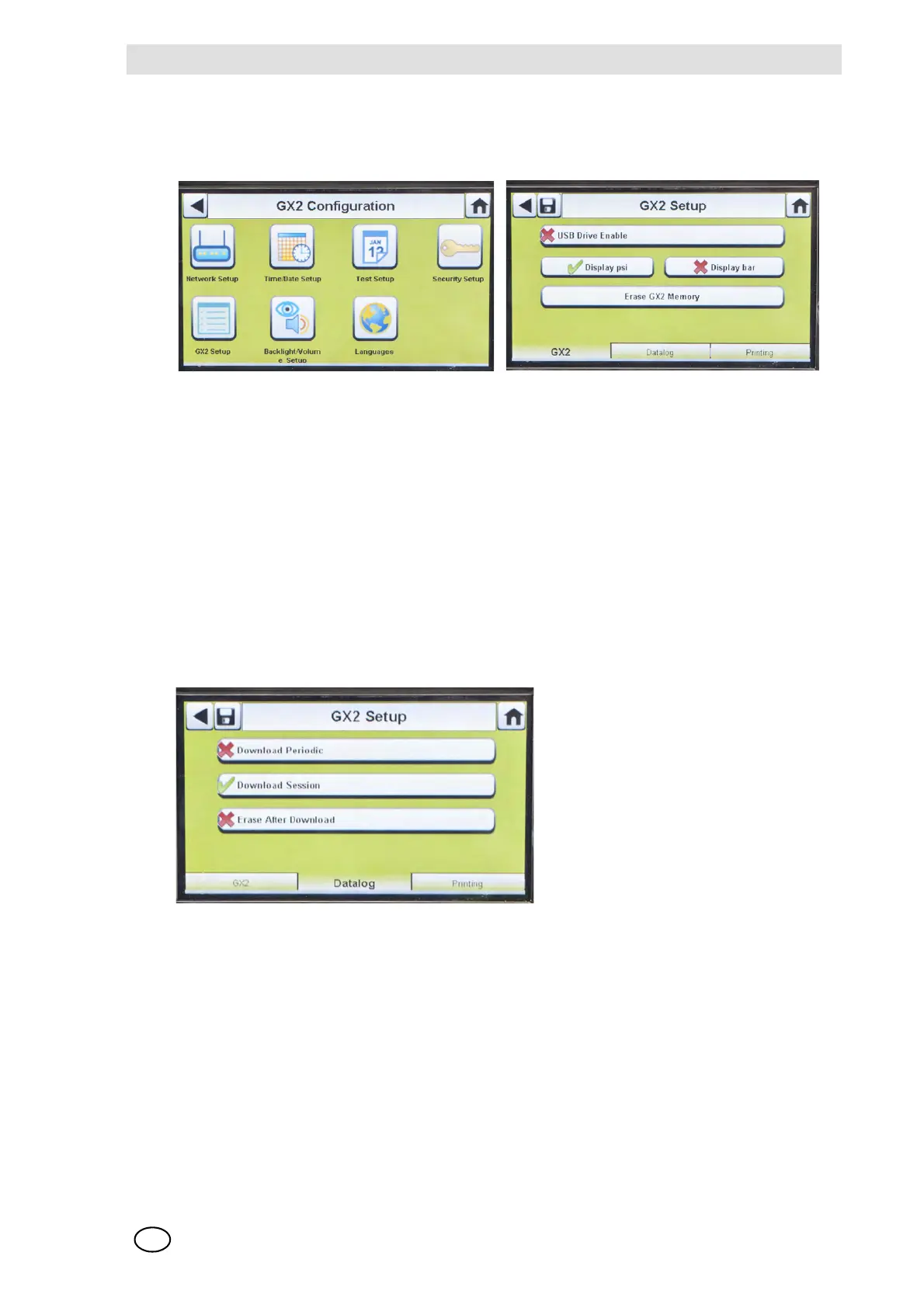
To access GX2 Setup, select GX2 Setup on the GALAXY GX2 Configuration screen [ Fig. 16].
GALAXY GX2 Tab
The following options are available on this screen:
- USB Drive Enable setting allows the user to gather data from the Memory card with a USB
drive that can be inserted in the port on the right side of the unit. The default setting is Off (
2).
- Display psi or bar options display the units of pressure on the gauges on the home screen and
pressure screen. Selecting one of these options (
3) will disable the other option. The default
setting is psi.
- Erase GALAXY GX2 Memory erases all data on the memory card. The user will be prompted
to confirm the action before erasure occurs.
Datalog Tab
The following options are available on this screen:
- Download Periodic setting will download the Periodic Datalog from the instrument following the
specified calibration or bump test. Downloading can be enabled or disabled. The default setting
is disabled (
2).
- Download Session will download the Session Datalog from the instrument following the spec-
ified calibration or bump test. It contains the date and time stamp of instrument events, such
as turn on/off, alarms, and calibrations. The default setting is disabled (
2).
- Erase After Download erases all current and past data once downloaded and verified by the
MSA Link Pro database. The default setting is enabled (
3).



 To Next Page