GALAXY GX2
48
Setting Up the GALAXY GX2
MSA
US
(5) Set the Unit by selecting either the left or right arrows.
(6) Set the Value by entering the correct value on the number keypad.
(7) Set the Type by selecting either the left or right arrows.
(8) Select Save.
(9) Repeat steps 1 through 6 for each cylinder (maximum of 4 cylinders).
Expiration Setup
When using the electronic Cylinder Holder, the gas cylinder expiration date is automatically read
from the RFID tag. The Test Stand can send an email notification (if configured) of the pending
expiration prior to the expiration date. The user must define how many weeks in advance the
notification is sent. This time period is suggested to be the lead-time to replace/reorder the cyl-
inder.
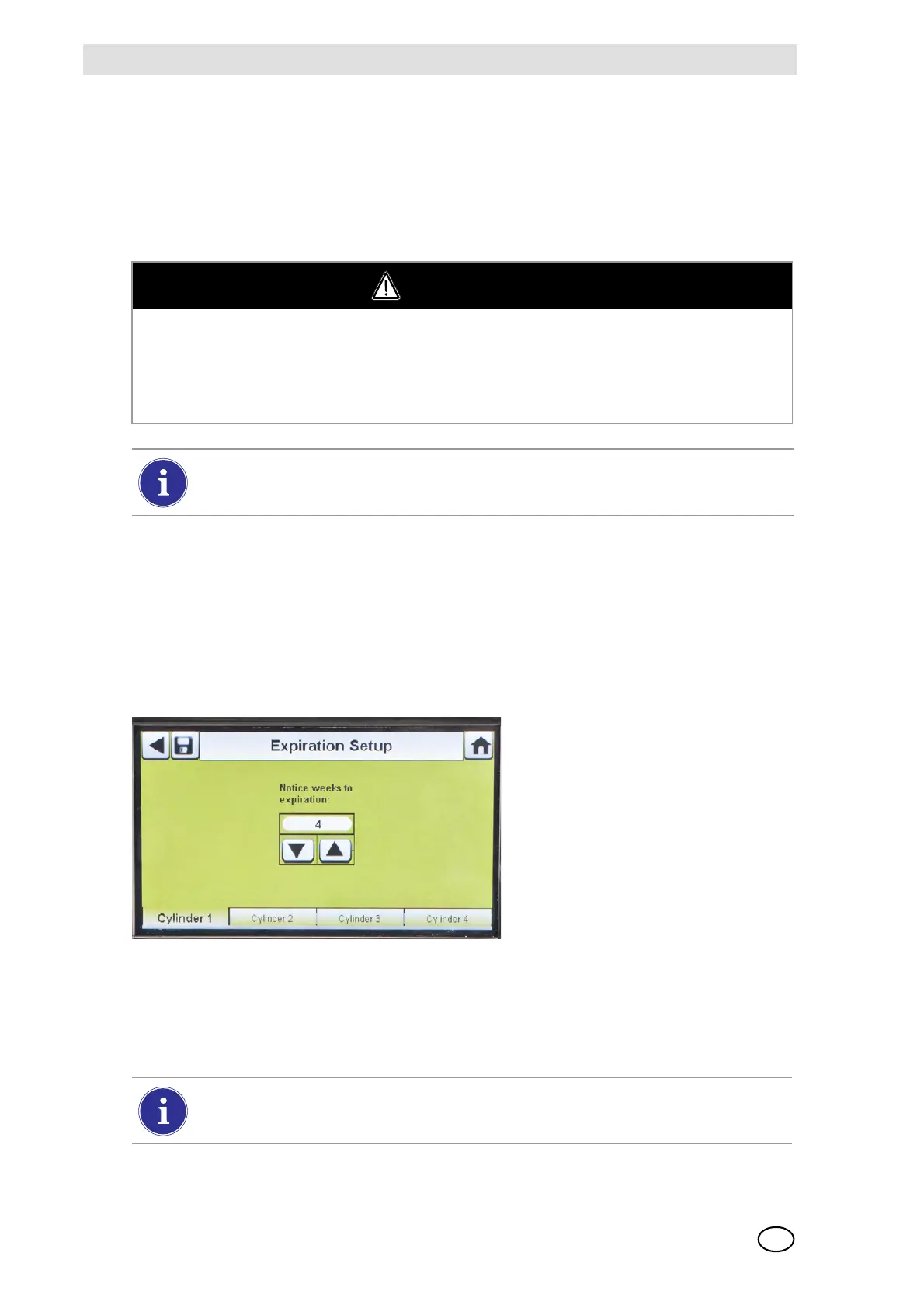
Select Expiration Setup on the Cylinder screen to access the cylinder Expiration Setup screens.
(1) Set the Notice weeks to expiration by selecting either the up or down arrows.
Z The default value is 4 weeks.
(2) Select Save.
(3) Repeat steps 1 and 2 for each cylinder.
WARNING
Proper setup of non-RFID tagged gas cylinders is critical. Accurate calibration may not occur if
improper cylinder values are entered. The user must also confirm the cylinder gas concentration
is compatible with the respective instruments that are to be calibrated. The gas detector could
fail to perform as designed and persons who rely on this product for their safety could sustain
severe personal injury or loss of life.
The GALAXY GX2 will prohibit entering gas values greater than 75%LEL for
combustible gases.
This feature is only available for electronic Cylinder Holders with RFID tagged test gas
cylinders.



 To Next Page