GALAXY GX2
34
Setting Up the GALAXY GX2
MSA
US
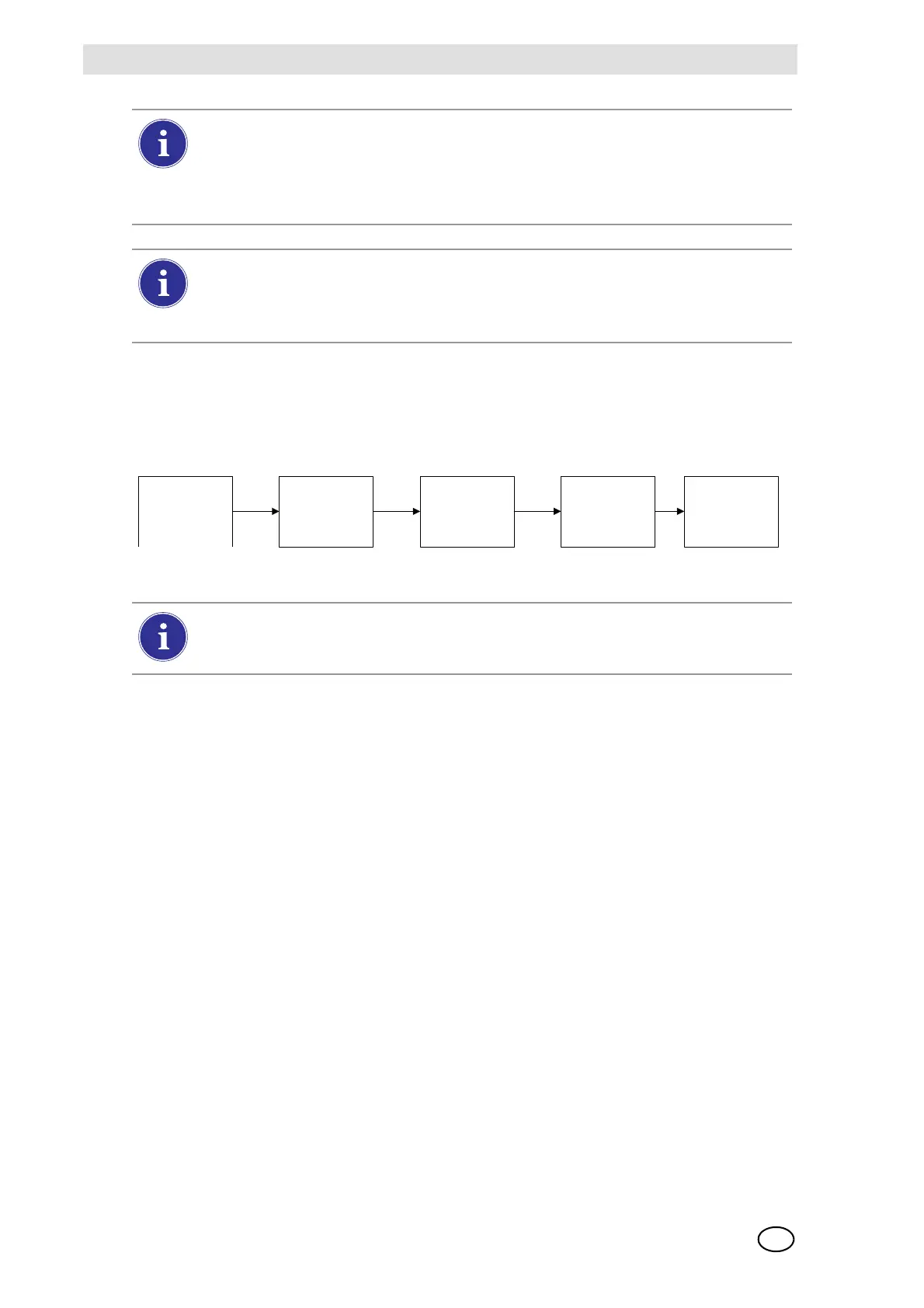
Datalog Download Sequence
The following flowchart shows the sequence of events for a datalog download:
Print Tab
Select the Print tab to print a calibration sticker or receipt [available from MSA, Fig 8]. The stick-
er or receipt will print in the language setting of the Master Test Stand.
- Print Sticker setting will print a calibration or bump sticker each time the GALAXY GX2
successfully calibrates or bumps an instrument. A sticker will not print if the instrument fails the
test.
- Print Receipt will print a receipt and embedded calibration sticker after calibration, or receipt
only after a bump. The receipt will print whether the instrument passes or fails, the calibration
sticker will only print with a passed calibration.
GX2 Gas Setup
The GALAXY GX2 Test Stand can accept test cylinder gas from the optional Cylinder Holders
(electronic and non-electronic) or from a user provided regulated gas source. Cylinder data can
be set for up to six gas types per cylinder. The following are the maximum number of gases each
instrument can process:
- ALTAIR and ALTAIR Pro: 1 gas
- ALTAIR 4/4X: 4 gases (typically 1 cylinder with quad gas)
- ALTAIR 5/5X: 5 gases (typically quad gas + 1 toxic gas)
- ALTAIR 5IR/5XIR: 6 gases
Datalogs are not written to the memory card because of potentially large file sizes. If the
unit is not networked to the MSA Link Pro software application, instrument datalogs
cannot be downloaded with the GALAXY GX2. In this situation the user can use the
MSA IR dongle and the free MSA Link application to download datalogs from the
instrument.
In order to effectively manage the time required to download datalogs, it is recommend-
ed that datalogs be downloaded and erased after each test. This will result in storage
of only the most recent information in the instrument datalog, minimizing time to
download the information.
Test Starts (Bump
or Calibration)
Test Finishes
Datalog download
starts immediately
Datalog download
finishes
Test results (PASS
or FAIL) screen is
displayed
If either the Session or Periodic datalogs are Enabled for downloading, the test status
of the calibration or bump will not display until AFTER the datalog download is com-
plete.



 To Next Page