GALAXY GX2
40
Setting Up the GALAXY GX2
MSA
US
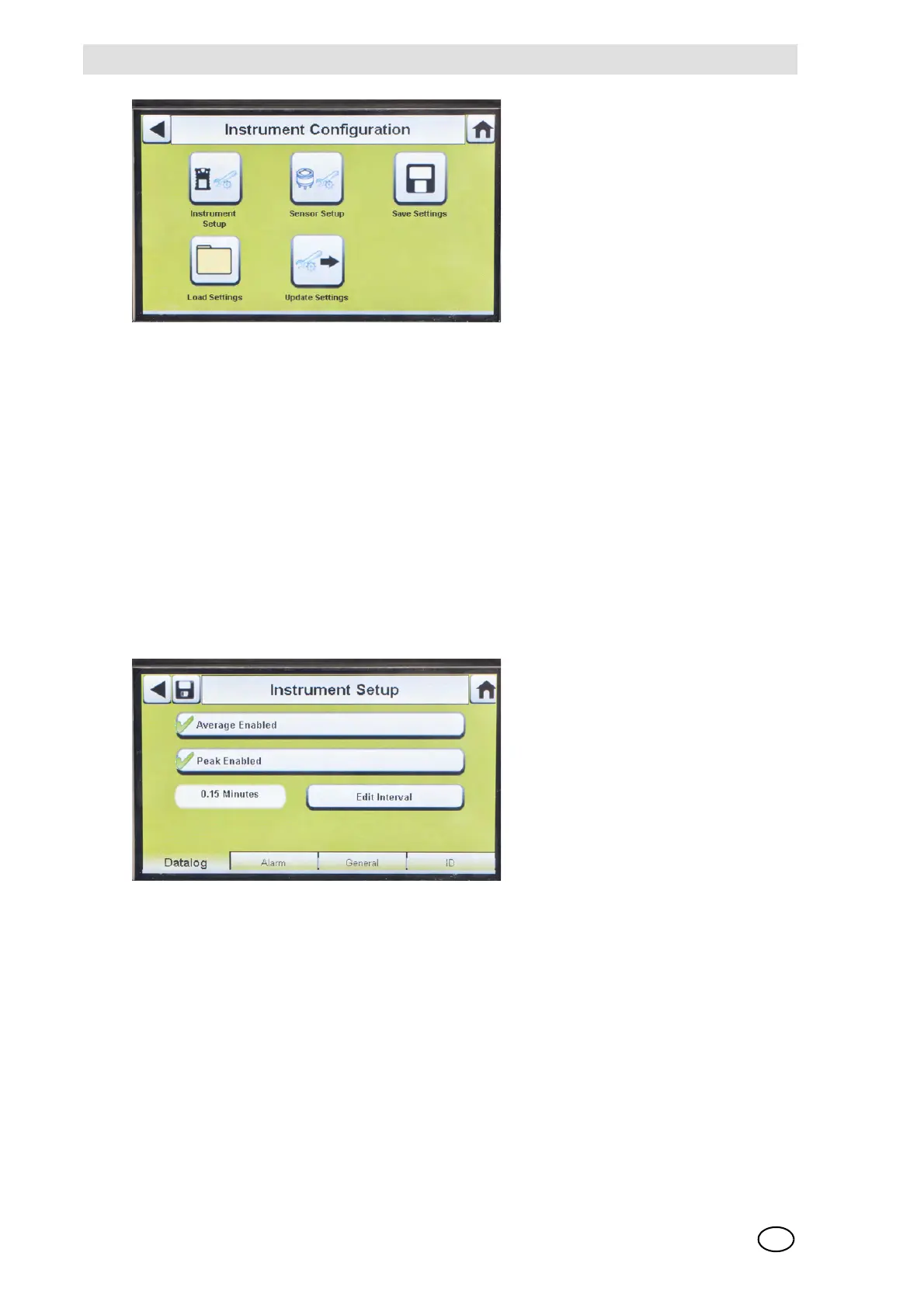
Fig. 18 Instrument Configuration
Instrument Setup
The user can set the instrument's datalog gathering functionality, alarms, calibration intervals, and
identification through the 4 tabs on the Instrument Setup page.
Select Instrument Setup [ Fig. 18] from the Instrument Configuration screen.
Datalog Tab
Select the Datalog tab to set how the instrument compiles sensor reading data during a
set interval.
Fig. 19 Instrument Setup - Datalog
-
Average Enabled (3) compiles an average of the sensor readings during the set interval time.
- Peak Enabled (3) records the highest reading during the set interval time.
- Edit Interval allows the user to set a specific interval time frame for the recording of instrument
data to its datalog. The smaller this interval, the more frequent the data will be stored to the
datalog. Large datalogs will require longer download times.
1 Instrument Setup 4 Load Settings
2 Sensor Setup 5 Update Settings
3 Save Settings



 To Next Page