GALAXY GX2
26
Setting Up the GALAXY GX2
MSA
US
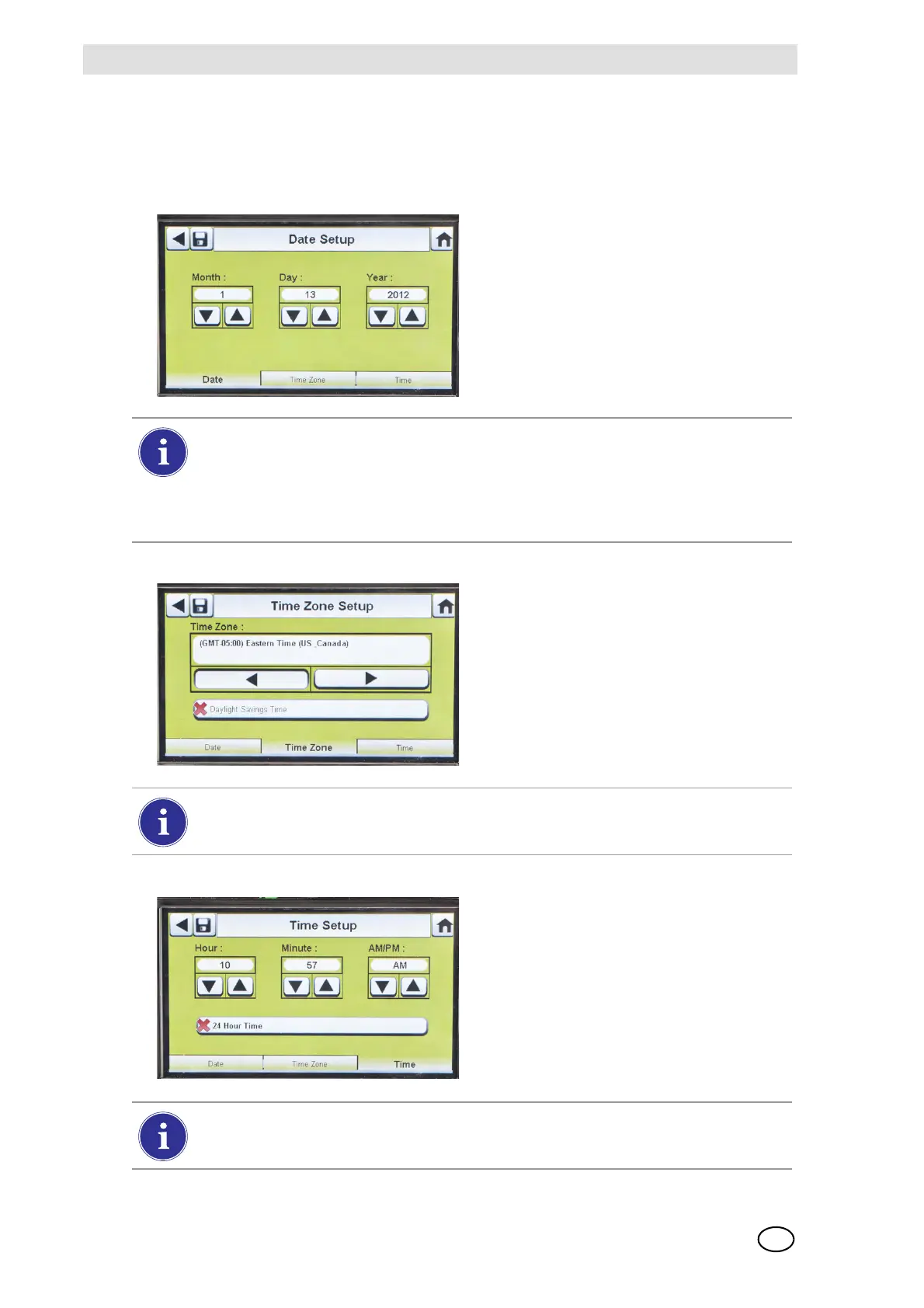
Set Time and Date
There are 3 tabs at the bottom of the screen - Date, Time Zone and Time. The user will need to
configure each tab. The Date Setup screen automatically displays.
(1) Enter the current month, day and
year.
The time setting is used on all calibration and bump test records.
Test Stand time and date must be maintained for accurate record keeping.
If the Test Stand is networked to a PC via the MSA Link Pro software application,
the time is automatically synchronized to the PC. The gas detector is automatically syn-
chronized to the Test Stand each time it is inserted.
(2) Select the Time Zone tab and then
select your time zone.
Z The time zone application is de-
fined by the standard Microsoft
®
operating system.
Select Daylight Savings Time to enable automatic time adjustment when
Daylight Savings Time occurs.
(3) Select the Time tab and enter the
current time.
(4) Select Save.
(5) Select Home.
The time and date is used for calibration and bump recordkeeping of the instrument.
24-hour or 12-hour time may be chosen.



 To Next Page