Setting Up the GALAXY GX2
GALAXY GX2
43
US
Options Tab
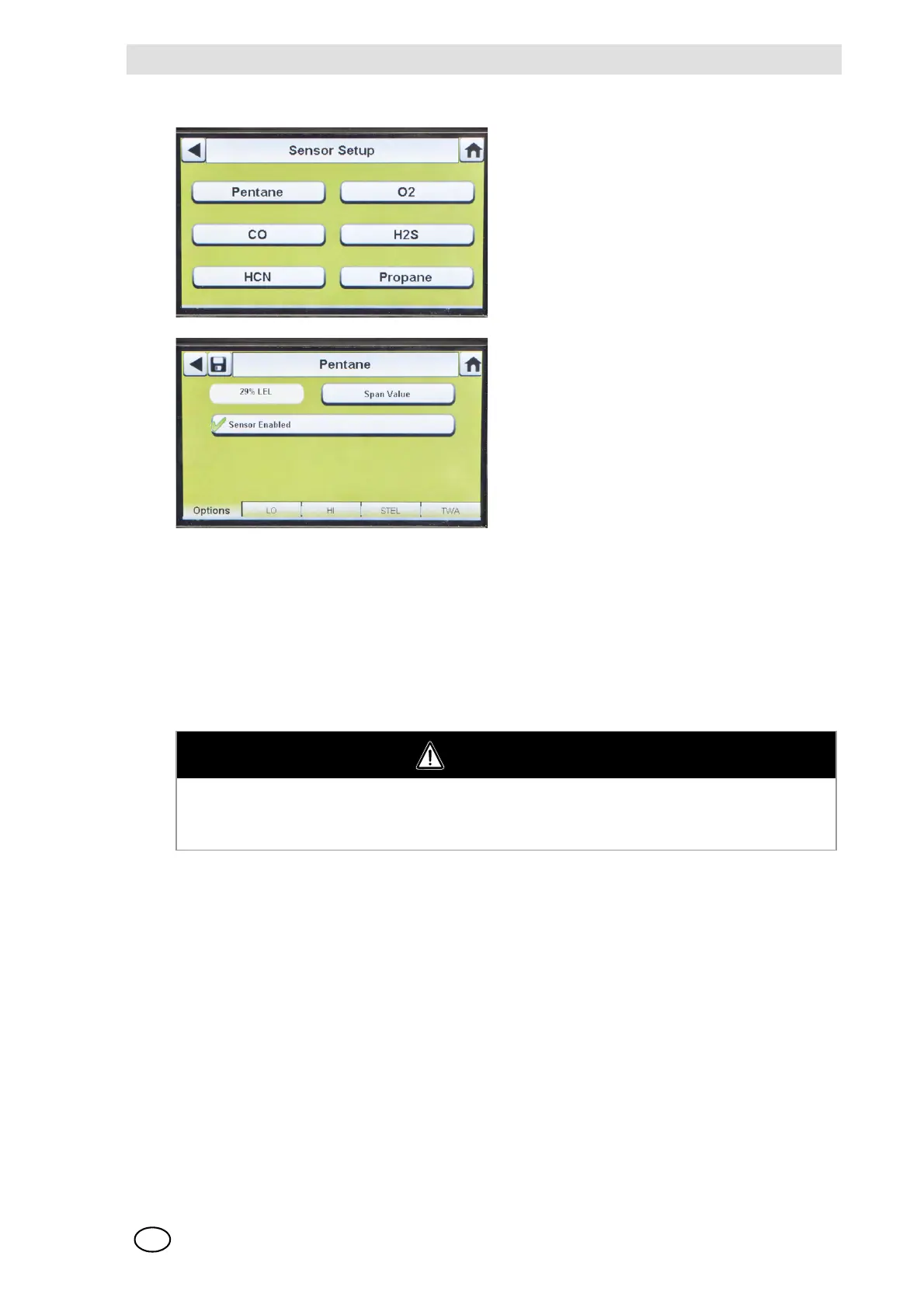
Select the Options tab to set Span Value and enable or disable the sensor for that gas type.
(1) Select Span Value to enter the calibration and bump span value. Check the instrument's
product user manual for recommended span value of each sensor.
Z The GALAXY GX2 will prohibit entering span values outside the instrument range. The in-
strument will transmit its range to the Test Stand.
(2) Enter the Span Value on the number keypad.
(3) Select Save and then select the back arrow.
(1) Select Sensor Setup from the Instru-
ment Configuration screen [ Fig. 18].
Z This screen displays the sensors cur-
rently installed in the instrument.
(2) Select the sensor that you wish to con-
figure on the Sensor Setup screen.
WARNING
Using an incorrect span value can seriously impair the gas detector's ability to warn the user of
dangerous conditions. The gas detector could fail to perform as designed and persons who rely
on this product for their safety could sustain severe personal injury or loss of life.



 To Next Page