MAINTENANCE MANUAL
VC2E-MM-00
36
Firmware Update
After replacing Main board, it is necessary to update firmware to latest version.
Please follow the steps below to update firmware.
Note1: Make sure to use the latest version of ValueCut File Uploader.
Note2: There are different firmware versions depending on the ValueCut size.
When you replace the main board for the firmware update or repair, please make sure to upload
the appropriate firmware.
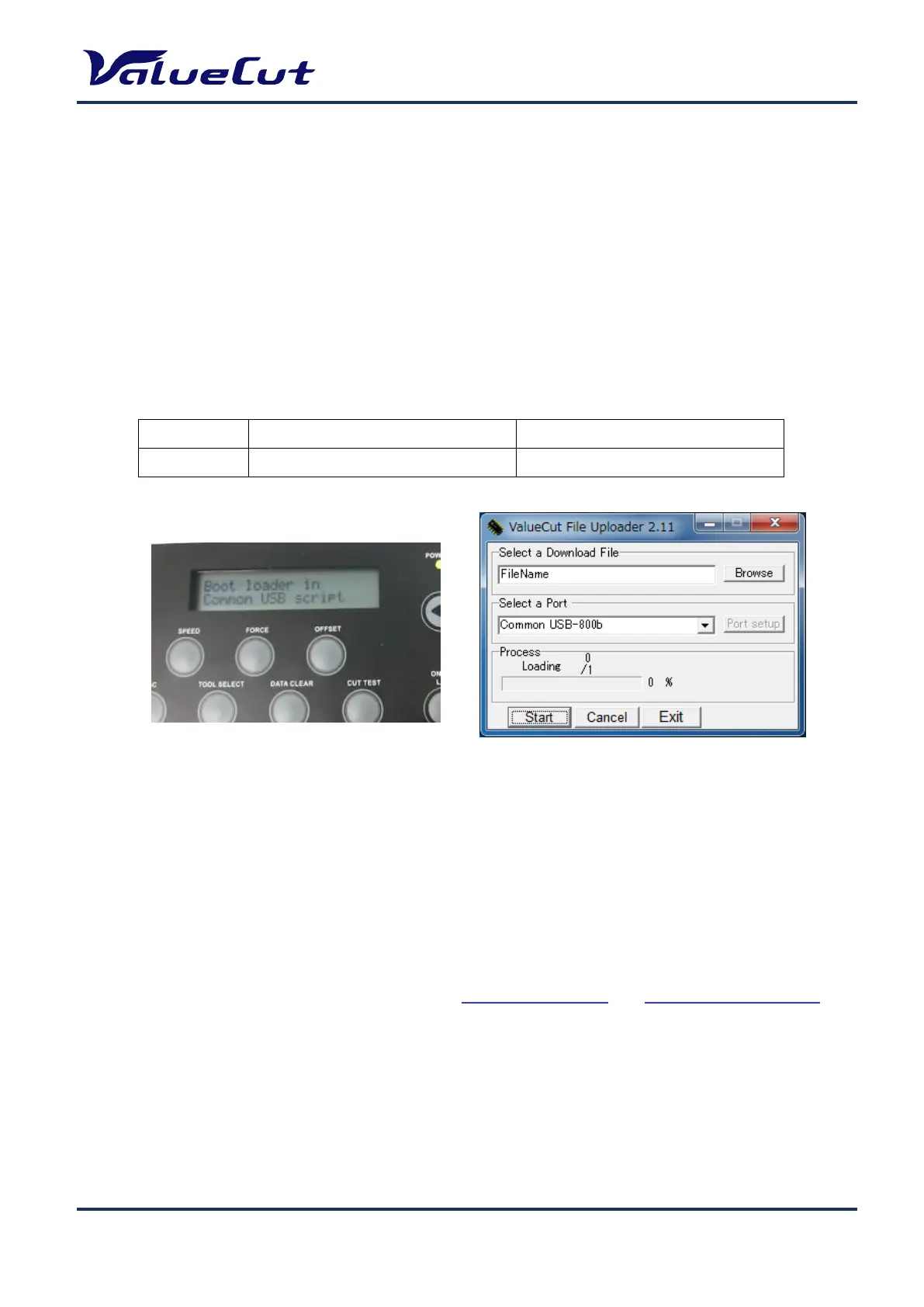
[CUT TEST] key + Power on
Note: After the firmware installation, please perform “Backup of Settings” and “Restoration of Settings”.
Note: Write down all the setting values before performing initialization. Enter the values again from the
panel after initialization is done. (“AAS Offset X/Y” and “Scale Length/Width” values will be
backed-up, so resetting will not be required.)
Step 1. Check if the port displayed on the "ValueCut File Uploader" window is correct.
Step 2. Select the firmware file on the dialog box, and click Start.
Step 3. If the update is completed, the machine is automatically restarted in normal mode.










 To Next Page