MAINTENANCE MANUAL
VC2E-MM-00
61
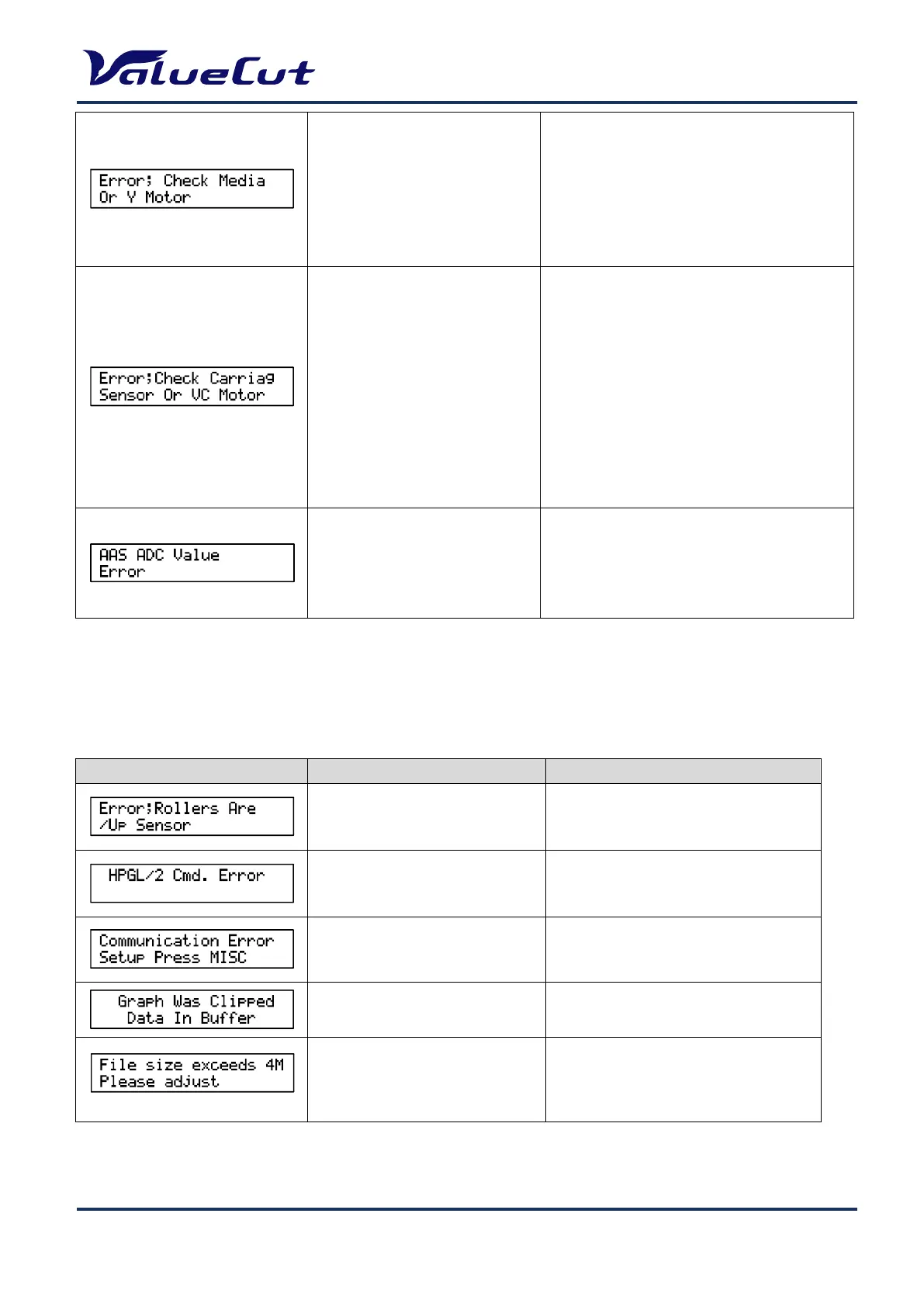
Abnormal condition in CR motor
(Y-axis)
Remove the obstacle that prevents the Y-axis
operation.
Check "Y Encoder" and "Carriage Movement"
in self-diagnosis.
<Parts may be broken>
Y-motor
Main board Assy
Error on UP/DOWN pen operation
Adjust length of the cutter blade.
Remove the obstacle that prevents the
UP/DOWN operation
Check if a media is jammed on the machine.
Check “Holder Encoder” and “Holder
Movement” in self-diagnosis.
<Parts may be broken>
AASII carriage board Assy
Watch dog-Interface converter board Assy
Main board Assy
Flat cable Assy
Check print quality for “Reg mark”
Adjust the scale properly.
<Parts may be broken>
Carriage Assy
Operation Error
This section describes the contents of errors with messages as well as the check items and recovery
actions. These messages are displayed when an abnormal condition occurs during operation.
Switch the Pinch Roller enabled.
Receive undefined command
Check the data send from computer.
Connection error on RS-232C port
Set the communication condition.
Data on the out of print range
Send the data within print range.
Edit AAS data to be less than 4MB.










 To Next Page