Performing Daily Maintenance 119
2. Moistening the surface of print head nozzles
Important!
During cleaning, please note the followings:
• Always follow this steps to perform daily maintenance.
• When moistening the surface of nozzles, do not use the cleaning stick already used to clean the print head circumference,
cleaning wiper or cap circumference. Doing so may result in damage to the print head.
• Always use a new cleaning stick and dampen it with dedicated maintenance cleaner.
DO NOT use non-dedicated maintenance cleaner. It may cause nozzle clogging.
• Do not touch the tip of a cleaning stick with fingers.
If sebum is adhered, it can cause damage to the print head.
• Do not reuse a cleaning stick.
Dusts can adhere causing damage to the print head.
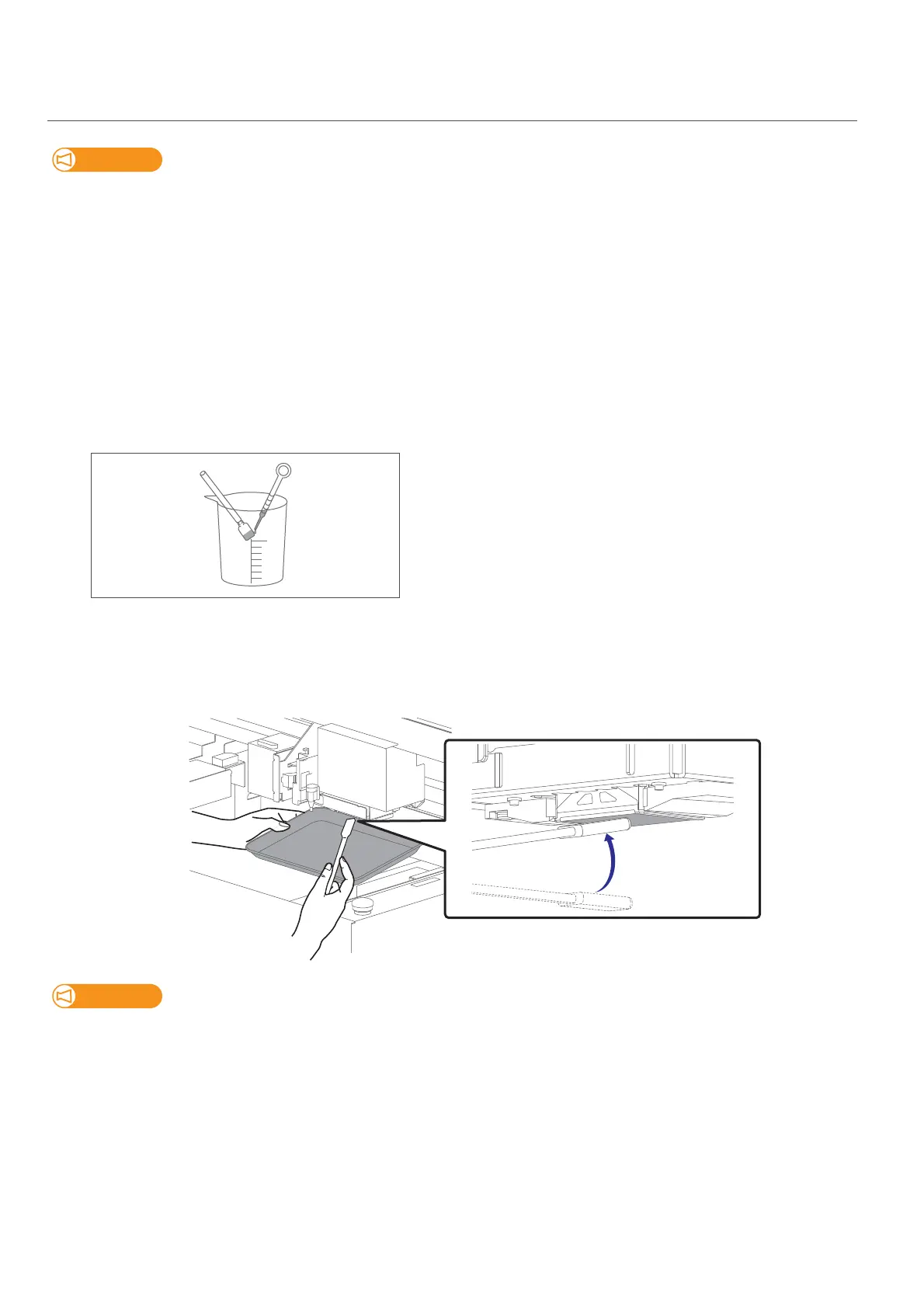
[1]
• Put a cleaning stick in the plastic cup.
• Use the dropper to dampen the swab of cleaning stick with dedicated
maintenance cleaner.
(Amount used: 0.5 ml)
[2]
Look in the stainless tray to check the bottom of the carriage.
Using the cleaning stick dampened with the maintenance cleaner, moisten the surface of the print head nozzles.
• Lightly touch with the cleaning stick to moisten the nozzle surface.
• Repeat it a couple of times to moisten the entire nozzle surface.
Important!
• DO NOT rub into the nozzle surface.
It can cause damage to the print head.
• If the entire nozzle surface has been moistened, you can stop it.
[3]
Next clean the print head circumference.














 To Next Page