Checking ink and replacing ink bag 119
1. Removing the high-capacity ink pack adapter
[1]
Tap (Enter).
• The buzzer stops.
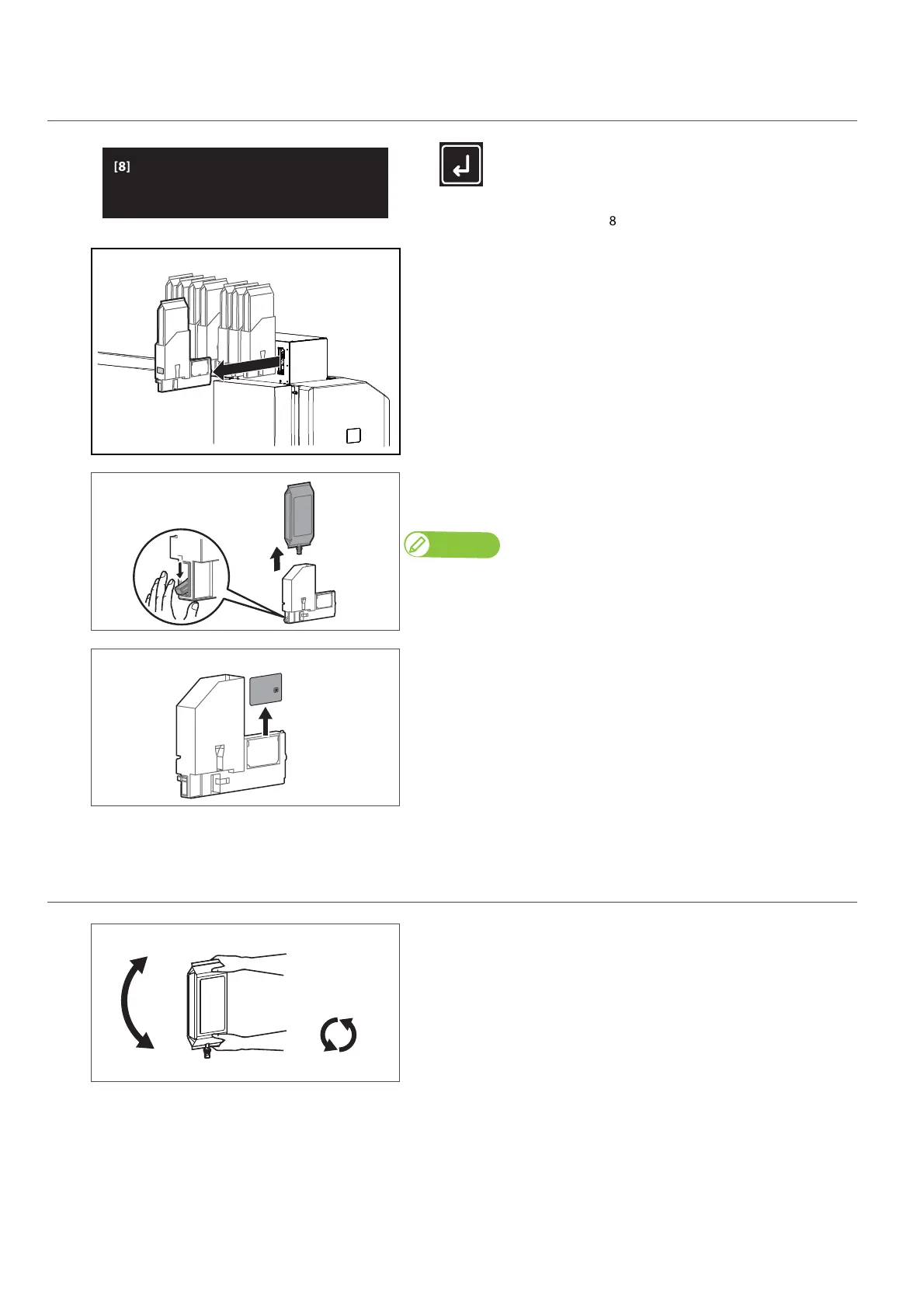
• In the figure to the left, the slot 8 ink bag must be replaced.
[2]
Wear the plastic gloves, and then remove high-capacity ink pack
adapters from the ink slots.
[3]
Lower the lock lever on the high-capacity ink pack adapter and detach
the empty ink bag.
Note
Place the used ink bag in a plastic bag or the like and dispose of it in accordance with
local ordinances and municipal instructions.
[4]
Remove the S/C card from the high-capacity ink pack adapter.
2. Attaching ink bag
[1]
Prepare the new ink bag, and agitate it as instructed below.
• Turn the ink plug upward and wait for three seconds.
• Next, turn the ink plug downward and wait for three seconds.
• Repeat that 10 times.



 To Next Page