Menu 2: Test Print 93
4 Menu 2: Test Print
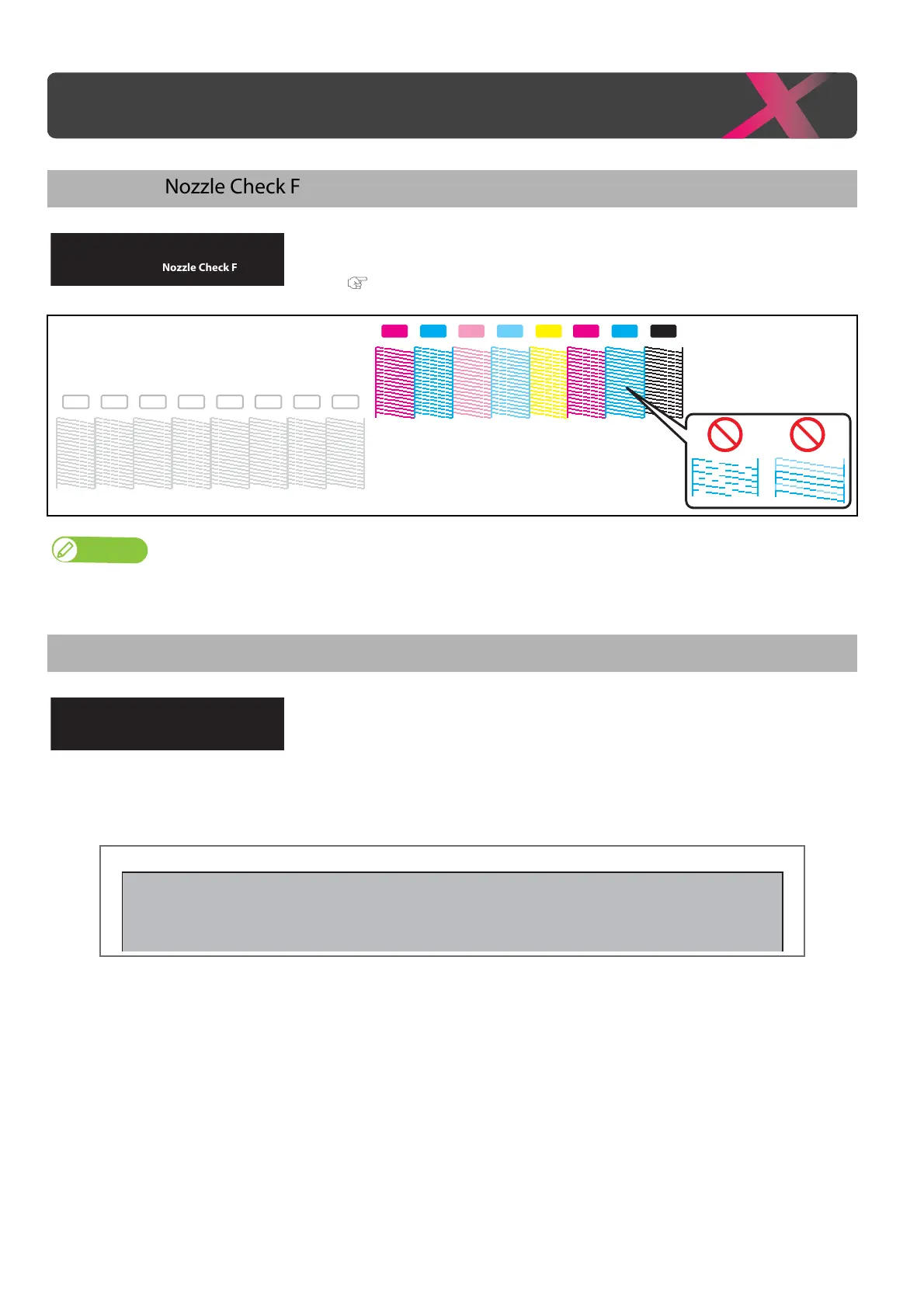
Test Print 1: Nozzle Check F
Use this menu to check that the print head and print nozzles you selected can
properly print without nozzle clogging and missing or too light lines.
"Nozzle check F steps" P. 31
• The printer information (date and time printed, printer’s serial number, firmware version) is printed on the nozzle check pattern.
Test Print 2: Mode Print
Mode print can be performed. Used to confirm the following printing
conditions.
•Print quality
•Effect
• Setting value for Heater
• Micro adjustment value for feed correction
Test Print 1
Nozzle Check F
Y KMLmM CC Lc
WH WH WH WH WH WH WH WH
1
2
2019/1/01 0:00 G2(720x1080 6Pass Bi) -Fine&Fog/Pre: 30
0
C/Platen: 30
0
C/Dryer: 30
0
C/PF Adjust : 0.00%



 To Next Page