Nozzle check and cleaning 31
1 Nozzle check and cleaning
Before you start daily printer operation, run a nozzle check. If nozzle missing is found, perform cleaning.
Nozzle check
Nozzle check F steps
[1]
Load a roll media for Nozzle check.
"Loading a roll media" P. 22
[2]
Tap .
[3]
Tap (Enter) .
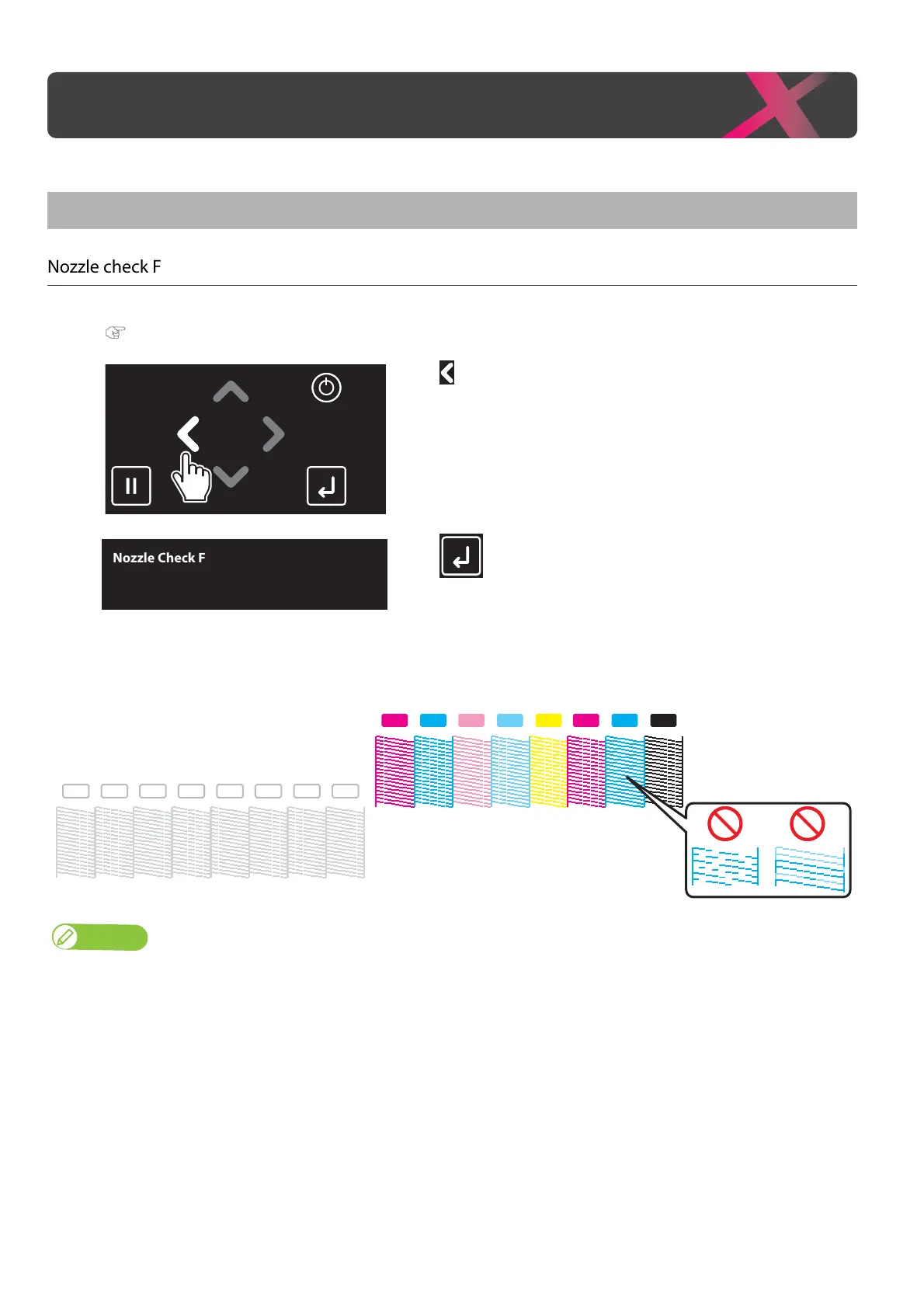
• The printer will print the nozzle check pattern.
[4]
Check the nozzle check print to see all nozzles are clear.
• If you find missing or thin lines on the print, go to "Cleaning steps" P. 32.
• If all lines are clearly printed, you can start printing.
Note
• The printer information (date and time printed, printer’s serial number, firmware version) is printed on the nozzle check pattern.
Nozzle check and cleaning
Nozzle Check F
Start -> Enter
Y KMLmM CC Lc
WH WH WH WH WH WH WH WH
1
2



 To Next Page