Advanced setting 39
1 Advanced setting
If you use a roll media that warps easily or perform high-density print, the print head may contact the media while printing. If
you experience such problem, try changing the head height higher.
After you change the head height, make sure to perform the print quality calibration.
Changing the Head Height
Important!
• The closer you set distance between the print head and roll media with lowest possible head height, the more you can achieve stable
print quality. However, depending on the condition of a roll media, head strike is more likely to occur with this condition.
• Do not open Front cover and change the head height during printing.
Print quality cannot be guaranteed.
[1]
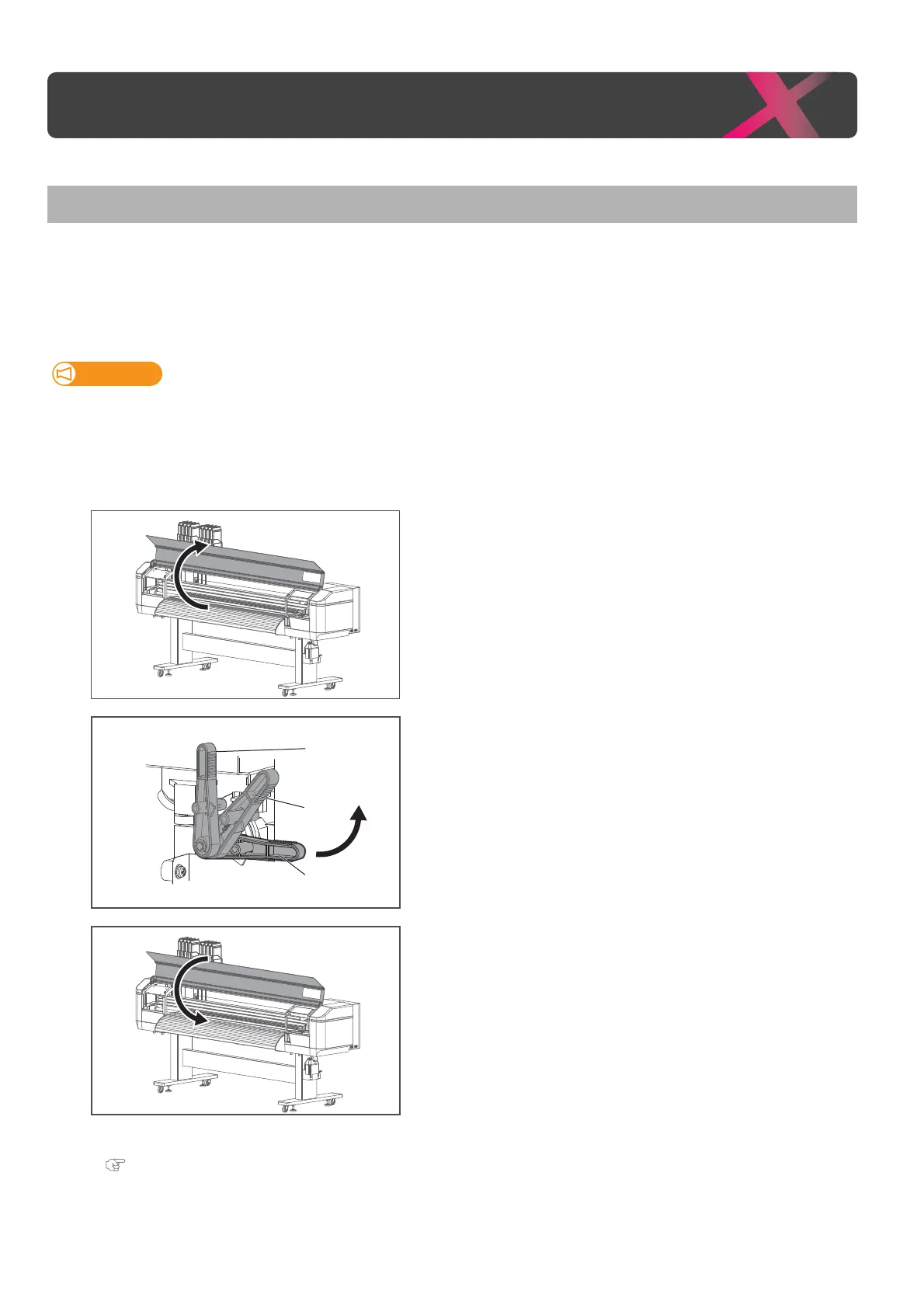
Open the front cover.
[2]
Use the head height adjustment lever (orange) to change the head
height to “Mid” or “High”.
• High: set the head height to High.
• Mid: set the head height between Low and High.
• Low: Default head height.
[3]
Close the front cover.
[4]
Perform print quality calibration.
"Print quality calibration" P. 35
Low
High
Mid



 To Next Page