Cleaning 133
Cleaning period:
• If you repeatedly failed to perform an auto print quality calibration (Adjust Print 3 Auto).
Preparation:
• Cleaning stick
• Ethanol (commercially available item: Use one with a concentration of 50% or higher.)
Cleaning the color sensor
Important!
During cleaning, please note the followings.
• Do not push the glass on the color sensor too hard with a cleaning stick. This will damage the glass.
• Do not reuse a cleaning stick. Dust may adhere to the color sensor causing malfunction.
• This cleaning takes about 5 minutes. If it takes longer, the stick will get dry causing damage to the print head.
[1]
Put the printer into the CR maintenance mode.
"Putting the printer into the CR maintenance mode" P. 126
[2]
Open the front cover.
[3]
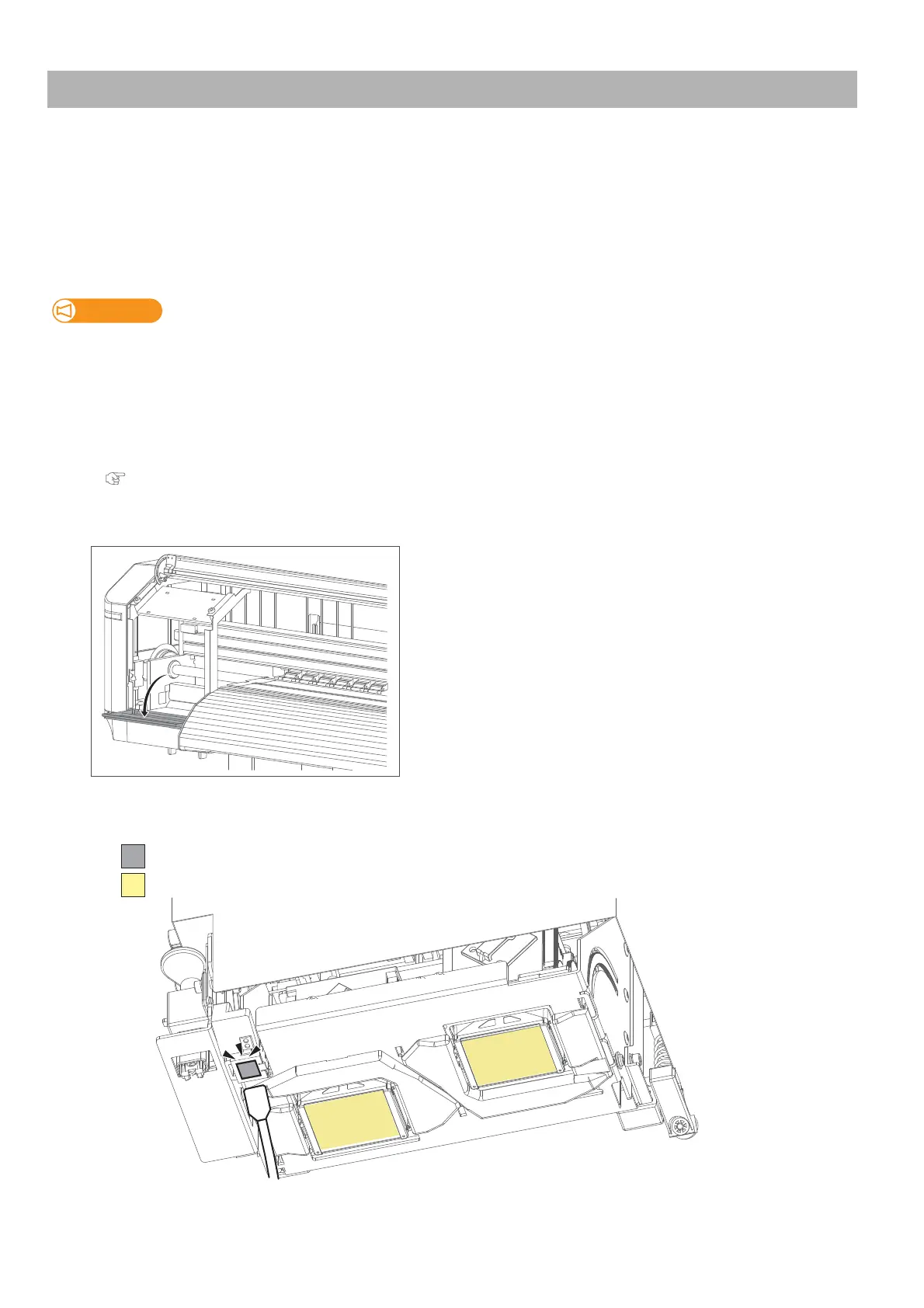
Open the maintenance cover on the left side.
[4]
Using a cleaning stick slightly dampened with ethanol, gently clean the glass on the color sensor located at the bottom
of the carriage to remove ink and dust.
DO NOT touch the surface of a print head (yellow)
(Do not push the glass too hard.)Clean this part



 To Next Page