109
EN
hyperion - TECHNICAL MANUAL
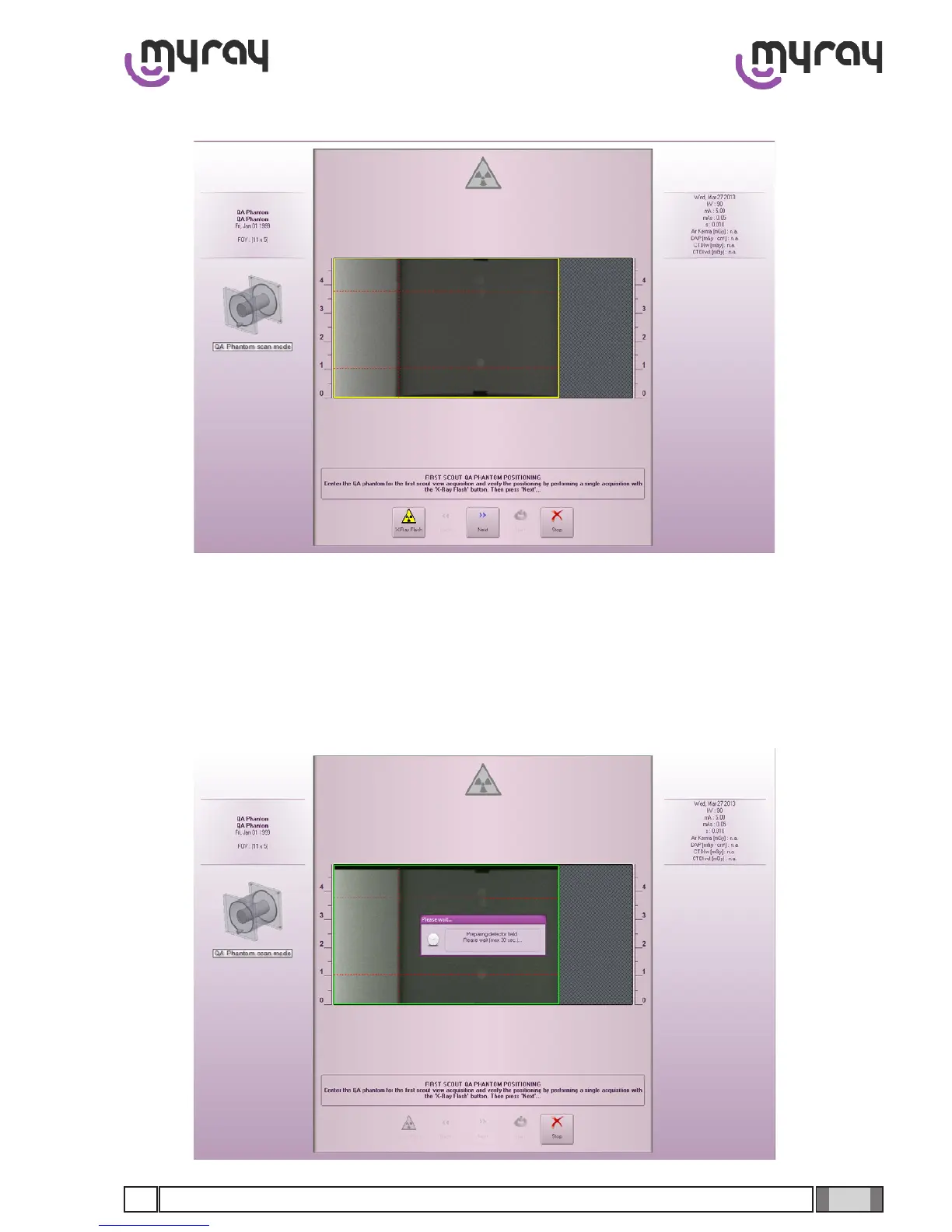
An initial scout will be executed:
It is necessary to check that the 3 dotted lines are in certain positions:
The vertical dotted line must coincide with the lateral edge of the internal cylinder.
The highest horizontal dotted line must pass between the 2 holes at the top .
The lowest dotted line must pass between the 2 (overlapping) holes at the bottom.
These shifts are carried out directly by the software. Holding down the CTRL key on the keyboard displays the image
square highlighted with a yellow margin. Hold the CTRL key down again, click on the image and drag it where desired.
The margin turns green if the machine is able to carry out the movement, red if it cannot.



 To Next Page