70
EN
hyperion - TECHNICAL MANUAL
2.3.4 PAN sensor calibration
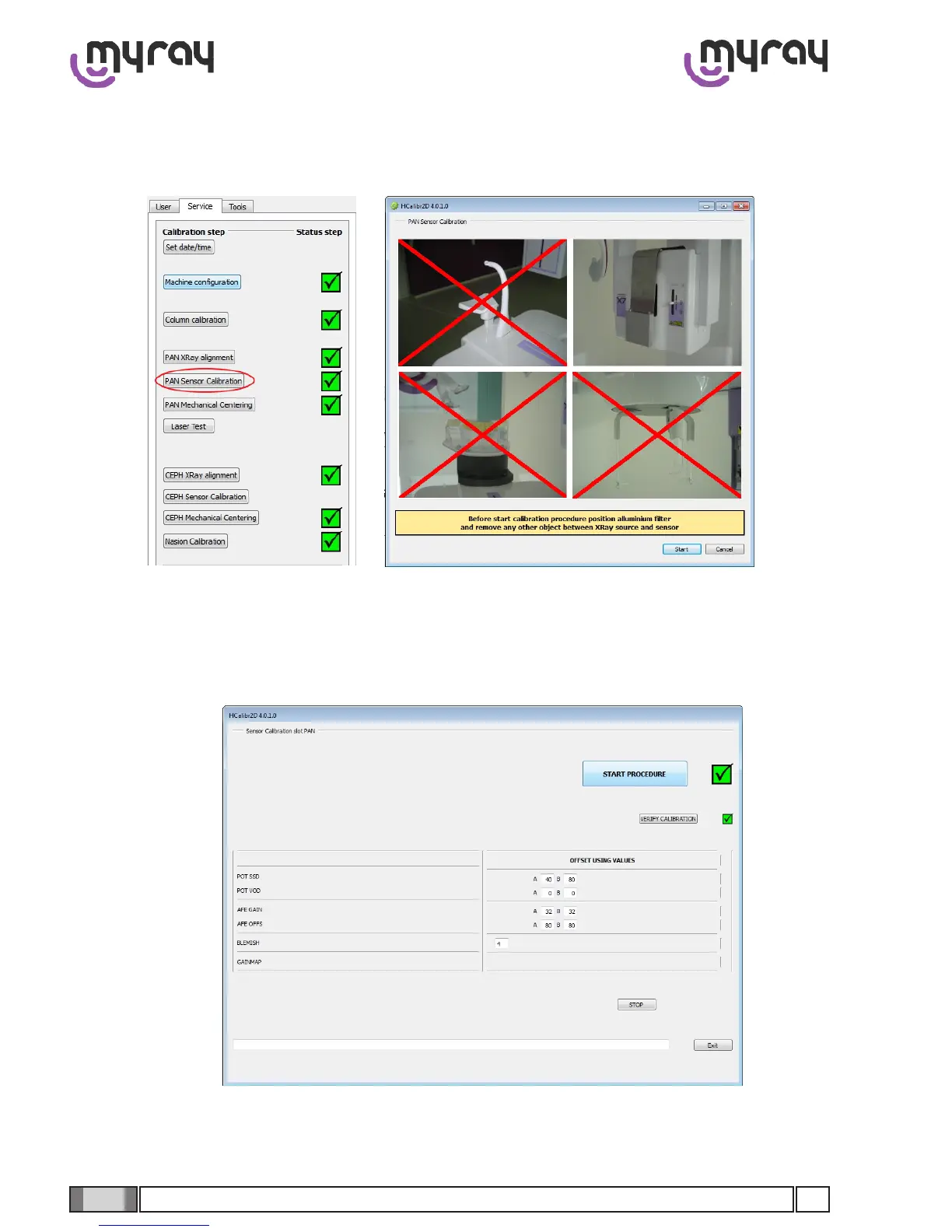
OncetheX-Raybeamisnishedproceedwiththenextstep,thesensorcalibration.Clickon“PANsensorcalibration”
andpositionthealuminumlterinfrontofthecollimatorasshowninthepicturethatwillappear(seebelow).
Click on “start” and then on “Start procedure”. Press the X-Ray button every time the software prompts for it. The pro-
cedure is completely automatic.



 To Next Page