46
EN
hyperion - TECHNICAL MANUAL
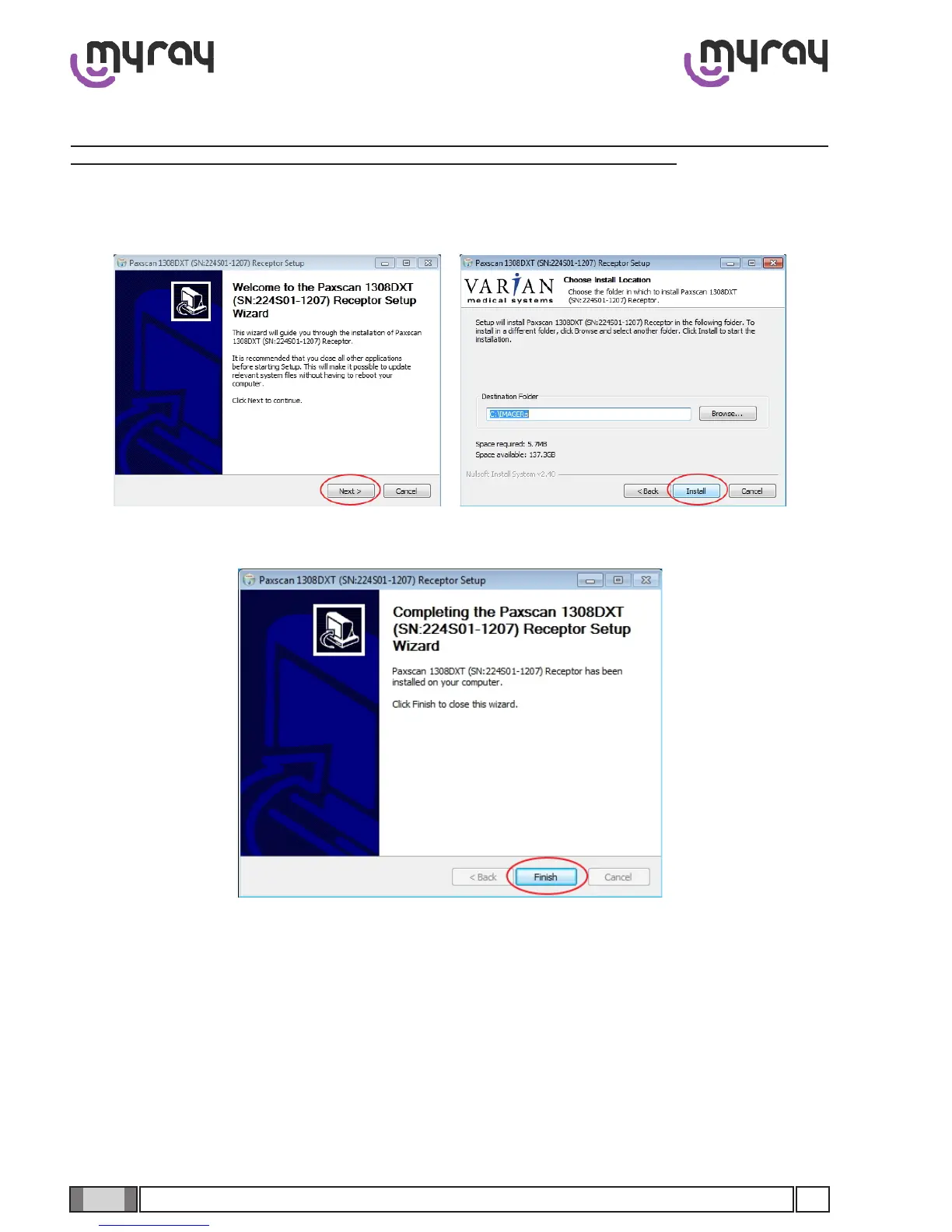
Conrmwith“Finish”.
Attheendofinstallationopenthepathway“C:\IMAGERs\<serialnumberofpanel>”andopenthele“HcpCong.ini”.
CheckthatthestringFgTimeoutBoostSec=17”ispresentunder“[HcpFgPleora]”(ashighlightedinthegure):
2.2.8 Flat Panel (CBCT) driver installation
WARNING: each panel is supplied with a specic installation CD containing data that is non-interchangeable
with other units. Store the CD safely and make sure you have at least one backup copy.
Insert the supplied 3D panel drivers CD, click on “Next” to go to the following screens:



 To Next Page