73
EN
hyperion - TECHNICAL MANUAL
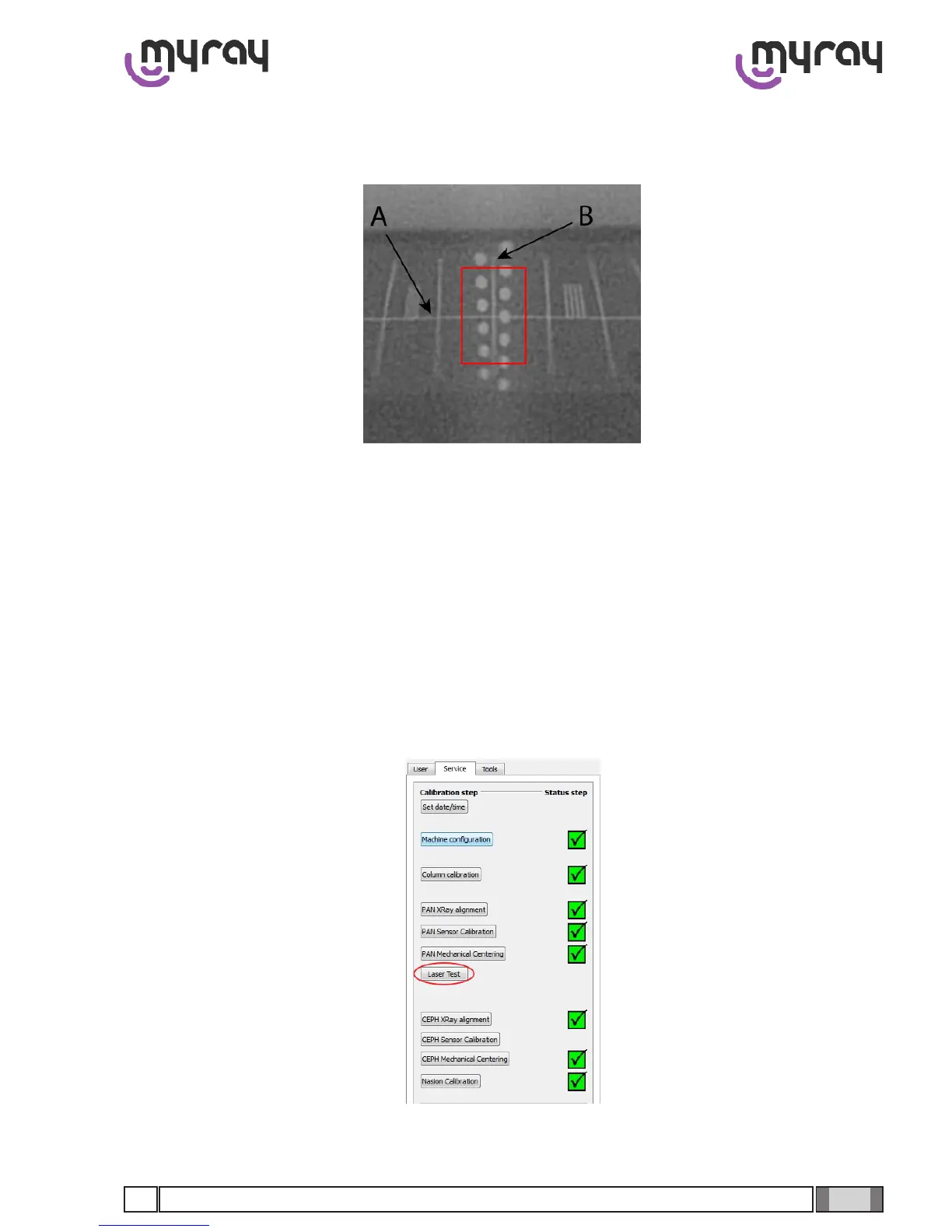
Inthisimageitisnecessarytocheckthat2specicelementsarecorrect:rstly,theareaoffocusmustbeequidistant
fromthehorizontallineA(it’snormalfortherst3dotsatthetopandthelast3atthebottomtobeoutoffocus)and
line B must be perfectly vertical.
IfthisisnotsotheparametersofaxesXandYmustbemodied.
To modify them it is necessary to specify the new values of the left “Offset Manual Settings” column and transfer them
to the right column (“Offset Using Values”) by clicking on the relative arrow. Click on “Acquire image” to obtain another
imageofthetestphantomandassessthemodications.Select“ImageisOK”whenbothfocussingandverticalityof
the line in the middle of the dots are satisfactory.
Reducing the X parameter shifts the tilt of line B leftwards, increasing it shifts it rightwards.
Reducing the Y parameter shifts the focus zone upwards, increasing it shifts it downwards.
2.3.6 Laser test
Select “Laser Test” from the calibration menu:
Select “Switch on” and mount the laser calibration guide with the relative support on the X9:



 To Next Page