30
EN
hyperion - TECHNICAL MANUAL
2.2 PC X9 (3D FULL – Cone Beam) Installation
2.2.1 Preliminary tasks
ThePCconnectedtotheX9(MAINWORKSTATION)musthavetherequisitesdescribedabove.IfsuppliedbyCea
all the hardware will already be assembled and all the software already installed. If this is not so it will be necessary to
assembleaPCthatcomplieswithspecicationsandinstallallthesoftwareyourself.The2PCnetworkboardswillbe
used for communication between X9 and PC and for 3D panel - PC connection. This last connection will be established
via a dedicated network board that, if you choose to assemble the computer yourself, is supplied with the X9. It is
compulsory to use this board (INTEL PRO 1000), which requires a free PCI-E slot on the PC mother board.
The operating system of the Main Workstation must be WINDOWS 7 32bit (not 64bit and not Home Edition). Once
installed, make sure all peripheral drivers are correctly recognised. The Intel PRO 1000 is automatically detected by
the operating system and installed with the relative drivers. For the video board drivers, use the pack available on the
Extranet under “X9” → “Software” → “hyperion X9 suite - Driver Ati”.
2.2.2 Operating system settings
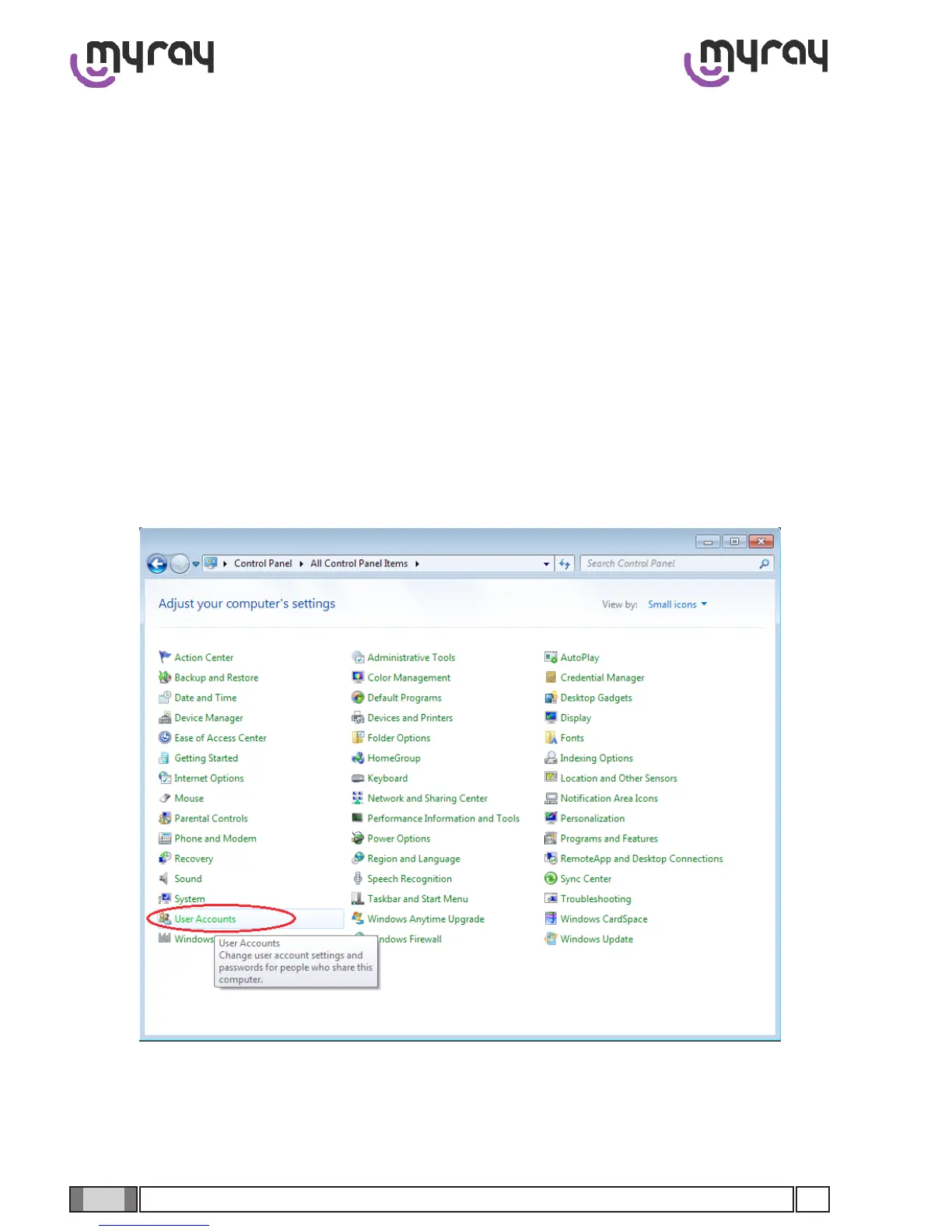
Open the Control Panel , select “User Account”and then “Change User Account Control Settings”.



 To Next Page