EasyManua.ls Logo

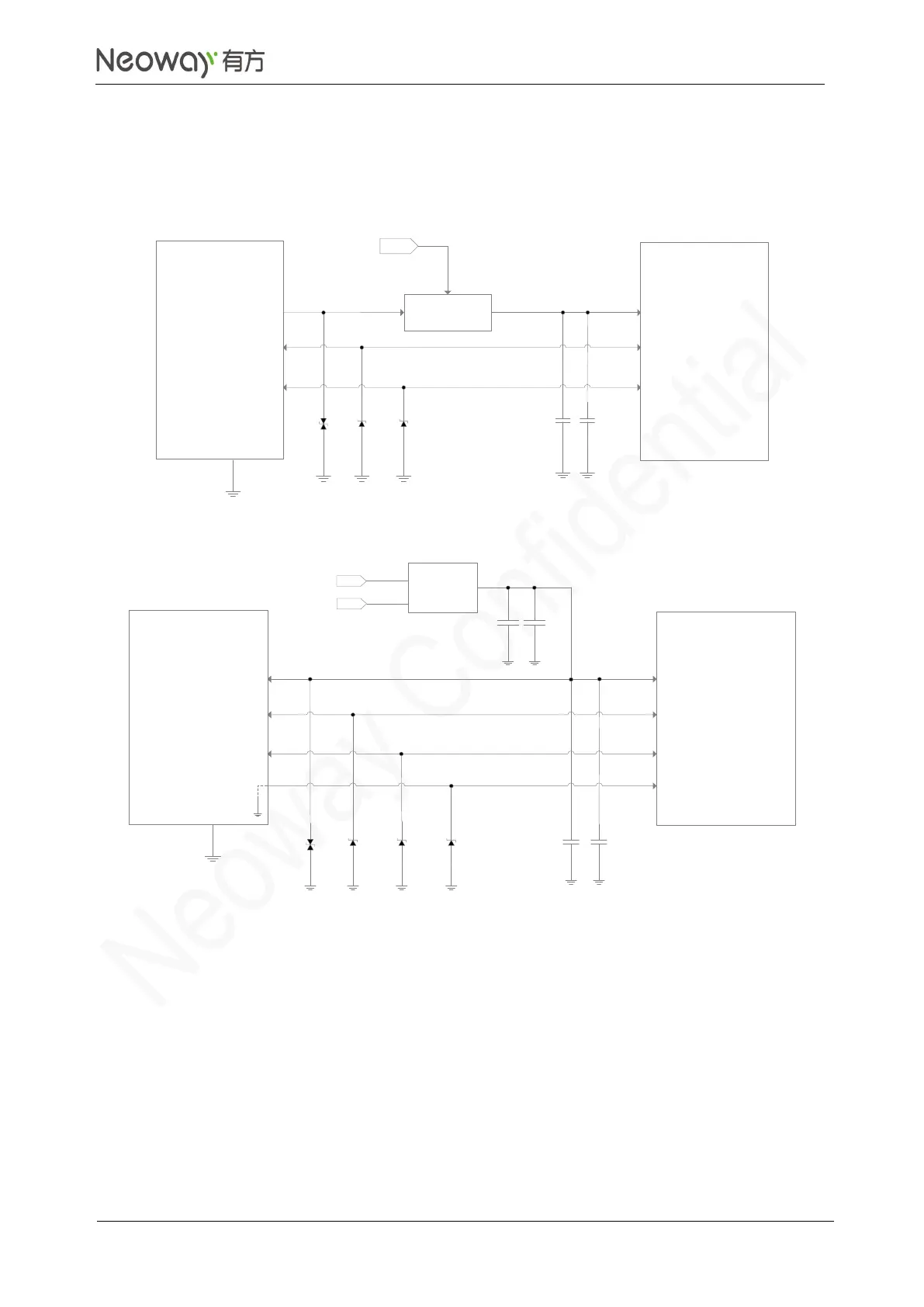
Neoway N75 - Figure 3-13 USB Connection; Figure 3-14 Reference Design of USB OTG Function

Neoway N75
95 pages
Print Icon
To Next Page IconTo Next Page
To Previous Page IconTo Previous Page
Loading...
N75
Hardware User Guide
Copyright © Neoway Technology Co., Ltd
24
The module can be used as USB Device. It is an option for customers. The recommended USB circuit
is shown in Figure 3-13.
Figure 3-13 USB connection
ESD1
C2
ESD2 ESD3
Power
Switch
MCU_EN
USB_ID
USB_DP
USB_DM
USB_VBUS
N75 module
USB_VBUS
USB_DM
USB_DP
USB_ID
GND
USB Connector
C1
1uF
22pF
Figure 3-14 Reference design of USB OTG function
ESD1
C1
C2
ESD2
ESD3
1uF 22pF
USB_VBUS
USB_DM
USB_DP
USB_ID
USB Device
USB_ID
USB_DP
USB_DM
USB_VBUS
N75 module
ESD4
C4 C5
5V
DC-DC
VCC
IN
EN
OTG_5V_EN
OUT
Schematic Guidelines
Connect a F and a 22pF filter capacitors in parallel to the USB_VBUS pin. An ESD component
is required for the USB_VBUS line.
The junction capacitance of the ESD protection diodes for USB_DP and USB_DM should be
lower than 1pF if possible.
To enter sleep mode, shut down USB_VBUS. Add a switch to USB_VBUS to control it by MCU.
See Figure 3-14. For the switch circuit, see Figure 3-3.


Table of Contents

Related product manuals