180 NetApp AltaVault Cloud Integrated Storage Administration Guide
Disaster recovery Disaster recovery
Performing post-DR testing activities
After completing a disaster recovery test, perform the following steps to clean up the disaster recovery environment,
and to re-enable operations on the production AltaVault appliance.
To revert back to original state after the DR test is complete
1. When disaster recovery testing is complete, the AltaVault appliance used for DR testing is no longer needed. To
revert the appliance back to an initial, non-configured state for future DR tests and to release control of the cloud
bucket, enter the following commands:
amnesiac > enable
amnesiac # configure terminal
amnesiac (config) # no service enable
amnesiac (config) # datastore format local
amnesiac (config) # reset factory
Note: The AltaVault appliance shuts down as the final action in the reset factory command.
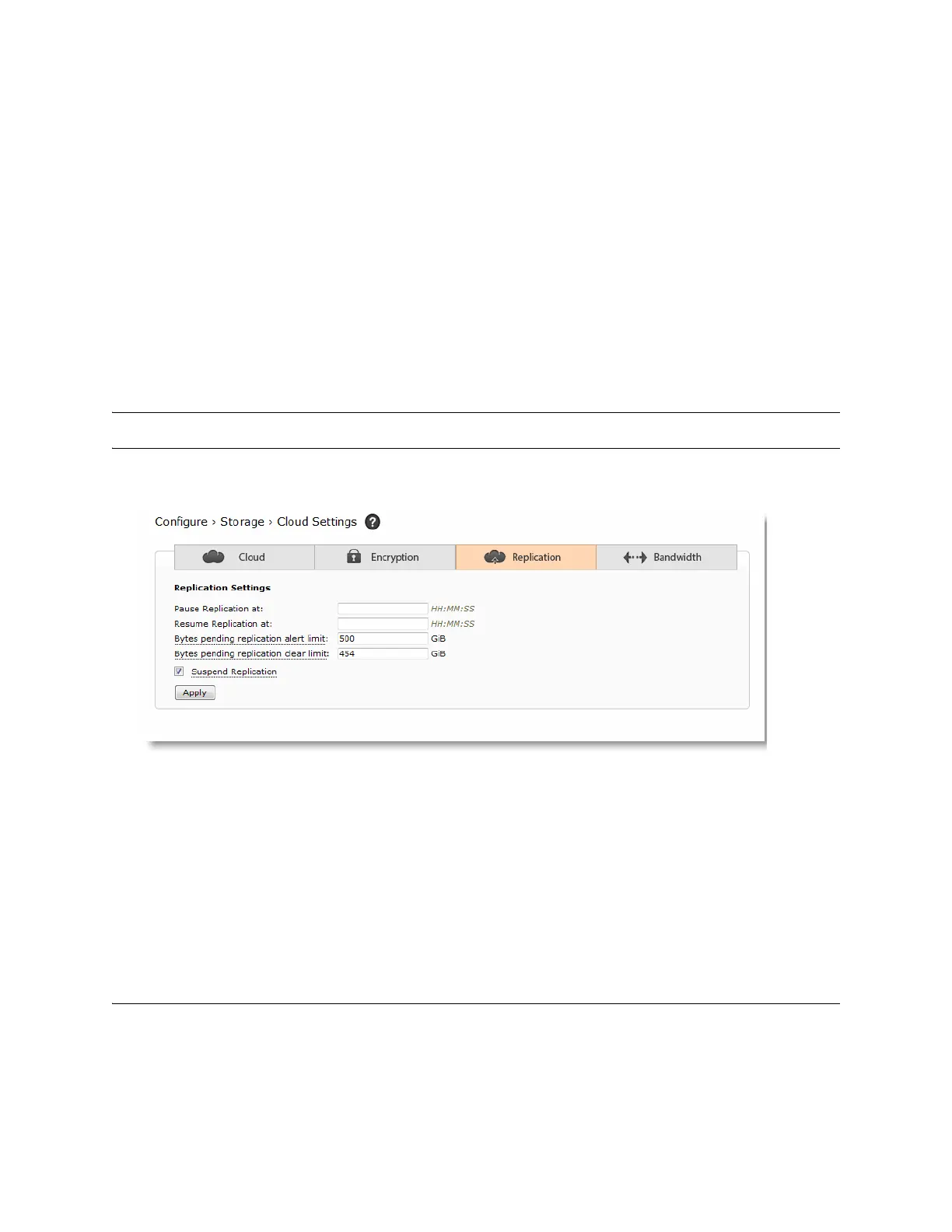
2. On the original production AltaVault appliance, re-enable replication by selecting Configure > Cloud Settings.
3. Select the Replication tab.
4. To resume replication, clear the check box, Suspend Replication, and click Apply.
5. If pending data is awaiting to be replicated to the cloud, review the Reports > Back-End Throughput graph to
confirm that data has resumed replication to cloud storage.
Disaster recovery
Disaster recovery actions must be performed as follows to enable a new AltaVault appliance for recovery of data
backed up by the original AltaVault appliance lost in the disaster.



 To Next Page