NetApp AltaVault Cloud Integrated Storage Administration Guide 185
Beta Draft
Using LEDs to check the status of the system System components AVA-400, AVA-800
Using LEDs to check the status of the system
You can check the front of the bezel to verify that the power is turned on, controller is active, system is halted, or
whether a fault has occurred in the chassis.
To check the status of the system
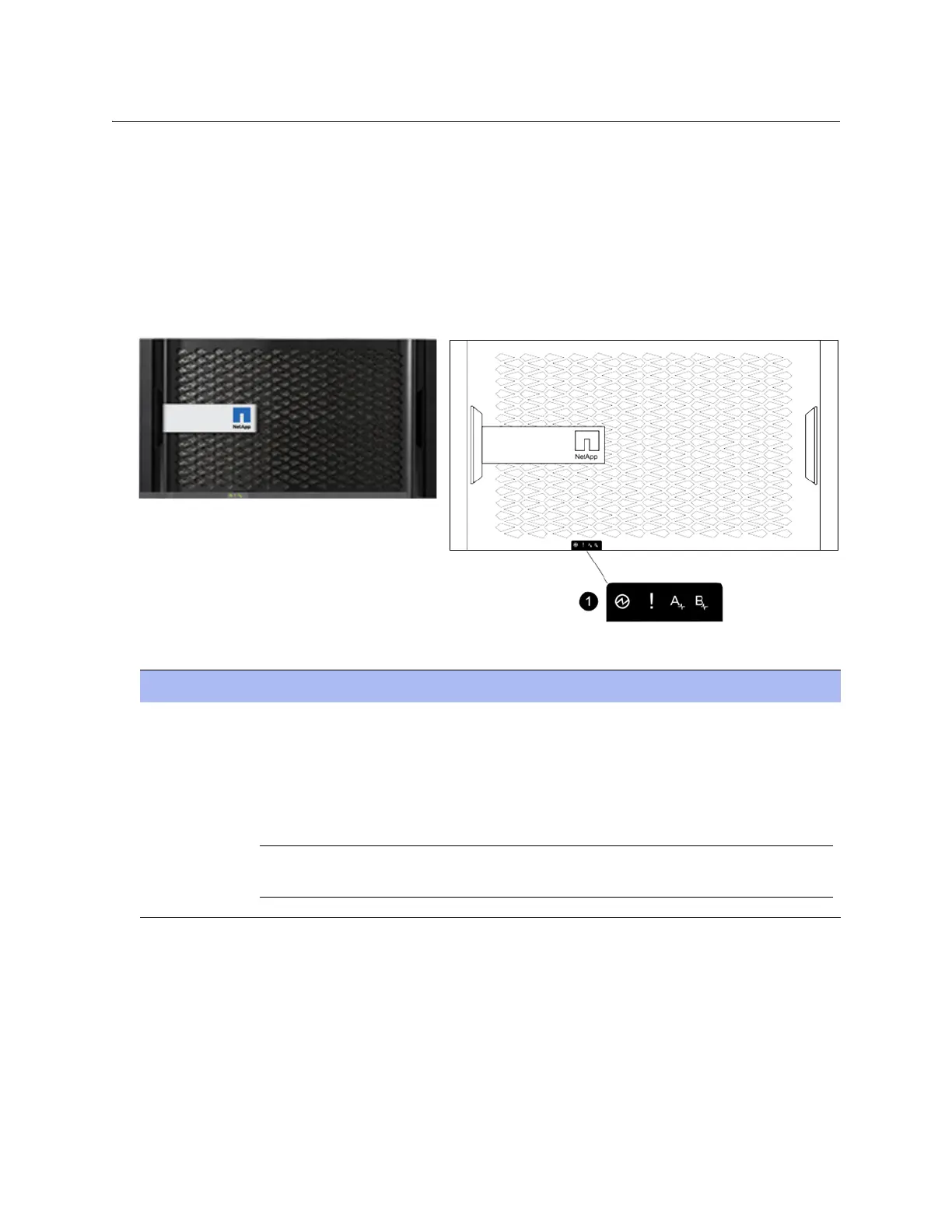
1. Locate the LEDs on the front of the bezel to verify the power is turned on, the controller is active, the system is
halted, or whether a fault has occurred in the chassis.
The image on the left displays a system bezel. The diagram on the right displays the system LEDs on the bezel.
2. Use the following table to understand the system LEDs:
Component Description
1 System LEDs
When the bezel is in place, the LEDs are arranged horizontally in the following left-to-right order:
•Power
• Fault (System Attention LED)
• Controller A activity (controller installed in the top bay only with no secondary controller)
Note: When the bezel is removed, the system LEDs on the chassis are arranged in the same order as on
the bezel, but in a top-to-bottom vertical orientation.



 To Next Page