NetApp AltaVault Cloud Integrated Storage Administration Guide 97
Beta Draft
Configuring appliance monitoring Configuring security settings
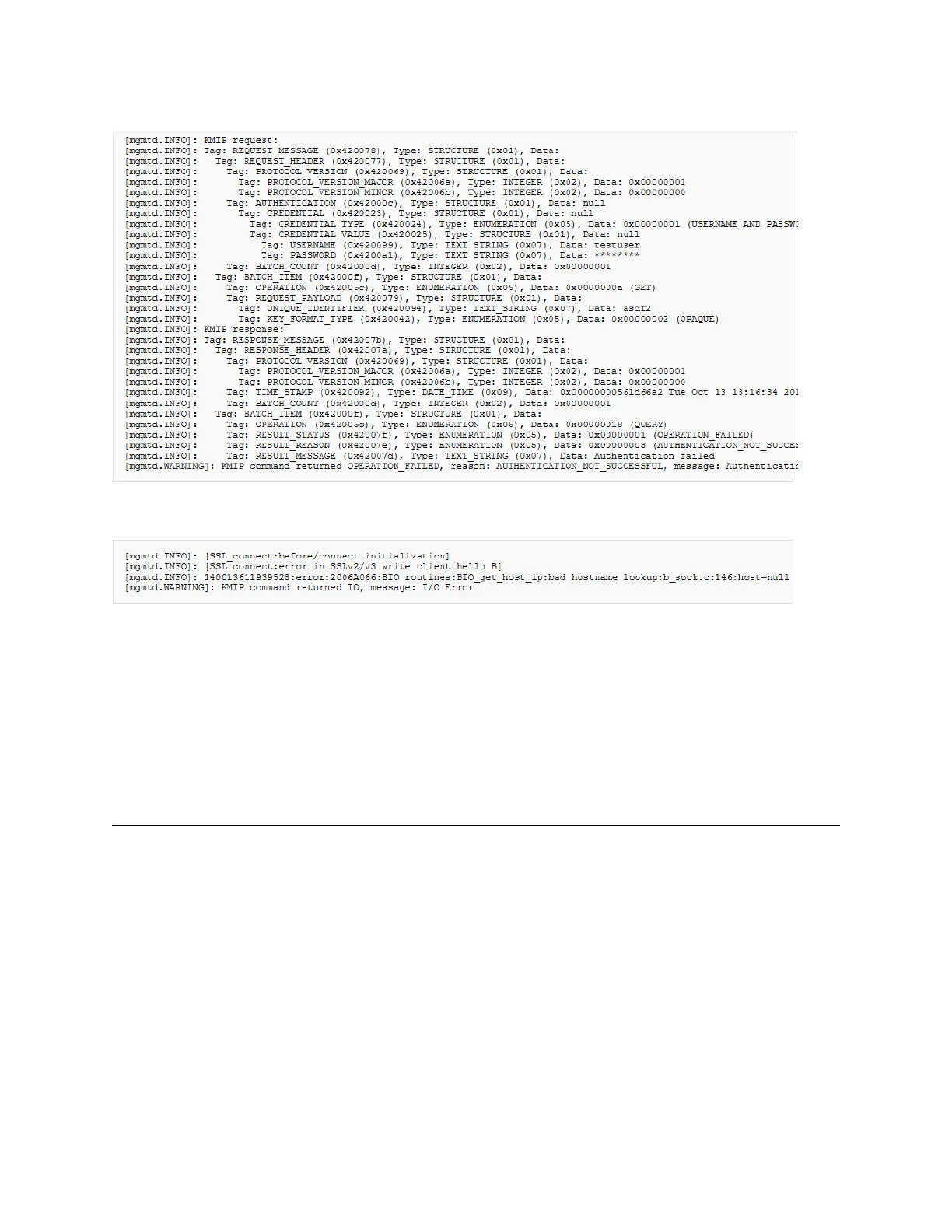
Example of an unsuccessful command
Example of an unsuccessful command (failure to connect)
Common Errors
An authentication error could be caused the following:
Incorrect username or password
Incorrect client certificate.
Misconfigured certificates.
Configuring appliance monitoring
You can set up any AltaVault as the monitoring master appliance that monitors peer AltaVaults. The AltaVault uses
REST APIs that you can access to set up peer appliance monitoring.
After you configure REST API access and add the API access code for the monitored appliance, the Appliance
Monitoring report enables you to view the health status, disk space, and cloud service status of the AltaVault.
The monitoring appliance probes the monitored peer appliances every 60 seconds by default.
To configure REST API Access
When you add an appliance to be monitored by the AltaVault, you must generate an API access code to enable
authenticated communication between the monitoring master appliance and the monitored peer appliance.
1. Log in to the monitored AltaVault appliance.



 To Next Page