264 NetApp AltaVault Cloud Integrated Storage Administration Guide
Best practices for Amazon Glacier AltaVault appliance best practices for Veeam backup and replication for Amazon Glacier
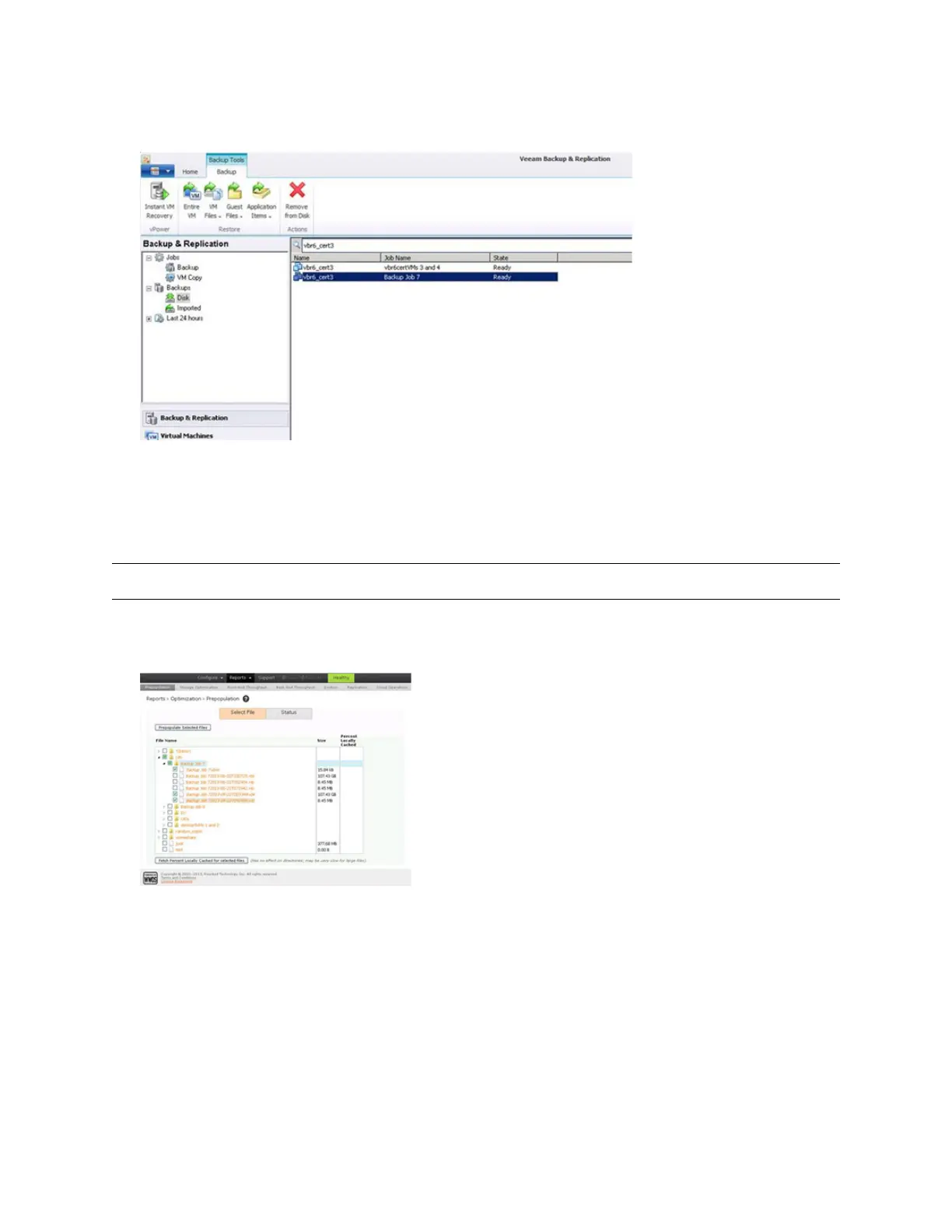
2. In this case, the example is VM is vbr6_cert3. In Veeam, you can locate the backup job by searching the backup
database. In the figure below, you can see that vbr6_cert3 has been backed up by a job named Backup Job 7.
3. After identifying the job name, prepopulate the most recent .vbk file plus all subsequent .vib files, and the job
metadata file with the .vbm extension, using the Prepopulation GUI as described in “Restoring data from the cloud
using the prepopulation page” on page 252, and wait until the files migrated from Glacier to the AltaVault cache.
Note: There is no need to prepopulate older backup chains. Veeam time stamps the backup job files to make it easy to identify.
The figure below shows an example of how to prepopulate the current Veeam backup files needed to restore the
most recent version of the VM named vbr6_cert3.
4. Initiate your restore from the Veeam Backup and Replication GUI as you normally would to complete the
recovery.



 To Next Page