the supply is capable of supporting a minimum of 180 L/min of
constant flow.
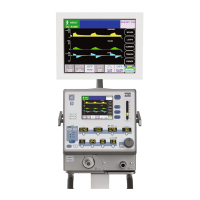
Attach the patient circuit to the e360 ventilator.
NOTE: Observe ESD precautions throughout the following
procedures for Analog PCB and Pneumatics Calibrations:
Analog PCB Calibration: d5
To locate the transducers on the Analog PCB, see Figure 5-2, below.
1 “d0” will be displayed in the “Trig” window on the Control
Panel and “0” will be displayed in the “Flow/t Insp” window
when the e360 ventilator enters into the Diagnostics Mode.
2 Press the button below the “Trig” window, then the display
will start blinking.
3 While the display is blinking, turn the Adjustment Knob to
change the setting from “
d0” to “d5”.
Then press the
“
Accept” button to acknowledge.
NOTE: Steps 4 to 14 are to calibrate zero pressure offset of
the Exhalation drive pressure transducer
XD107.
4 Remove the ORANGE tubing from transducer XD107 on the
Analog PCB.
5 Press the “Manual Inflation” button to start the of
fset
calibration. The Message ID will change to “25”. Refer to
Table 5-5 for the descriptions of all message ID’s.
6 Verify the setting of “t Insp” is “0”. If not, press the button below
“Flow / t Insp” window, then the display will start blinking.
7 While the display is blinking, turn the Adjustment Knob to
adjust the setting of “t Insp” to “0”, and then press the
“
Accept” button to acknowledge.
8 Press the button below “Resp Rate” window
, then the display
will start blinking.
9 While the display is blinking, turn the Adjustment Knob to
change the setting to any value, and then press the “
Accept”
button to acknowledge.
10 After the “Accept” button is pressed, the value of “Drive
Pressure” displayed on the LCD touch Screen will change.
CALIBRATION PROCEDURES
5-4 SER360 A1106


 To Next Page