NGTeco Time Clock - K4 Model User Manual
Page | 11 Copyright©2021 NGTeco. All rights reserved.
2.1.2 Enrollment Operation
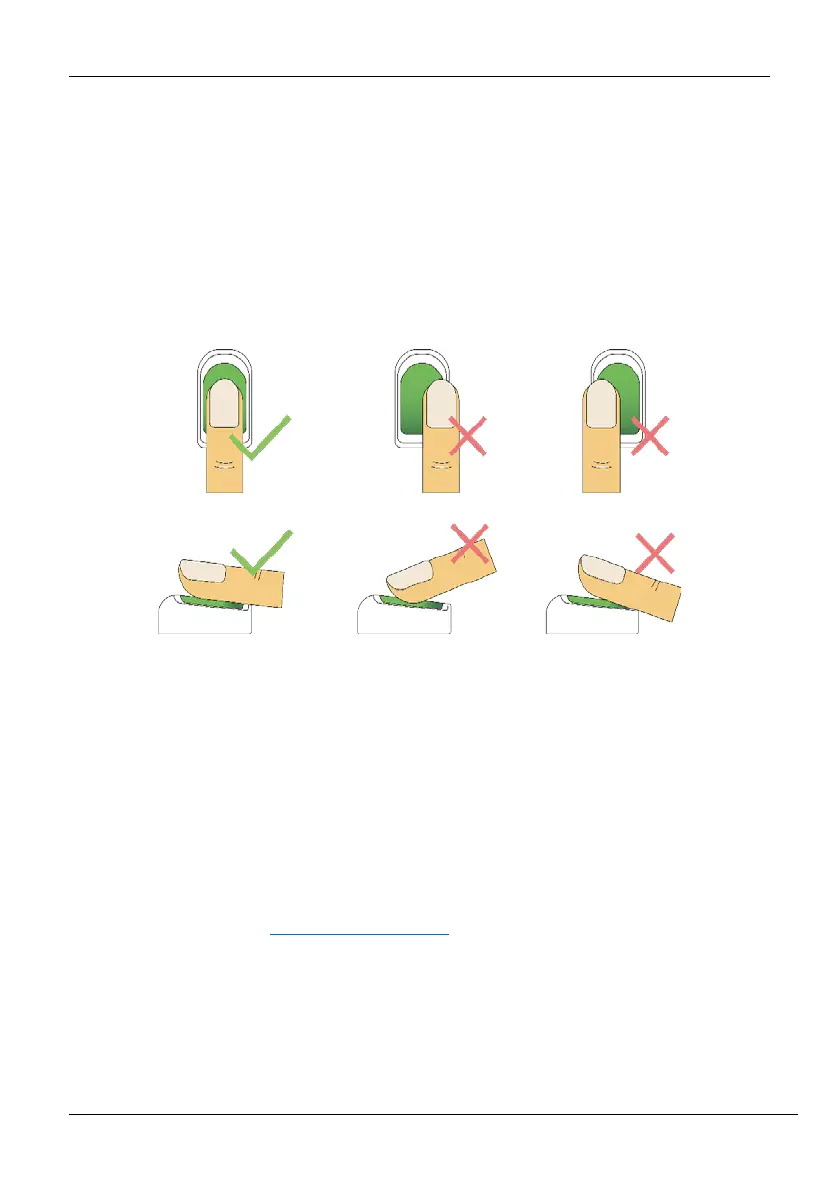
• Place the finger flat and centered on the sensor surface.
• The score for each enrollment will be displayed. Make sure the score is high enough to
ensure proper enrollment and authentication.
• Place the finger consecutively until the success message appears. An illustration is given
below:
Figure 2-1: Fingerprint Registration
2.1.3 Quality Improvement of Fingerprint Reads
• Place the finger firmly on the sensor surface.
• Always use clean fingers for enrollment.
• Do not slide the finger while enrolling it.
• Avoid angled or tilted finger positions for enrollment.
For further details, refer Fingerprint Enrollment
.



 To Next Page