NGTeco Time Clock - K4 Model User Manual
Page | 35 Copyright©2021 NGTeco. All rights reserved.
• IP Address: Modify if necessary. It cannot be the same with PC.
• Subnet Mask: Modify it if necessary.
• Gateway: It is necessary to set an address if the device and PC are in different
network segment. Modify if necessary.
6.2 Manual Wi-Fi Configuration
6.2.1 Connection to an Existing Wi-Fi
The steps to connect to Wi-Fi is given below:
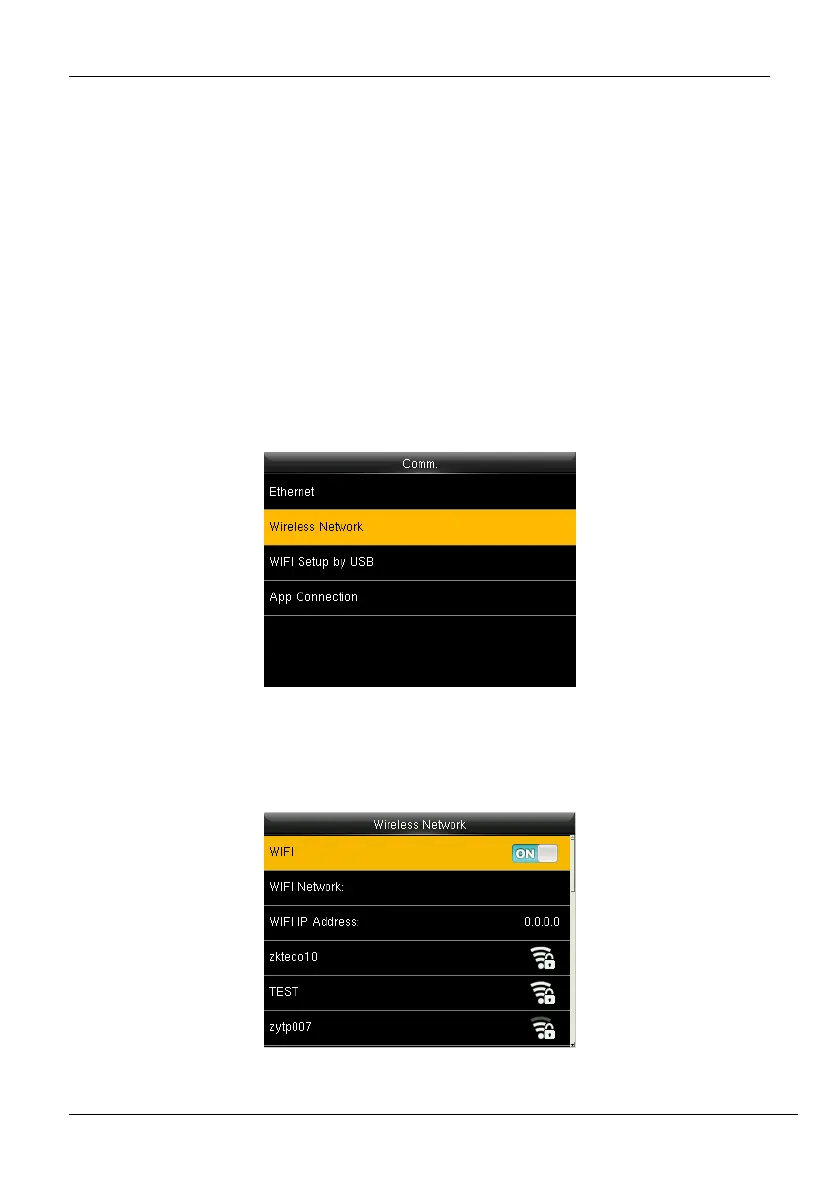
1. Go to [Comm.] then [Wireless Network].
Figure 6-3: Manual Wi-Fi Connection
2. The list of available Wi-Fi connections will be displayed as shown below:
Figure 6-4: Available Wi-Fi Networks



 To Next Page